Currently Empty: ₨ 0
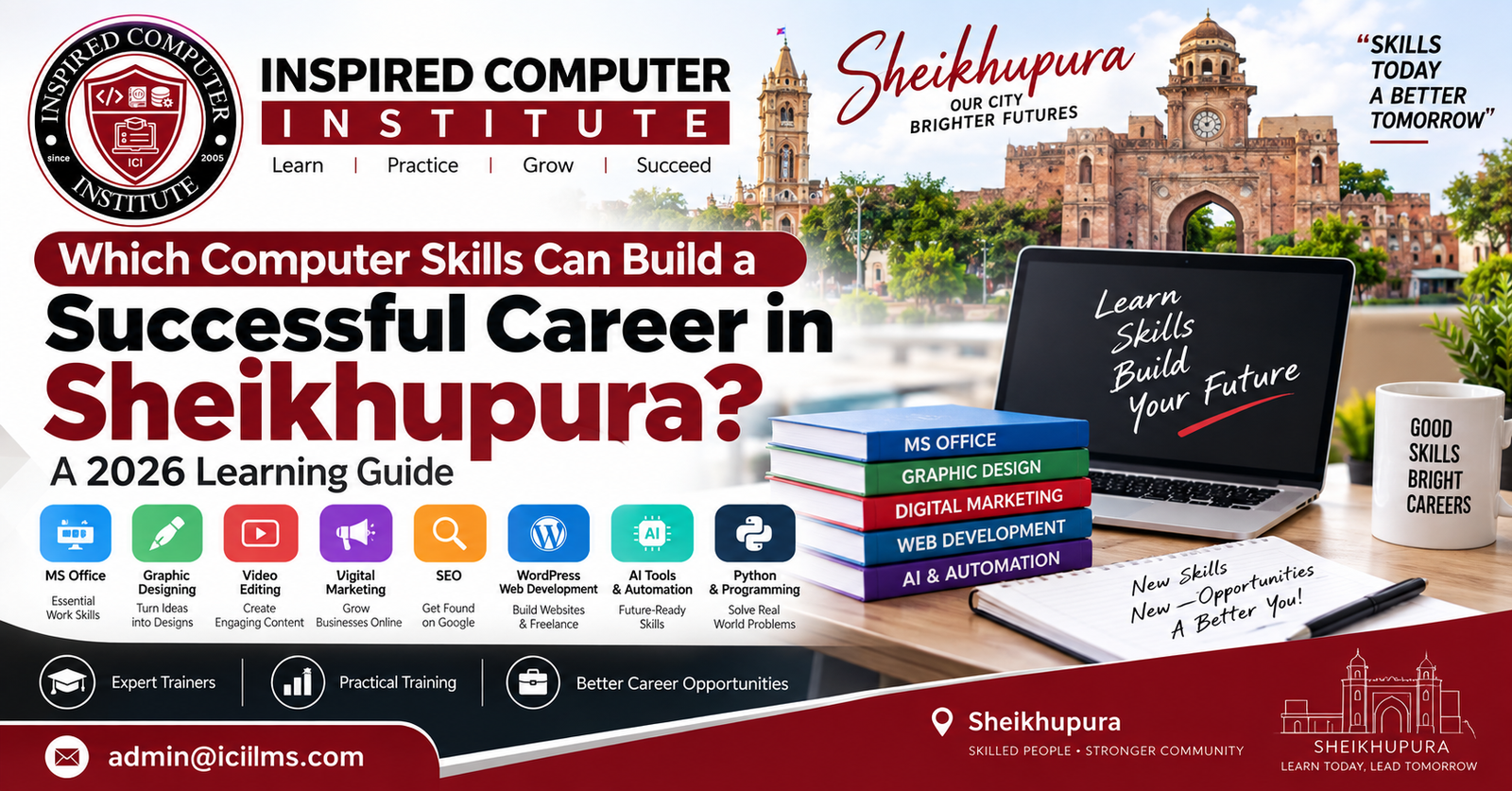
Which Computer Skills Can Build a Successful Career in Sheikhupura? A 2026 Learning Guide
Komal Shahzadi
- September 18, 2026
- Comment 0
Which Computer Skills Can Build a Successful Career in Sheikhupura? A 2026 Learning Guide
Choosing the right computer skills in Sheikhupura can make a remarkable difference to your career in 2026, but there is an important catch: simply completing a computer course is no longer enough. Employers, clients, agencies, schools, retailers, factories, software companies, and online businesses increasingly care about what you can actually do. A certificate may help you introduce yourself, but practical ability is what keeps the conversation going. Can you create a professional Excel report? Build a responsive website? Design an advertisement? Optimize a business for Google Search? Edit a promotional video? Automate repetitive work with AI? Those are the kinds of questions that turn computer education into employable skills.
For students and job seekers in Sheikhupura, Punjab, this creates more opportunities than the traditional idea of finding one office job after completing a short computer diploma. A person can learn locally and potentially work for a company in Lahore, provide services to businesses in Sheikhupura, build a small digital agency, pursue remote employment, or sell specialized services through international freelance marketplaces. Geography still matters, particularly for conventional jobs, but digital work has weakened some of the old boundaries. Your laptop can effectively become a small workshop where websites, designs, reports, videos, campaigns, software, and business solutions are produced.
The challenge is deciding which computer course is best for a career in Sheikhupura. Office automation remains useful, but it serves a different purpose from programming. Graphic design can lead toward creative work, while data analysis suits people who enjoy numbers and patterns. Digital marketing combines communication with analytics, whereas web development demands more technical problem-solving. Artificial intelligence is changing practically all of these fields rather than simply replacing them with one new profession.
This 2026 guide explores the skills worth understanding, where they can lead, and how you can build a learning path around actual career goals instead of collecting certificates without direction.
Why Computer Skills Matter for Career Growth in Sheikhupura
Computer literacy has moved from being an impressive extra to becoming a basic layer beneath countless occupations. Consider how many ordinary workplace activities now pass through a computer or smartphone: maintaining records, preparing invoices, creating presentations, communicating with customers, advertising products, managing inventory, analyzing sales, submitting forms, conducting research, or collaborating with colleagues. Even jobs that are not traditionally considered “IT jobs” increasingly involve digital systems. That means computer education in Sheikhupura should not be viewed exclusively as preparation for becoming a programmer or computer operator. It can strengthen careers in administration, education, retail, manufacturing, sales, accounting, marketing, entrepreneurship, and many other areas.
Sheikhupura also has an important geographic advantage. It has its own commercial and industrial activity while remaining closely connected with Lahore’s much larger employment and technology ecosystem. A learner therefore does not necessarily need to think of the local market and the online market as two separate worlds. Someone who learns graphic design, for example, might design social-media material for a local restaurant today, work remotely with a Lahore agency tomorrow, and eventually acquire an overseas client. The same skill can travel between markets.
There is another change that matters greatly in 2026: AI-assisted work. Artificial intelligence tools can now help people research, draft content, analyze information, generate coding suggestions, organize data, brainstorm designs, and automate repetitive processes. This does not make foundational computer knowledge pointless. Quite the opposite. A person who understands Excel, design principles, marketing strategy, programming logic, or video editing can generally judge and refine AI-generated output far better than someone who merely knows how to enter prompts.
Think of AI as a power tool. Giving somebody an electric drill does not automatically make that person a carpenter. The tool increases speed when it is combined with knowledge, judgment, and practice. The strongest career strategy, therefore, is to develop a valuable core computer skill and then learn how AI can make you faster and more productive within that skill.
How Sheikhupura’s Job Market Is Changing in 2026
The career environment facing a young person in Sheikhupura today is broader than the familiar sequence of education, printed CV, job applications, and an office position. That route still exists and remains suitable for many people, but it now sits beside freelancing, remote employment, digital entrepreneurship, e-commerce, agency work, and project-based services. Consequently, a useful computer skill should ideally give you more than one possible destination. Microsoft Excel skills, for instance, could help with an administrative position while also becoming the foundation for advanced reporting and data analytics. WordPress could support agency employment, independent website projects, or a small web-design business.
Local businesses themselves are becoming potential customers for digital skills. Shops, educational institutions, restaurants, property businesses, clinics, manufacturers, service providers, and retailers can require websites, social-media graphics, promotional videos, Google Business Profile assistance, advertisements, spreadsheets, databases, and software support. A learner does not always have to wait for a formal vacancy. In some professions, you can approach businesses with a clearly defined service and demonstrate how your skill solves a visible problem.
At the same time, competition has become more demanding. Knowing that Photoshop exists is not a marketable skill. Being able to create a coherent brand identity and commercial social-media campaign is. Watching Python tutorials is not the same thing as developing a working application. Completing an SEO course does not demonstrate that you can improve a website’s search visibility. This difference between knowledge and demonstrable ability should shape your entire learning strategy.
That is why portfolios, projects, internships, practical assignments, and real-world practice deserve as much attention as certificates. Imagine two candidates applying for a junior web-design position. One carries five course certificates; the other has one certificate but can immediately show five responsive websites, explain how they were built, and demonstrate the admin panels. The second candidate gives an employer evidence rather than a promise.
In 2026, your goal should be simple: learn, build, demonstrate, improve, and then monetize. That cycle is far more powerful than repeatedly enrolling in courses without producing anything.
Basic Computer and Office Automation Skills
For absolute beginners, basic computer skills and office automation remain one of the most sensible starting points. These skills may not sound as exciting as artificial intelligence or software engineering, yet they form the digital grammar behind enormous amounts of office work. A person who cannot confidently manage files, format documents, use spreadsheets, send professional emails, create PDFs, navigate cloud storage, or troubleshoot simple computer problems will struggle in many digitally enabled workplaces. Beginners should therefore resist the temptation to jump directly into an advanced field merely because it sounds more profitable.
A strong basic computer course should teach operating-system navigation, folder and file management, internet research, browser use, downloads and uploads, printing, scanning, PDF management, email etiquette, cybersecurity fundamentals, and cloud-based collaboration. It should also introduce commonly used productivity software. The objective is not memorizing where buttons are located. Interfaces change. Instead, students need enough familiarity to solve everyday workplace tasks independently.
This skill set can be particularly useful for people targeting administrative positions, school and academy offices, reception work, sales support, documentation, inventory-related roles, computer-operator positions, and general office assistance. It can also benefit university students who regularly prepare assignments, presentations, research documents, and reports. Even entrepreneurs need these abilities because running a small business increasingly means handling digital quotations, records, customer lists, marketing documents, and online communication.
Office automation can also become a launchpad rather than a destination. Once you become comfortable with spreadsheets, you may discover an interest in data analysis. After producing presentations, you might move toward design. Handling business records could spark an interest in accounting software or database management. Basic computer education is like learning to drive before deciding whether you want to become a delivery driver, racing professional, or transport manager.
The mistake is staying at the beginner level indefinitely. Learn the foundation properly, then select a specialization that gives you deeper economic value.
Microsoft Office, Typing, Email, and Workplace Productivity
Among productivity applications, Microsoft Word, Excel, and PowerPoint continue to deserve serious attention. Word is useful for reports, letters, CVs, forms, proposals, and business documentation. PowerPoint supports presentations, teaching, meetings, sales pitches, and project communication. Excel is particularly valuable because it begins with simple tables and calculations but can grow into sophisticated reporting, financial modeling, dashboards, data cleaning, and analysis.
A beginner learning Excel should first become comfortable with cell references, formatting, tables, sorting, filtering, formulas, and basic charts. From there, move toward functions such as IF, SUMIF/SUMIFS, COUNTIF/COUNTIFS, lookup functions, text manipulation, date functions, conditional formatting, PivotTables, and data validation. More advanced learners can explore Power Query, dashboards, automation, and integration with data-analysis workflows. Do not learn formulas simply to memorize them. Create practical projects: a monthly expense tracker, student result system, stock sheet, employee attendance record, sales dashboard, or small-business profit report.
Typing is another overlooked advantage. Fast typing alone will not create a high-income career, but poor typing can quietly reduce your productivity every day. Practice English typing, and where relevant to your intended work, Urdu digital typing and document formatting. Pair this with professional email communication: meaningful subject lines, concise messages, appropriate attachments, file naming, and sensible follow-ups. These tiny habits communicate professionalism.
In 2026, office productivity also extends beyond desktop Microsoft Office. Learners should become familiar with collaborative documents, cloud storage, online meetings, shared calendars, digital forms, and AI-supported productivity. Knowing how to use AI to summarize a long document or suggest an Excel formula can save time, but you still need enough understanding to check whether the result is correct.
For someone starting from zero in Sheikhupura, Office Automation + Excel + communication skills can therefore be a practical first stage. After mastering it, however, add a specialized skill rather than assuming basic office software alone will distinguish you in a competitive market.
Graphic Designing and Creative Digital Skills
Graphic designing in Sheikhupura can be an attractive career direction for people who enjoy visual communication more than code or spreadsheets. Every business that wants attention needs visual material in some form: logos, social-media posts, advertisements, brochures, menus, banners, product images, packaging, presentations, thumbnails, or website graphics. That creates opportunities across local business, advertising agencies, e-commerce, freelancing, print media, and content creation.
The important distinction is between knowing design software and understanding design. Software is the toolbox; design thinking is the craft. You can teach someone where the rectangle tool is located in a few minutes, but that does not teach hierarchy, alignment, contrast, whitespace, typography, composition, color psychology, brand consistency, or audience awareness. These principles determine whether a design merely contains information or communicates it effectively.
Beginners should practice by recreating professional layouts for learning purposes and then progress toward original projects. Build complete fictional brands rather than fifty unrelated social posts. For example, invent a café and create its logo, color palette, menu, packaging, Facebook advertisement, Instagram posts, promotional banner, and business card. Now you have a portfolio case study that demonstrates consistency and problem-solving. Afterward, replace fictional projects with real work whenever possible.
Graphic design also combines naturally with other skills. A designer who understands social media marketing can create visuals based on campaign objectives rather than decoration. A designer who understands WordPress can handle website graphics. Someone who learns motion graphics can progress toward video advertising. A freelancer who understands copywriting can deliver more complete campaigns.
Generative AI has accelerated ideation and image creation, but businesses still need people who can make decisions about brand identity, audience, layout, accuracy, licensing, consistency, and final production. The career opportunity is shifting from “person who knows software buttons” toward creative problem solver who uses modern tools efficiently.
Photoshop, Illustrator, Canva, and Portfolio Building
Different design tools solve different problems, so beginners should avoid turning software choice into a competition. Adobe Photoshop is powerful for raster graphics, image manipulation, photo editing, compositing, advertising artwork, and many social-media tasks. Adobe Illustrator is designed around vector graphics and is particularly valuable for logos, icons, illustrations, typography, and artwork that needs to scale cleanly. Canva provides an accessible, template-oriented workflow that can be exceptionally efficient for everyday social content, presentations, and quick business graphics.
Rather than asking which application is “best,” ask what you intend to produce. A social-media manager may accomplish a large percentage of routine content work in Canva. A professional brand-identity designer will benefit substantially from vector-design expertise. A commercial image editor will need stronger Photoshop abilities. Many working designers use several tools because clients do not care which hammer you used; they care whether the finished house stands straight.
Your graphic design portfolio deserves attention from the first month of learning. Do not wait until a course finishes and then wonder what to show employers. Save your strongest work as you progress, revisit old projects, and improve them as your eye develops. Quality matters much more than volume. Ten thoughtful projects with context can say more than a folder containing hundreds of template modifications.
When presenting a project, show more than the final JPEG. Explain the imaginary or real client’s problem, intended audience, visual direction, typography, colors, and applications. Display a logo on packaging or signage through mockups when appropriate. Show social designs as a coherent campaign. This turns your portfolio into evidence that you understand business communication.
For learners in Sheikhupura, practice can start close to home. Study the visual identity of businesses around you and ask how their menus, advertisements, packaging, social pages, or signage could communicate more clearly. Local surroundings can become a laboratory for building commercially relevant design instincts.
Web Designing and WordPress Development
If you want a computer skill that sits between creativity, technology, and business, web designing and WordPress development deserve consideration. Businesses need websites for credibility, lead generation, online catalogs, appointments, information, portfolios, publishing, and e-commerce. While social platforms are important, a website gives an organization a digital property it can control more directly. This makes website creation a service that can be sold to businesses both locally and remotely.
Beginners should first understand what makes a website useful. Attractive colors are not enough. A business website needs intuitive navigation, readable typography, responsive layouts, sensible calls to action, fast loading, accessible content, basic security, and clear information architecture. If a visitor cannot quickly understand what the business offers or how to contact it, visual beauty has not solved the core problem.
WordPress provides a relatively accessible route into website creation because it can power content-managed websites without requiring every component to be coded from scratch. Learners can practice domains, hosting, WordPress installation, themes, plugins, page building, menus, forms, backups, security, performance optimization, and basic SEO. E-commerce learners can additionally explore product catalogs, checkout workflows, shipping configurations, payment integrations, and store administration.
However, avoid becoming completely dependent on drag-and-drop interfaces. Learn at least foundational HTML and CSS. Understanding how webpages are structured and styled gives you far more control when templates behave unexpectedly. Basic JavaScript knowledge becomes useful as you progress. This is similar to understanding how an engine works even if you normally drive an automatic car—you may not rebuild it every day, but the knowledge helps when something goes wrong.
A strong WordPress learner should finish training with several complete websites, not screenshots of classroom exercises. Build projects representing different business needs: a school, restaurant, professional service, portfolio, e-commerce store, and local company. That collection becomes the bridge from training to paid work.
Building Websites for Local Businesses and Online Clients
The easiest way to understand website freelancing is to stop thinking, “I sell websites,” and start thinking, “I solve business problems through websites.” A restaurant might need customers to find its menu and location. An academy may need admissions information and inquiry forms. A manufacturer could require a professional company profile and product catalog. A consultant may need appointment requests. An online seller might need an e-commerce store. Each is technically a website, yet the commercial purpose is different.
This approach can make prospecting in Sheikhupura more practical. Instead of sending businesses a generic message saying you are a web developer, examine their digital presence first. Is their website outdated? Does it work poorly on mobile? Is contact information difficult to find? Do they have no website at all? Is the site painfully slow? Present a specific improvement connected to the customer’s experience. Selling becomes easier when the conversation concerns an identifiable problem rather than your certificate.
Online clients require the same problem-solving mindset with stronger communication. Learn to gather requirements, define scope, set milestones, request content, document revisions, test deliverables, and provide post-launch instructions. Many technically capable freelancers lose clients because their communication is chaotic. Reliability itself becomes a marketable skill.
Your portfolio should include live demos whenever possible. Each project can contain a brief case study explaining the challenge, solution, technologies, and major features. If you built a demo restaurant website, explain why the navigation prioritizes the menu, reservations or contact details, location, and mobile usability. That demonstrates thinking.
As your ability grows, combine WordPress + SEO + speed optimization + basic design. Bundled expertise can make you more useful to small businesses because the customer gets a functioning digital presence rather than a collection of disconnected technical tasks.
Web Development and Programming
For learners who enjoy logic, troubleshooting, and building systems, web development and programming offer a deeper technical route. It usually takes longer to become genuinely employable in programming than to learn basic office tools, but the ceiling for specialization is also much higher. Developers can work on websites, dashboards, business applications, APIs, e-commerce systems, automation, internal software, and eventually more specialized areas of software engineering.
Start with fundamentals rather than chasing every fashionable framework. For web development, understand HTML for structure, CSS for presentation, and JavaScript for browser-based behavior. Build responsive pages manually before becoming heavily dependent on frameworks. Learn Git and version control early. Understand debugging through browser developer tools. These skills remain useful even when the ecosystem around them changes.
From there, your direction can branch. Front-end developers deepen JavaScript and modern interface development. Back-end learners might explore PHP, Python, JavaScript/Node.js, databases, authentication, APIs, and server-side architecture. Full-stack developers connect both sides. The exact technology stack matters less at the beginning than developing programming logic and understanding how data travels through an application.
Programming requires patience because errors are part of the job. You will spend hours staring at something that appears correct while the computer stubbornly disagrees. That frustration is not evidence that you cannot code; debugging is itself one of the skills you are developing. Each bug is like a detective case: gather clues, isolate variables, test assumptions, and eventually locate the culprit.
AI coding assistants can accelerate this process, but copying generated code without understanding it creates fragile knowledge. Ask AI to explain errors, compare approaches, generate test cases, or clarify documentation. Then inspect the output yourself. AI-assisted developers still need development skills.
HTML, CSS, JavaScript, PHP, Python, and Modern Development
A common beginner mistake is trying to learn HTML, CSS, JavaScript, PHP, Python, React, Laravel, Node.js, databases, AI, and mobile development simultaneously. The result is often broad familiarity but little ability to complete a project. Technology learning works better in layers. Build a solid floor, then add another level.
HTML and CSS are excellent starting points for web development because results appear visually in the browser. Learn semantic page structure, forms, selectors, the box model, Flexbox, Grid, responsive design, and accessibility fundamentals. Add JavaScript for variables, functions, arrays, objects, DOM manipulation, events, asynchronous operations, and APIs. Build small projects until these concepts stop feeling abstract.
After that, choose a back-end direction according to your goals. PHP remains relevant to web ecosystems including WordPress and frameworks such as Laravel. Python is valued for its readable syntax and has applications in web development, automation, data analysis, and AI-related work. JavaScript can also move to the server through Node.js. Whichever path you select, learn relational database concepts and SQL because applications frequently need to store and retrieve structured information.
Projects should become progressively more realistic: a calculator, task manager, weather interface using an API, authentication system, inventory application, school-management demo, booking system, or small e-commerce backend. Deploy projects instead of leaving everything on your laptop.
The objective is not becoming a walking dictionary of programming languages. Employers and clients need someone who can translate requirements into working software. One well-developed stack plus strong fundamentals will usually serve a beginner better than superficial exposure to ten technologies.
Digital Marketing and SEO Skills
A business can have an excellent product and still struggle if nobody discovers it. That is the problem digital marketing attempts to solve. For students in Sheikhupura who enjoy communication, consumer psychology, analytics, experimentation, and business strategy, digital marketing can provide a career route without requiring advanced programming.
The field includes search engine optimization (SEO), social media marketing, paid advertising, content marketing, email marketing, analytics, conversion optimization, and local search marketing. You do not need to master all of these simultaneously. Learn the broader marketing funnel first: how people discover a brand, evaluate it, become leads or customers, and eventually return. Then specialize.
SEO is particularly interesting because it combines technical details, content, research, website structure, authority, and user intent. A beginner can learn keyword research, search intent, on-page optimization, title tags, internal linking, content planning, technical basics, local SEO, and measurement. But avoid outdated thinking that SEO means repeating a keyword twenty times. Search optimization works best when content genuinely answers what a person is trying to find.
Digital marketers also need analytical discipline. Likes and followers can look impressive without generating meaningful business outcomes. Depending on the campaign, conversions, qualified leads, cost per acquisition, revenue, engagement quality, or search visibility may matter more. Learn to connect activity to objectives.
AI can assist with brainstorming, research organization, variations of ad copy, content briefs, and data interpretation, but human judgment remains important for positioning, brand voice, accuracy, and campaign decisions. In marketing, the tool can generate words quickly; understanding why a customer should care is the harder skill.
Social Media Marketing, Google Search, and Local SEO
For someone interested in serving businesses around Sheikhupura, local SEO and social media marketing can work particularly well together. Local customers frequently discover businesses through search engines, maps, social platforms, recommendations, and online reviews. Helping a business improve how it appears across those touchpoints can therefore create measurable commercial value.
Start with social-media fundamentals: audience research, content pillars, platform-specific formats, copywriting, creative design, scheduling, community management, campaign objectives, and analytics. Learn the difference between posting content and developing a strategy. Ten random promotional graphics are not a campaign. A strategy identifies an audience, message, objective, content mix, publishing approach, and measurement method.
For local search, understand consistent business information, location relevance, service pages, reviews, website optimization, useful local content, and the management of business listings. Search practices evolve, so learners should rely on current official documentation and reputable industry resources rather than treating a five-year-old tutorial as permanent law.
Build practical case studies. Choose a sample business and conduct a digital audit. Examine its website, search appearance, social profiles, content consistency, calls to action, and customer journey. Develop a 30-day content strategy and propose measurable objectives. Better still, volunteer or work inexpensively on an early real project where you have permission to track outcomes.
Marketing becomes much easier to sell when you can say, “Here is what I changed, here is how we measured it, and here is what happened.” That evidence transforms a course graduate into a practitioner.
Freelancing and Remote Work Skills
Freelancing is often described as though it were a standalone computer skill. It is better understood as a method of selling a useful skill. Creating an account on a freelance marketplace does not automatically create income. You first need something customers are willing to purchase—web development, graphic design, video editing, SEO, bookkeeping, virtual assistance, data analysis, content services, or another specialized capability.
A successful freelancer combines technical competence with business skills. You need to understand client requirements, write clear proposals, price work sensibly, manage deadlines, communicate progress, control revisions, deliver organized files, and maintain professional relationships. These abilities can determine whether a customer returns even when several freelancers have comparable technical skills.
For beginners in Sheikhupura, the local market can serve as a training ground before or alongside international platforms. Complete projects for real organizations where possible, collect legitimate testimonials with permission, document results, and develop a portfolio. You can then approach online clients with proof that you have solved similar problems. This is far stronger than a profile filled entirely with claims.
Remote work adds another layer. Employers may expect consistent availability, written communication, task management, video meetings, documentation, cybersecurity awareness, and independent problem-solving. English communication can be particularly valuable when working internationally. You do not need an artificial accent or complicated vocabulary; you need to communicate clearly.
Treat freelancing like a small service business. Track leads, proposals, projects, payments, expenses, and repeat clients. Specialize gradually. “I design conversion-focused landing pages for service businesses” is easier for a client to understand than “I do every computer-related task.” Specific expertise builds trust.
Turning Computer Skills Into Online Income
The path from learning to earning usually contains an uncomfortable middle stage. You know enough to create something, but nobody knows you exist. The solution is not another six months of passive tutorials. It is deliberate proof-building.
Suppose you choose WordPress. Build three polished websites. Write case studies. Create a simple portfolio. Approach relevant businesses with personalized observations. Apply for junior positions and freelance projects. Publish useful demonstrations of your work. Ask early clients for testimonials after successfully delivering projects. Repeat. This process creates what might be called a career flywheel: skills produce projects, projects create proof, proof attracts opportunities, and opportunities strengthen skills.
Avoid unrealistic income promises. Freelance earnings can vary enormously depending on expertise, market demand, language ability, positioning, client acquisition, reputation, geography, platform fees, consistency, and sheer timing. Anyone promising that a seven-day course automatically produces a fixed monthly income is simplifying a complex process.
Pricing also evolves. Early in your career, you may accept smaller projects to gain legitimate experience, but do not remain permanently trapped in bargain pricing. As your portfolio and reliability improve, refine your offer and pricing around the value and complexity of the work.
Online income can come through multiple channels: project-based freelancing, remote employment, retainers, consulting, digital products, agency services, teaching, or software products. You do not need all of them. Build one dependable channel first.
The central principle is straightforward: the internet does not pay you for knowing a skill; customers and employers pay you for using that skill to produce useful outcomes.
Video Editing and Content Creation
Video has become central to digital communication, making video editing a useful creative-technical skill for people interested in social media, advertising, YouTube, education, events, or brand content. Modern businesses frequently need short-form promotional videos, product demonstrations, testimonials, interviews, educational clips, reels, and longer YouTube content. An editor can work with creators, agencies, businesses, educational organizations, and remote clients.
Start with storytelling rather than flashy effects. A strong edit controls attention. Learn cuts, pacing, transitions, audio cleanup, music placement, captions, color correction, aspect ratios, B-roll, and export settings. Understand why a cut happens rather than adding transitions simply because the software offers them. The best editing can sometimes feel invisible because the viewer remains absorbed in the message.
Tools may include Adobe Premiere Pro, DaVinci Resolve, CapCut, After Effects, or other editing applications depending on the work. Beginners do not need every program. Pick one capable editor, become comfortable with its workflow, and add specialized tools when projects require them. For social content, speed matters; for commercial or cinematic work, deeper color, audio, and motion skills may become important.
Build a showreel and several niche-specific samples. A restaurant advertisement should feel different from an educational explainer. A real-estate walkthrough requires different pacing from a gaming video. Showing variety is useful, but demonstrating expertise in the client’s exact format can be even more persuasive.
AI is also appearing inside editing workflows through transcription, captioning, background removal, audio enhancement, clip selection, and generative tools. Use those capabilities to eliminate repetitive work while maintaining editorial judgment. Knowing where to cut, what to emphasize, and how to shape emotion remains the heart of the craft.
Data Analysis, AI, and Emerging Computer Skills
For learners who enjoy numbers, patterns, structured problem-solving, and business decision-making, data analysis is an increasingly valuable direction. Organizations generate information through sales, inventory, customers, operations, websites, finances, and marketing. Raw data resembles a warehouse full of unopened boxes; analysis labels those boxes, organizes them, and helps decision-makers understand what is actually inside.
A practical learning sequence can begin with advanced Excel, followed by SQL for querying databases and a visualization platform such as Power BI. Python can then become valuable for more advanced data cleaning, analysis, automation, and larger workflows. Statistics matters as well. A beautiful dashboard is dangerous if the person building it misunderstands averages, distributions, sampling, correlation, or misleading comparisons.
Artificial intelligence skills in 2026 should be approached similarly. “Prompt engineering” by itself is unlikely to be a complete career plan for most beginners. A stronger combination is AI plus domain expertise: AI + marketing, AI + programming, AI + Excel, AI + design, AI + customer support, AI + research, or AI + business automation. When you already understand the work, AI becomes leverage.
Learn responsible AI use as well. Generated information can be incorrect. Code can contain bugs or vulnerabilities. Images may create copyright or brand concerns. Confidential business information should not casually be placed into tools without understanding the relevant privacy and organizational policies. Verification is a professional skill.
Cybersecurity, cloud computing, automation, UI/UX design, mobile development, and e-commerce technologies are other areas learners may explore. But emerging fields should not distract you from fundamentals. New tools arrive like waves; foundational skills are the ability to swim.
How to Choose the Right Computer Course in Sheikhupura
The best computer course in Sheikhupura is not necessarily the course with the longest list of software names. It is the one that matches your aptitude, career objective, current education, available time, budget, and willingness to practice. Before enrolling, ask yourself what type of work you enjoy. Do visual problems energize you? Consider design or video. Do you enjoy logic and building things? Explore development. Are numbers comfortable? Data analytics may suit you. Do you enjoy communication and business psychology? Digital marketing deserves attention.
Next, evaluate the training itself. Ask to see the syllabus, instructor’s practical work, student projects, lab facilities, class structure, assignments, and portfolio expectations. Determine whether the course teaches current workflows rather than outdated software demonstrations. A good program should require students to build things. Watching an instructor click through menus is not practical training.
Do not choose purely by duration either. A three-month course can be excellent if it is focused and practice-heavy; a one-year program can be weak if students spend most of the time copying notes. Calculate practice hours, not merely calendar months. Two learners can attend the same class and finish with dramatically different abilities because one practices every evening while the other touches the software only during lessons.
Also consider the pathway after training. Will you have enough projects for a portfolio? Can the skill connect to internships, entry-level employment, local clients, remote work, or further education? Does the institute make realistic claims about careers, or does its marketing promise effortless earnings?
Your course should be a bridge. Before paying for it, make sure you know roughly where that bridge is supposed to take you.
A Practical Learning Roadmap for Students and Job Seekers
A sensible computer career roadmap for 2026 can be built around four phases: foundation, specialization, proof, and market entry. During the foundation phase, become comfortable with computers, files, internet research, professional communication, office productivity, cybersecurity basics, and AI literacy. If you already possess those skills, do not repeat beginner courses simply to collect another certificate.
Next, choose one specialization and give it concentrated attention. A learner pursuing graphic design might spend several months mastering design fundamentals and key tools while producing weekly projects. A web developer might work systematically through HTML, CSS, JavaScript, Git, APIs, and a chosen backend path. A digital marketer might study content strategy, SEO, social media, advertising fundamentals, and analytics while managing a practice project.
The third phase is proof of skill. Create three to six substantial projects that resemble real commercial work. Document what you did and why. Put your work somewhere easy to share. Seek an internship, apprenticeship, volunteer project, or small paid assignment where appropriate. Real constraints teach lessons tutorials cannot.
The fourth phase is market entry. Apply for relevant jobs, contact businesses, approach agencies, create professional freelance profiles, participate in communities, and improve your English and client communication. Track responses. If twenty applications produce no interviews, examine your CV and portfolio. If clients respond but never hire you, inspect your proposal, positioning, or pricing. Treat career development like debugging software: observe what fails, change one variable, and test again.
A simple comparison can help clarify possible starting directions:
| Skill | Suitable For | Beginner Entry Barrier | Example Career Directions |
|---|---|---|---|
| Office Automation & Excel | Administrative-minded learners | Low | Office assistant, computer operator, reporting support |
| Graphic Design | Creative learners | Low–Medium | Graphic designer, social-media designer |
| WordPress | Creative + technical learners | Medium | Web designer, WordPress developer |
| Programming | Logical problem-solvers | Medium–High | Front-end, back-end, software development |
| Digital Marketing & SEO | Communication + analytical learners | Medium | SEO specialist, digital marketer |
| Video Editing | Visual storytellers | Medium | Video editor, content producer |
| Data Analytics | Number-oriented learners | Medium–High | Data/reporting analyst |
| AI & Automation | Learners with an existing core skill | Varies | Automation and AI-assisted specialist roles |
Do not interpret the table as a salary ranking. Career outcomes depend on proficiency, experience, communication, market demand, portfolio quality, and the type of employer or clients you pursue.
Conclusion
Building a successful computer-based career in Sheikhupura in 2026 is less about discovering one magical course and more about developing the right skill stack. Basic computer literacy gives you the foundation. Excel can strengthen office and analytical careers. Graphic design and video editing open creative routes. WordPress and web development can lead toward website services and technical roles. Digital marketing connects technology with business growth. Programming creates a pathway into deeper software work, while data analytics and AI can expand what skilled professionals are able to accomplish.
The most important choice happens after enrollment. Will you merely attend classes, or will you build? A student who spends six months creating websites, debugging errors, communicating with businesses, and improving a portfolio is having a completely different educational experience from someone who spends six months memorizing definitions for a certificate. Practical projects turn information into capability.
You also do not need to decide your entire career today. Start with a direction that matches your strengths, practice it seriously, and observe what you enjoy and where opportunities emerge. Skills can stack over time. A graphic designer can add digital marketing. A WordPress developer can add SEO. An Excel user can move into Power BI and SQL. A programmer can add AI automation. Each additional skill should strengthen the foundation rather than distract you from mastering it.
For students, job seekers, freelancers, and aspiring entrepreneurs in Sheikhupura, the opportunity is broader than a single city or job title. Learn something businesses genuinely need, demonstrate that you can use it, communicate professionally, and keep adapting as technology changes. That combination is far more durable than chasing whichever computer course happens to be fashionable this month.
20 FAQs About Computer Skills and Careers in Sheikhupura
1. Which computer skill is best to learn in Sheikhupura in 2026?
There is no universally best skill. Beginners can start with office productivity, while creative learners may prefer graphic design or video editing. Technical learners can explore web development, programming, data analytics, or AI-assisted automation, and business-oriented learners may prefer SEO and digital marketing.
2. Which computer course is suitable after matric?
Students after matric can begin with computer fundamentals and Microsoft Office before specializing in graphic design, web design, video editing, digital marketing, or programming. The appropriate choice depends more on aptitude and career direction than qualification alone.
3. Which computer skills can help me get an office job?
Microsoft Word, Excel, PowerPoint, email communication, typing, PDF handling, file management, cloud collaboration, and basic troubleshooting are useful office skills. Advanced Excel can make your profile considerably more capable for reporting-oriented positions.
4. Is graphic designing a good career skill in 2026?
Graphic design remains useful wherever businesses need visual communication. Learners should combine software proficiency with typography, layout, branding, composition, marketing awareness, and a strong portfolio rather than relying exclusively on templates.
5. Is WordPress worth learning?
WordPress can be useful for building business websites, blogs, portfolios, and online stores. Pairing it with HTML, CSS, website performance, security fundamentals, and SEO creates a stronger professional skill set.
6. Should I learn coding or WordPress first?
WordPress can provide a faster entry into website building, whereas programming offers deeper technical control and broader software-development opportunities. Learners can also start with WordPress and gradually add HTML, CSS, JavaScript, and backend development.
7. Which programming language should beginners learn?
For web development, begin with HTML and CSS followed by JavaScript. Python is approachable for programming, automation, data work, and AI-related learning, while PHP can be useful for server-side web development and the WordPress ecosystem.
8. Can I earn online after completing a computer course?
A course alone does not guarantee earnings. Online work generally requires a marketable skill, portfolio, communication ability, client acquisition, reliable delivery, and sustained practice.
9. Is freelancing a computer skill?
Freelancing is better described as a way of selling professional skills. You need an underlying service such as web development, design, SEO, video editing, data work, or another capability before freelance platforms become genuinely useful.
10. Can students in Sheikhupura work with international clients?
Digital services can be delivered remotely, so location does not necessarily restrict clients to Sheikhupura. International work also demands clear communication, dependable delivery, appropriate payment arrangements, and professional project management.
11. Is digital marketing a good skill for beginners?
Yes, particularly for people interested in business, communication, content, and analytics. Beginners can study social media, SEO, content marketing, advertising fundamentals, and measurement before choosing a specialization.
12. What should I learn for SEO?
Learn search intent, keyword research, content optimization, site structure, internal linking, technical SEO fundamentals, local SEO, analytics, and ethical authority-building practices. Because search systems change, keep updating your knowledge from reliable current resources.
13. Is video editing difficult to learn?
Basic editing can be learned relatively quickly, but professional storytelling, audio, color, motion, and pacing require substantial practice. Building real projects is more effective than endlessly watching editing tutorials.
14. Is Microsoft Excel still useful in 2026?
Yes. Excel supports record keeping, calculations, reporting, analysis, budgeting, and business operations. Learners who progress into PivotTables, Power Query, dashboards, and analytical techniques can develop much stronger capabilities than basic spreadsheet entry alone.
15. Should I learn AI instead of traditional computer skills?
For most learners, combining AI with a solid core skill is more practical. AI + programming, AI + marketing, AI + Excel, AI + design, or AI + data analysis gives you context for evaluating and applying AI output.
16. How long does it take to learn a computer skill?
There is no fixed period because complexity and practice intensity differ dramatically. Basic productivity skills may become usable relatively quickly, whereas professional development, design, analytics, or marketing expertise typically requires sustained practice and real projects.
17. Do certificates matter for computer jobs?
Certificates can support a CV and may matter in some hiring contexts, but they do not replace practical ability. A strong combination is relevant training plus demonstrable projects, communication skills, and real-world experience.
18. How can I build a portfolio without having clients?
Create realistic fictional projects, redesign existing concepts for practice without falsely claiming client relationships, contribute to permitted volunteer projects, and build your own products. Explain the problem, process, and solution in each portfolio case study.
19. Can I learn computer skills from home in Sheikhupura?
Yes. Many skills can be studied through online courses, documentation, tutorials, practice projects, and communities. A physical institute can provide structure and instructor support, but consistent hands-on practice remains essential in either learning format.
20. What is the best career strategy after completing a computer course?
Build several strong projects immediately, create a professional CV and portfolio, seek internships or entry-level roles, approach appropriate local businesses, explore remote opportunities, and continue improving your specialization. The winning habit is not collecting courses—it is repeatedly turning knowledge into demonstrable work.