Currently Empty: ₨ 0
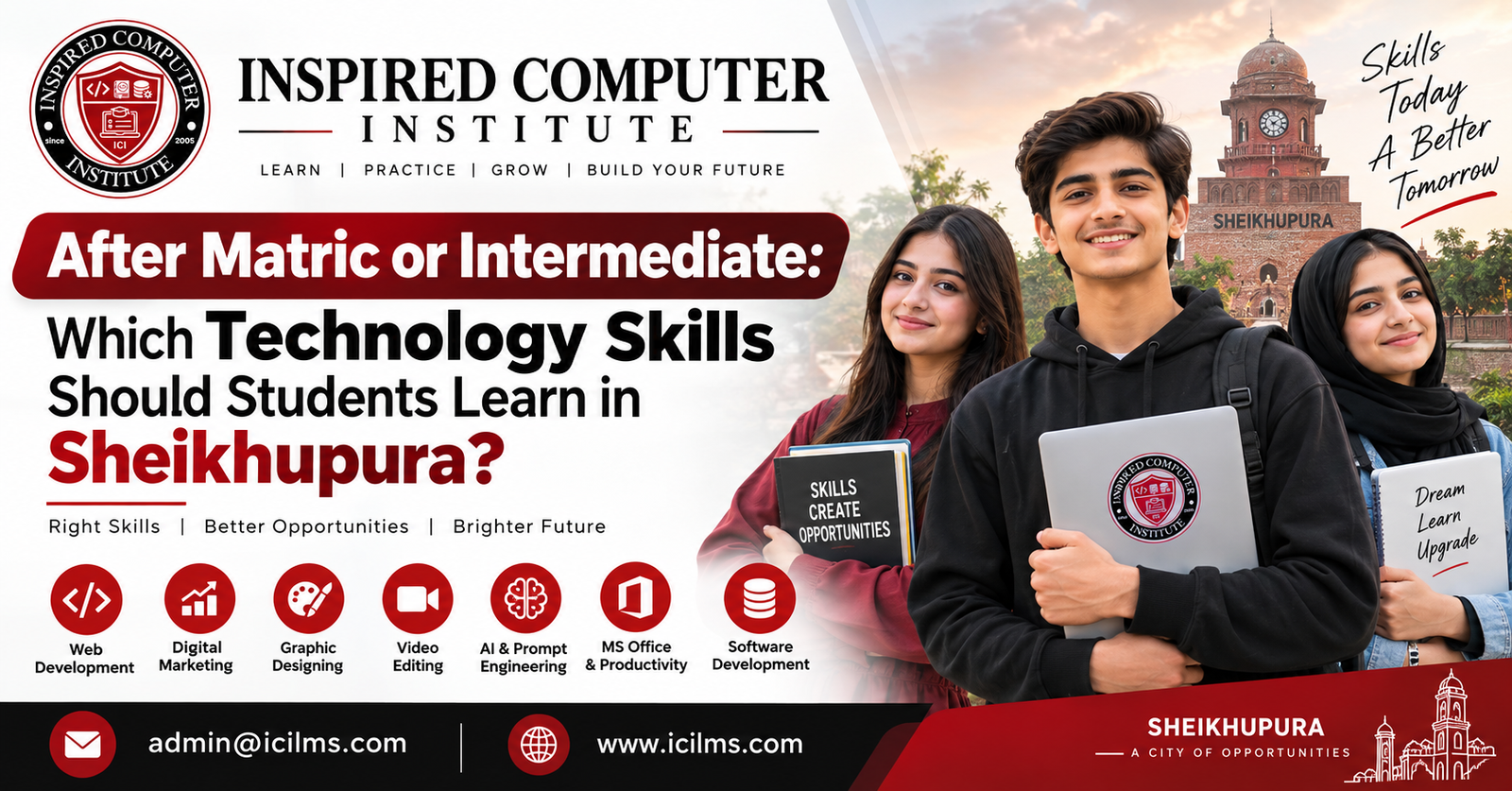
After Matric or Intermediate: Which Technology Skills Should Students Learn in Sheikhupura?
Komal Shahzadi
- September 22, 2026
- Comment 0
After Matric or Intermediate: Which Technology Skills Should Students Learn in Sheikhupura?
Technology has changed what it means to prepare for a career after school. For students in Sheikhupura, finishing matric or intermediate no longer means there are only two choices: continue traditional education or immediately search for a conventional job. A third path has become increasingly important—continue your education while developing a practical technology skill that can eventually be used for employment, freelancing, entrepreneurship, internships, or remote work. The important question, however, is not simply whether you should learn technology. It is which technology skill you should learn after matric or intermediate and how you can turn that skill into something useful.
That choice can feel confusing. One student recommends web development, another talks about graphic design, and social media is full of people discussing artificial intelligence, cybersecurity, digital marketing, data science, video editing, and freelancing. When every skill is presented as the “next big thing,” a beginner can easily jump from one course to another without becoming genuinely good at anything. Think of technology education like choosing a road from Sheikhupura to a destination: almost every road can take you somewhere, but constantly changing roads prevents you from reaching anywhere.
The better approach is to understand what each skill actually involves, what type of student it suits, and what supporting abilities are necessary to become employable. A student who enjoys visual creativity may find graphic design or UI/UX more natural than programming. Someone who enjoys logical problems may be comfortable with web development, app development, data analysis, or cybersecurity. A confident communicator interested in business may enjoy digital marketing. Meanwhile, a student fascinated by automation can begin exploring artificial intelligence—but should understand the fundamentals rather than learning only how to type prompts.
This guide explains the best technology skills for students after matric and intermediate in Sheikhupura, with a practical focus on learning, portfolios, freelancing, employment, and long-term development. The objective is not to declare one skill universally superior. It is to help you choose a direction that fits your interests, circumstances, and career plans.
Why Technology Skills Matter for Students in Sheikhupura
A university degree and practical technology skills are not competing ideas. In many cases, they complement each other extremely well. A student can complete intermediate, pursue a BS degree, and simultaneously learn a marketable digital skill. That combination can be more useful than waiting until graduation to discover what employers and clients expect. Technology changes quickly, so students who become comfortable with continuous learning early in their careers gain an important advantage: they learn how to learn.
For students in Sheikhupura, technology skills can also expand the geographical boundaries of career exploration. A traditional job search often depends heavily on what businesses operate within commuting distance. Digital work can be different. Depending on the profession, a developer, designer, marketer, video editor, or data professional may eventually work with an organization in Lahore, another Pakistani city, or an overseas company without permanently relocating. Remote opportunities are never guaranteed, of course, and beginners should be skeptical of anyone promising instant dollar income. Yet the ability to produce work digitally gives students access to possibilities that simply did not exist for earlier generations.
Technology education also teaches abilities that remain useful even when a student changes careers. Learning programming develops structured problem-solving. Graphic design improves visual communication. Digital marketing introduces customer psychology and analytics. Data analysis develops evidence-based thinking. Freelancing teaches communication, negotiation, deadlines, and client management. Even if your first chosen skill does not become your permanent profession, the process of mastering it can make you significantly more capable.
There is another important point. Technology skills are demonstrated through output. Employers and clients often want evidence that you can actually do something. That makes technology unusually accessible to motivated young learners because you can start building evidence before securing your first professional position. A developer can publish projects, a designer can create a portfolio, an editor can produce sample videos, and a marketer can document a personal project. Instead of saying, “I completed a course,” you can eventually say, “Here is what I built.” That distinction should shape your entire learning strategy.
Choosing a Technology Skill After Matric or Intermediate
The best technology skill is not necessarily the one currently receiving the most attention online. A good choice sits at the intersection of interest, aptitude, market usefulness, available learning resources, and the amount of time you can realistically invest. If you hate visual work, choosing graphic design simply because somebody claims designers earn well is unlikely to produce great results. Likewise, if you genuinely enjoy solving logical puzzles, coding may be worth exploring even when the first few weeks feel difficult.
Students should also separate a “skill” from a “career.” Photoshop is software; graphic design is the broader skill. WordPress is a platform; web development and website creation are broader professional capabilities. ChatGPT is a tool; using AI effectively within programming, research, marketing, analysis, or automation is a broader capability. This distinction matters because software changes. Professionals who understand principles can adapt when a new application becomes popular, while students who memorize buttons often struggle when their preferred tool changes.
Your available resources matter as well. Some technology paths require a reasonably capable computer, while others can be explored with relatively modest equipment. Video editing, advanced 3D work, machine learning, and certain development environments can become demanding on hardware. Students working with limited equipment should not feel pressured to begin with the most resource-intensive field. Starting with web fundamentals, digital marketing, basic design, WordPress, SEO, or programming fundamentals may be more practical depending on the device available.
Finally, consider your educational stage. After matric, you have time on your side. Build foundations in English communication, typing, computer literacy, research, mathematics where relevant, and problem-solving alongside your main skill. After intermediate, you can begin specializing more deliberately while considering how your chosen degree and practical skills might reinforce one another.
Match the Skill With Your Interests and Career Goals
Before buying a course, spend several days experimenting. Build a tiny webpage. Design a poster. Edit a short video. Analyze a simple spreadsheet. Read introductory cybersecurity material. Try writing a small Python program. These miniature experiments reveal far more about your preferences than watching motivational videos about different careers. You may discover that something that sounds glamorous becomes boring when you actually do it—or that a subject you previously ignored becomes surprisingly enjoyable.
Students should ask themselves practical questions. Do you enjoy making things visually attractive? Explore graphic design, video editing, or UI/UX. Do you enjoy logic and figuring out why something does not work? Programming could suit you. Are you fascinated by why certain websites appear on Google and why particular advertisements attract customers? Explore SEO and digital marketing. Do numbers, patterns, and evidence interest you? Data analytics may be a natural direction. Do computers, networks, vulnerabilities, and system protection capture your attention? Cybersecurity deserves investigation.
Career goals matter too. A student planning a computer science degree might begin with programming and web development because the experience can complement formal studies. A commerce student could combine business knowledge with analytics, Excel, e-commerce, or digital marketing. An arts student with strong visual instincts could develop design, editing, or UI/UX capabilities. These are examples rather than rigid rules. Technology careers frequently cross traditional academic boundaries.
Most importantly, avoid choosing solely because someone displays impressive earnings screenshots. Income varies dramatically with experience, communication, portfolio quality, specialization, reputation, market conditions, and the ability to find customers or employers. Choose something you can imagine practicing repeatedly for months, because competence comes from repetition. The exciting part is selecting a field; the valuable part is staying with it long enough to become useful.
Focus on Practical Skills Instead of Certificates Alone
Certificates can document that you completed training, and reputable certifications can matter in certain fields. But a certificate should never become the final objective. Imagine two students applying for a junior web role. One has collected ten course certificates but cannot independently build a responsive website. The other has fewer certificates but can show three polished websites, explain how they were built, identify mistakes, and confidently make requested changes. Which student provides clearer evidence of ability?
This is why project-based learning should become your default method. If you study HTML and CSS, create websites. If you learn graphic design, produce brand identities, advertisements, and social media graphics. If you learn SEO, build or work on a small website and document what you optimize. If you study Python, write programs. If you learn data analytics, create dashboards from public datasets. Each new concept should eventually become something tangible.
A useful learning cycle is simple: learn a concept, reproduce it with guidance, create something independently, identify what went wrong, improve it, and document the result. Tutorials are useful during the first stages, but permanent dependence on tutorials creates an illusion of competence. You know you are progressing when you can face a blank screen and decide what to do without copying every step from an instructor.
Students in Sheikhupura should therefore evaluate training institutes and online programs by looking beyond the certificate. Ask what projects you will complete, who provides feedback, whether the curriculum reflects current tools, and whether instructors can demonstrate genuine professional experience. A portfolio is proof; a certificate is supporting evidence. Ideally, you eventually possess both.
Web Development: A Strong Starting Point for Students
Web development remains one of the most understandable entry points into software because the result is immediately visible. You write code, refresh the browser, and see what changed. That quick feedback makes the learning process rewarding for beginners. Web development also introduces several fundamental ideas—structure, styling, logic, debugging, databases, hosting, version control, and user experience—that can later support broader software careers.
Beginners should resist starting with complicated frameworks before understanding the basics. Learn how websites work. Understand domains, hosting, browsers, servers, HTTP at an introductory level, and the difference between front-end and back-end development. Then learn HTML, CSS, and JavaScript systematically. HTML structures a page, CSS controls presentation, and JavaScript introduces interactive behavior. Once these foundations become comfortable, modern libraries and frameworks make considerably more sense.
Students interested in quicker website-building services can also investigate WordPress. WordPress and custom coding are not identical career paths, but both can be useful. A student might initially create websites for small organizations using WordPress while gradually developing deeper programming knowledge. The danger appears when someone knows how to install a theme but does not understand websites, performance, responsive design, backups, security, or troubleshooting.
Build real projects throughout the process: a personal portfolio, a restaurant website, a school information site, a business landing page, and eventually a dynamic application. They do not need to be commissioned by real clients at first. The purpose is to encounter real problems. Every broken layout and stubborn bug becomes part of your education.
Front-End Development Skills
Front-end developers work on the portion of websites and web applications users directly interact with. For beginners, HTML and CSS come first, followed by JavaScript. Do not rush through these foundations because a social-media creator tells you that a particular framework is the future. Frameworks become much easier when you understand what they are abstracting.
Responsive design should be part of your learning from the beginning. People visit websites on phones, tablets, laptops, and large monitors, so a page that looks attractive only on your own computer is unfinished. Learn CSS layouts such as Flexbox and Grid, responsive units, media queries, accessibility fundamentals, browser developer tools, and basic performance optimization. Git and GitHub should also enter your toolkit relatively early because version control is fundamental to professional development.
After becoming comfortable with JavaScript fundamentals, you can explore a front-end ecosystem such as React and related tools. The exact technology employers use can change over time, which is another reason foundations matter. Instead of memorizing code snippets, understand components, state, data flow, APIs, and debugging.
Your portfolio should demonstrate progression rather than containing ten nearly identical landing pages. One project might emphasize responsive design, another JavaScript interaction, and another API integration. Write short explanations describing what problem each project solves and what you learned. When somebody evaluates your work, the thinking behind the project can be almost as revealing as the finished interface.
Back-End and Full-Stack Development
If the front end resembles the dining area of a restaurant, the back end is the kitchen where much of the unseen work happens. Back-end development handles tasks such as business logic, authentication, database operations, APIs, permissions, and server-side processing. Students who enjoy logical structures and solving less visually obvious problems may find this area particularly satisfying.
There are several legitimate technology stacks. JavaScript learners might continue into Node.js. Python learners could eventually explore frameworks such as Django or FastAPI. PHP remains relevant to a large part of the web ecosystem. Rather than collecting programming languages, choose one path and learn the concepts deeply. Understand variables, functions, data structures, error handling, databases, APIs, authentication, and basic application security.
Databases deserve particular attention. Learn the difference between relational and non-relational approaches at a conceptual level, and gain practical experience with at least one database system. Build an application that allows users to create accounts, save information, retrieve it, update it, and delete it safely. Suddenly, you are no longer producing a static page—you are building a functioning system.
Eventually, students comfortable with both front-end and back-end technologies can move toward full-stack development. Do not treat “full-stack developer” as a title you must claim after one short course. It represents a broad set of competencies that take time to develop. Begin with small systems, learn how deployment works, understand Git workflows, and gradually increase project complexity.
Graphic Designing and Creative Digital Skills
Not every technology career requires programming. Graphic design can be an excellent path for students who naturally pay attention to colors, typography, composition, branding, and visual communication. Yet graphic design is frequently misunderstood as knowing Photoshop or Canva. Software proficiency matters, but the real skill is communicating an idea visually.
Start with design principles: alignment, hierarchy, contrast, balance, spacing, typography, color, and composition. Once you understand why a design works, tools become easier to switch. Adobe Photoshop and Illustrator are widely recognized professional applications, while other tools can also be useful depending on your workflow. Canva can be practical for rapid content creation, but students seeking professional depth should learn principles that extend beyond templates.
Create imaginary client briefs when you have no clients. Design a restaurant identity, packaging concept, clothing brand campaign, school admission poster, or social media kit. Give each project constraints. Who is the audience? What should they feel? What action should they take? Why did you choose that typeface? This transforms decoration into design thinking.
AI-powered creative tools are also changing workflows, but that makes design judgment more important rather than irrelevant. Generating an image or layout quickly does not automatically make it effective. A capable designer knows what to keep, what to remove, how to maintain brand consistency, and whether the final visual actually communicates the intended message. Learn to use AI as an assistant while developing the taste and reasoning needed to evaluate its output.
Digital Marketing and SEO
Businesses do not merely need websites; they need people to discover those websites and eventually become customers. That is where digital marketing enters the picture. The field includes search engine optimization, content marketing, paid advertising, email marketing, social media, analytics, conversion optimization, and related specialties.
SEO can be particularly interesting for students who enjoy a mixture of writing, research, websites, and data. Begin by understanding how search engines discover, crawl, index, and rank content at a conceptual level. Learn keyword research, search intent, on-page optimization, internal linking, technical SEO basics, content quality, and measurement. Avoid shortcuts promising guaranteed rankings. Search systems evolve, competition varies, and sustainable SEO depends on creating genuinely useful websites while maintaining strong technical foundations.
Digital marketers should also become comfortable with analytics. Marketing without measurement resembles driving with the windscreen covered. You need to understand where visitors come from, what they do, which campaigns generate meaningful outcomes, and where users abandon the journey. Basic spreadsheet skills become surprisingly valuable here.
The easiest way to learn is to create a small real project. Start a niche website, help a family business with permission, or build a hypothetical brand and document the strategy. Measure what happens. Your first campaign may fail, and that failure can teach more than another ten hours of passive video lessons.
Social Media Marketing and Content Creation
Social media marketing looks simple because almost everyone already uses social platforms. Professional social media management, however, involves much more than uploading attractive posts. Marketers need to understand audiences, content formats, positioning, brand voice, creative testing, analytics, community management, and how social activity contributes to business goals.
Students can begin by learning content strategy. Why should somebody stop scrolling? Why would they save, share, comment on, or click a post? Study hooks, storytelling, visual hierarchy, short-form video, captions, calls to action, and platform analytics. Then create a sample content calendar for a hypothetical or real local business. Instead of merely designing posts, explain the objective behind each piece of content.
Content creation is increasingly connected with photography, basic graphic design, video editing, copywriting, and AI-assisted workflows. You do not need to master all of these simultaneously. Develop one primary strength and enough supporting knowledge to collaborate effectively. For example, a social media marketer who can perform basic editing and write clear copy becomes considerably more versatile.
Be cautious about confusing personal social-media popularity with marketing ability. A professional marketer is responsible for business outcomes, consistency, brand safety, and measurement. Build case studies that demonstrate your reasoning. Even a small account can become a valuable learning laboratory when you carefully document what you tested and what the data showed.
Freelancing and Online Earning Skills
Freelancing is often presented as a skill, but it is better understood as a way of selling a skill. You cannot sustainably freelance without something useful to offer. Before worrying about marketplaces, profiles, proposals, and payment methods, become competent enough to solve a specific problem.
Suppose you choose graphic design. Your initial objective should be producing professional-quality design work, not opening accounts on five freelance platforms. If you choose development, build websites. If you choose video editing, create a showreel. Once you possess evidence of ability, learn client acquisition, proposal writing, scope definition, pricing fundamentals, revision management, communication, and delivery.
English communication deserves special attention. You do not need an artificial accent or complicated vocabulary. Clients generally value clarity. Can you understand requirements? Can you ask sensible questions? Can you explain a delay early rather than disappearing? Can you summarize what you completed? These apparently simple habits distinguish professionals from unreliable service providers.
Students should also prepare for rejection. Your first proposals may receive no response. A potential client may choose somebody else. That does not automatically mean the market is impossible. Review your portfolio, improve your positioning, specialize where appropriate, and continue developing. Freelancing is a business process, not a shortcut to instant income.
Artificial Intelligence and Generative AI Skills
Artificial intelligence deserves attention from students, but “learning AI” needs a clearer definition. Simply learning a collection of prompts is unlikely to provide a durable career advantage because interfaces and models can change rapidly. Students should instead learn how AI systems can support a broader professional workflow while developing foundational knowledge in their chosen discipline.
A programmer can use AI to explain errors, brainstorm implementations, write tests, and review code—but still needs to understand whether the generated code is correct and secure. A designer can use generative tools for ideation but still needs visual judgment. A marketer can use AI for research and drafts but must verify claims and understand the customer. A data analyst can use AI to accelerate formulas or code while remaining responsible for interpreting the data correctly.
Students who want to move deeper into AI should gradually strengthen Python, mathematics, statistics, data handling, and machine-learning fundamentals. You do not need to begin by training enormous models. Start with small programs and accessible datasets. Learn what models can and cannot reliably do, and become familiar with issues such as hallucinations, privacy, bias, evaluation, and responsible use.
Think of AI as a power tool. A power tool can make an experienced craftsperson faster, but giving someone a sophisticated drill does not automatically make that person an engineer. Your durable advantage comes from combining AI fluency with genuine domain expertise.
Data Analytics and Data Science
Data analytics suits students who enjoy finding meaning in numbers. Businesses collect information about sales, customers, operations, websites, inventory, and marketing, but raw numbers become valuable only when somebody can organize them and turn them into useful insights.
A beginner-friendly pathway can start with spreadsheets. Learn formulas, cleaning, sorting, filtering, pivot tables, charts, and logical functions. Then move toward SQL, which allows you to query databases. Visualization platforms such as Power BI can help you build dashboards, while Python can later expand your analytical capabilities.
Do not rush immediately toward the title “data scientist.” Data science can involve statistics, programming, machine learning, experimentation, and domain knowledge. Data analytics offers a more approachable foundation. Work with public datasets and answer specific questions. Which product category performs best? How did sales change over time? What patterns appear across regions? What information is missing?
A strong portfolio project should explain the question, data preparation, analysis, visualization, and conclusions rather than displaying a colorful dashboard without context. Numbers can mislead when interpreted carelessly, so develop statistical literacy alongside software skills. Learning to ask whether the data actually supports a claim is one of the most valuable habits you can acquire.
Cybersecurity and Networking
Cybersecurity attracts many students because the subject sounds exciting, but professional cybersecurity begins with fundamentals rather than movie-style hacking. You need to understand computers, operating systems, networking, permissions, authentication, web technologies, and common security concepts before advanced security techniques make much sense.
Start with networking fundamentals: IP addresses, DNS, ports, protocols, routers, and how devices communicate. Become comfortable with Windows and Linux. Learn basic command-line usage and scripting. Then explore security principles such as confidentiality, integrity, availability, access control, encryption concepts, vulnerability management, secure configuration, and incident response.
Ethics are non-negotiable. Practice only in systems you own or environments where you have explicit permission. Purpose-built labs and capture-the-flag environments allow students to learn legally and safely. Attempting unauthorized access because you are “learning” can create serious consequences.
Cybersecurity can eventually lead into areas such as defensive security, penetration testing, security operations, cloud security, application security, governance, and digital forensics. You do not need to decide your specialization on day one. Build the foundation first, create a home lab where practical, document what you learn, and gradually explore the branches that interest you.
Mobile App Development
If you constantly imagine ideas for smartphone applications, mobile development may be worth exploring. Mobile developers build applications for platforms such as Android and iOS, and students can choose between native development and cross-platform approaches.
Before jumping into frameworks, strengthen programming fundamentals. Learn variables, conditions, loops, functions, object-oriented concepts where relevant, debugging, APIs, data storage, and version control. Then choose a mobile pathway. Depending on your objectives, you might investigate Android development, iOS development, Flutter, React Native, or other contemporary options.
Build small applications first. A calculator may feel unimpressive, but it teaches interface and logic basics. Move to a task manager, expense tracker, quiz application, or simple application that retrieves data from an API. Each project should introduce one new challenge instead of overwhelming you with twenty unfamiliar concepts simultaneously.
Good applications also require more than code. You need to think about usability, loading states, errors, accessibility, data privacy, performance, and how users navigate between screens. This is where knowledge of UI/UX becomes useful. A technically functioning app that frustrates users is only partially successful.
Video Editing and Motion Graphics
The enormous volume of digital video has made editing a valuable creative capability for marketing teams, creators, educational organizations, brands, and media businesses. Students who enjoy storytelling, rhythm, music, visuals, and creative experimentation may find video editing more engaging than coding.
Start with cutting, pacing, audio levels, transitions, basic color correction, subtitles, aspect ratios, and export settings. Do not bury weak storytelling under dozens of effects. Good editing often feels invisible because every cut serves the story. Learn why you are making an edit, not merely how to apply it.
As your skills grow, explore motion graphics, sound design, advanced color work, and more sophisticated visual effects if those areas interest you. Build a showreel, but also maintain several complete projects so potential clients can see that you understand longer-form storytelling rather than producing only spectacular five-second sequences.
Hardware can become an important consideration because high-resolution video and advanced effects require processing power and storage. Students with modest computers can begin with lighter projects, optimized workflows, and appropriate software rather than assuming they need an expensive workstation immediately. Creativity and editing judgment should develop before equipment obsession.
UI/UX Designing
UI and UX are related but not identical. User interface (UI) design focuses heavily on how digital interfaces look and behave, while user experience (UX) design considers the broader experience people have while completing tasks. A beautiful interface can still offer terrible UX if users cannot figure out where to click.
Students interested in UI/UX should learn typography, color, spacing, grids, hierarchy, components, responsive layouts, accessibility, wireframing, prototyping, and user-centered thinking. Figma is commonly used for interface design and collaboration, but learning Figma alone does not make somebody a UX designer. Again, principles matter more than buttons.
Portfolio projects should explain the problem and design process. Instead of simply displaying attractive screens for a food-ordering application, explain who the intended users are, what difficulties they face, how the information architecture works, and why particular decisions were made. Where possible, test prototypes with people and observe where they become confused.
UI/UX can combine particularly well with front-end development. Designers who understand implementation constraints communicate better with developers, while developers with design awareness often produce cleaner interfaces. You do not need to become equally advanced in both disciplines, but understanding the neighboring field can make you much more effective.
A Practical Technology Learning Roadmap for Sheikhupura Students
A sensible roadmap begins with exploration rather than commitment. During the first few weeks, investigate two or three fields through free introductory material and tiny projects. Then select one primary technology skill and commit to it for several months. Avoid switching every time you see a new trend on social media.
Your first phase should focus on fundamentals. The second should emphasize guided projects. The third should move toward independent portfolio projects. The fourth should introduce professional skills such as Git, documentation, communication, client handling, interviewing, or specialized tools depending on your field. By the time you begin searching seriously for internships, junior roles, or freelance clients, you should have work you can demonstrate.
Students should also build complementary abilities throughout this journey. Improve English reading and writing because a large amount of technical documentation is available in English. Learn how to search effectively and verify information. Improve typing speed, file management, online safety, spreadsheets, presentation skills, and professional communication. These basic competencies are rarely glamorous, yet they repeatedly appear in real working environments.
Most importantly, create a schedule you can sustain alongside college or university. Two focused hours every day can be more productive than an exhausting ten-hour session once every two weeks. Keep a learning journal, track completed projects, and periodically revisit your earlier work. Seeing how much better your newer projects are provides concrete evidence of progress.
For a student after matric, the next two to four years can become an extraordinary learning window. For a student after intermediate, the same principle applies: do not wait until graduation to begin developing practical experience. Education gives you structure; deliberate practice gives you capability; projects give you evidence.
Conclusion
So, which technology skill should students learn after matric or intermediate in Sheikhupura? There is no single answer that fits every student. Web development is a strong option for people interested in building software and websites. Graphic design, UI/UX, and video editing suit visually creative learners. Digital marketing and SEO combine communication, business thinking, creativity, and analytics. Data analytics suits people who enjoy numbers and patterns, while cybersecurity attracts students fascinated by systems, networks, and protection. Mobile development can appeal to students who want to build smartphone applications, and artificial intelligence increasingly works as an important supporting capability across almost all of these professions.
Instead of trying to predict which buzzword will remain popular forever, develop durable fundamentals. Learn to solve problems, communicate clearly, research independently, use AI responsibly, and build things without constantly following tutorials. Pick one core discipline and give yourself enough time to become genuinely competent. A student who spends a year building solid development skills will usually be in a better position than somebody who spends that year collecting introductory certificates in coding, SEO, graphic design, cybersecurity, AI, video editing, and data science without developing depth in any of them.
Your location does not need to determine the limits of your ambition, but neither should online success stories distort your expectations. Building professional capability takes patience. Courses can guide you, teachers can accelerate you, and AI can assist you, but nobody can outsource the hours of practice required to become good.
Start small. Choose one field. Build one project. Improve it. Build another. Ask for feedback. Learn from mistakes. Continue your formal education where possible, strengthen your communication skills, and gradually assemble a portfolio that shows what you can actually accomplish. Whether you ultimately work in Sheikhupura, Lahore, elsewhere in Pakistan, or remotely, demonstrable ability combined with education and professional discipline gives you a foundation you can continue building on for years.
20 Frequently Asked Questions (FAQs)
1. Which technology skill is best after matric in Sheikhupura?
There is no universally best skill. Students interested in programming can explore web development, while creative students may prefer graphic design, UI/UX, or video editing. Business-minded students can investigate digital marketing and SEO. Spend a short period experimenting before selecting one primary skill.
2. Which IT skill should I learn after intermediate?
Good options include web development, mobile development, cybersecurity, data analytics, UI/UX, digital marketing, video editing, and AI-related skills. Your intermediate subjects can influence the learning curve, but they do not necessarily lock you into one field.
3. Can a matric student learn web development?
Yes. You do not need a university degree to begin learning HTML, CSS, and JavaScript. Start with basic computer literacy and progress gradually toward independent projects.
4. Can I learn technology while studying intermediate?
Yes. In fact, studying a practical skill alongside intermediate can give you time to build a substantial portfolio before university. Keep the schedule realistic so your skill development does not undermine your academic responsibilities.
5. Is graphic design a good skill for students?
It can be an excellent choice for visually creative students. Focus on typography, color, composition, hierarchy, branding, and communication rather than learning software commands alone.
6. Is digital marketing suitable after matric?
Beginners can certainly start learning it after matric. Learn marketing fundamentals, content, SEO, social media, analytics, and communication while continuing your education.
7. Should students learn freelancing first?
Learn a marketable skill first. Freelancing is a method of selling professional services, so a profile on a marketplace has limited value when you cannot yet solve a customer’s problem.
8. How long does it take to learn a technology skill?
It depends on the skill, your starting point, learning quality, and daily practice. Basic familiarity can develop relatively quickly, but professional competence normally requires sustained practice and increasingly difficult projects.
9. Can students earn online after learning technology skills?
Potentially, through freelance work, remote employment, services, products, or other legitimate digital business models. Earnings are not guaranteed, and students should avoid courses or schemes promising instant or guaranteed income.
10. Is coding difficult for beginners?
Coding can feel difficult initially because it requires a new way of thinking. Consistent practice, small projects, debugging, and strong fundamentals make it progressively more manageable.
11. Is AI going to replace web developers and designers?
AI is changing how many professionals work and can automate portions of their workflows. Students should learn to use AI productively while developing the judgment and domain knowledge needed to evaluate, improve, and take responsibility for its output.
12. Should I learn AI after matric?
You can begin learning AI concepts and AI-assisted workflows. Students seeking deeper technical AI knowledge should also develop programming, mathematics, statistics, and data skills over time.
13. Is cybersecurity a good career path for students?
It can be a strong field for students genuinely interested in computers, networks, operating systems, and security. Begin with IT and networking fundamentals and practice only in legal, authorized environments.
14. Which skill is suitable for a student who does not like coding?
Graphic design, UI/UX, video editing, digital marketing, SEO, content creation, and certain forms of data visualization are possibilities. Some may still involve technical concepts, but programming does not have to be your primary activity.
15. Do I need an expensive laptop to start learning technology?
Not necessarily. Basic web development, programming fundamentals, SEO, digital marketing, and introductory design can often be learned on modest computers. Advanced video production, 3D graphics, local AI workloads, and some development tasks may require stronger hardware.
16. Are certificates important for getting technology jobs?
Their importance varies by field and employer. Certificates can support your profile, but practical projects, knowledge, communication, experience, and the ability to demonstrate competence are often critical.
17. Should I learn one skill or multiple skills?
Begin with one primary skill and develop depth. Add complementary abilities once your foundation is strong—for example, a web developer can add UI/UX knowledge, while a digital marketer can learn analytics and basic design.
18. How can students build a portfolio without clients?
Create self-directed projects based on realistic scenarios. Build websites for fictional companies, redesign an application interface, analyze public datasets, create marketing campaigns, or edit sample footage. Clearly identify personal projects as such rather than presenting them as paid client work.
19. Is a university degree still useful if I already have technology skills?
A degree and practical skills can complement each other. Formal education may provide theoretical foundations, credentials, networks, and access to opportunities, while practical projects demonstrate your ability to apply knowledge.
20. What should a Sheikhupura student do today to begin a technology career?
Choose two or three fields that genuinely interest you, spend a short period trying beginner projects in each, and select one primary direction. Find structured learning material, create a weekly schedule, and start building projects from the beginning. Do not wait for the perfect course, computer, or moment. Consistent practice is what turns an interesting subject into a usable professional skill.