Currently Empty: ₨ 0
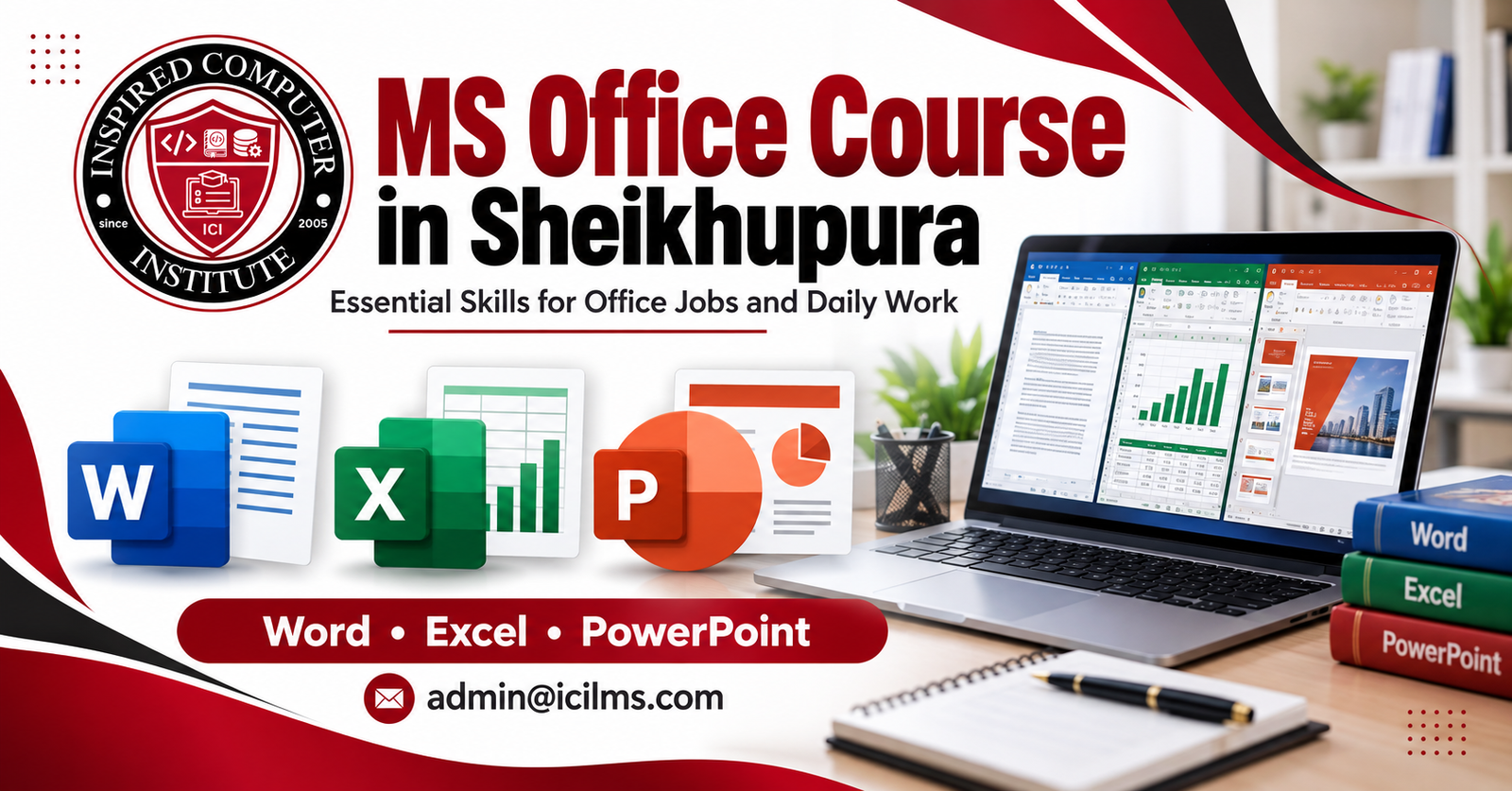
MS Office Course in Sheikhupura: Essential Skills for Office Jobs and Daily Work
Komal Shahzadi
- October 16, 2026
- Comment 0
MS Office Course in Sheikhupura: Essential Skills for Office Jobs and Daily Work
In today’s digital world, knowing how to use a computer is no longer just an extra qualification. It has become an important skill for students, job seekers, office workers, business owners, and anyone who wants to handle everyday tasks more efficiently. Whether you want to prepare a professional CV, manage business records, create invoices, organize customer information, or prepare an impressive presentation, Microsoft Office can help you get the job done. If you live in Sheikhupura and want to improve your computer skills, enrolling in an MS Office course in Sheikhupura can be a practical step toward building a stronger professional future.
Microsoft Office applications are used in many workplaces because they make routine tasks easier, faster, and more organized. Microsoft Word helps you create documents, Excel supports calculations and data management, and PowerPoint allows you to present ideas clearly. These applications are useful in private companies, educational institutions, shops, offices, small businesses, and many other working environments.
The good news is that you do not need advanced computer knowledge to begin. A beginner-friendly course can introduce you to the basics and gradually help you develop the practical skills needed for real office work. The most important thing is to choose training that combines explanations with hands-on practice.
This guide explains what you can learn in an MS Office course, how Word, Excel, and PowerPoint are used professionally, what to consider when choosing a training institute in Sheikhupura, and how these skills can support your career goals.
Why MS Office Skills Matter in Today’s Job Market
Imagine applying for an office assistant position and being asked to prepare a letter, enter information into a spreadsheet, or update a customer record. If you already know how to perform these tasks, you can approach the job with greater confidence. If you have never used these applications, even a simple assignment may feel difficult.
That is why MS Office skills for office jobs are valuable. Employers often need people who can handle everyday administrative work accurately, communicate professionally, and organize information without constant supervision. Computer skills can help demonstrate that you are prepared to manage these responsibilities.
In Sheikhupura, learners may explore opportunities in retail businesses, educational institutions, manufacturing companies, distribution offices, private organizations, and service businesses. The exact requirements vary by employer and position, but computer literacy can be helpful across many of these settings.
For example, an office assistant may use Word to prepare letters, Excel to maintain attendance records, and email to communicate with colleagues. An accounts assistant may work with spreadsheets to organize expenses, while a school administrator may use Excel for student information and Word for notices.
Learning MS Office also improves your personal productivity. You can create a household budget, prepare an application, organize study notes, or maintain records for a small business. Instead of depending on another person for every computer-related task, you gradually become more independent.
The key is to learn the applications through practical exercises rather than simply memorizing menu names. When you understand how to apply the tools to real tasks, your skills become more useful in both professional and personal situations.
Career Opportunities for MS Office Learners
Completing an MS Office course does not guarantee employment, but it can help you qualify for positions where basic computer knowledge is required. Potential opportunities include office assistant, receptionist, data entry operator, administrative assistant, documentation assistant, school office worker, and junior computer operator.
The responsibilities of these jobs differ. A receptionist may need to manage visitor information and correspondence, while a data entry operator may focus on entering information accurately. An administrative assistant might prepare reports, maintain schedules, and update spreadsheets.
For students and fresh candidates, MS Office training can also provide a foundation for further learning. After developing basic skills, you may choose to study advanced Excel, accounting software, graphic design, digital marketing, or other computer-related subjects.
To improve your chances of finding work, combine your training with communication skills, typing practice, professional behavior, and a well-prepared CV. Employers generally value candidates who can demonstrate what they know, not merely list a course on their resume.
What You Will Learn in an MS Office Course
A useful MS Office course in Sheikhupura should cover the applications most commonly associated with office productivity: Microsoft Word, Microsoft Excel, and Microsoft PowerPoint. Depending on the institute and course level, the training may also include Windows basics, typing, email, internet use, printing, and file management.
Beginners should first understand how to operate a computer comfortably. This includes using a mouse and keyboard, opening programs, saving files, creating folders, and finding documents later. These basic abilities may seem simple, but they make more advanced lessons much easier to follow.
Once you understand the fundamentals, you can start working with individual Office applications. A trainer may demonstrate a task, explain the relevant tools, and then ask you to complete a similar activity independently.
For instance, you might prepare a job application in Word, build a monthly expense sheet in Excel, and create a short presentation in PowerPoint. These activities help you understand how the applications work together in a real workplace.
Course content varies between training centers, so ask for a syllabus before enrolling. Some courses focus on introductory functions, while others include formulas, charts, document formatting, presentation design, and practical assignments.
The best course for you depends on your current ability and future goals. If you are completely new to computers, start with the basics. If you already know how to create simple documents and spreadsheets, look for a course that introduces more advanced and job-oriented tasks.
Microsoft Word for Professional Documents
Microsoft Word is a word-processing application used to create, edit, format, and print documents. It is one of the most useful tools for students, job seekers, administrative staff, and business owners.
During a practical Word course, you can learn how to create documents, change fonts, adjust paragraph spacing, set margins, align text, and use headings. You may also practice inserting tables, adding page numbers, placing images, and creating headers and footers.
These functions are useful when preparing professional letters, applications, reports, meeting notes, notices, assignments, and business documents. A well-formatted document is easier to read and creates a more organized impression than a page containing inconsistent fonts and spacing.
Another valuable skill is understanding how to save documents in different formats. For example, you may keep an editable Word file for future changes and export a PDF version when you need to share a document without making editing the primary purpose.
You should also learn how to use spelling and grammar tools, find and replace text, and review documents before printing. For longer documents, page breaks and consistent heading styles can save time and make the final result more professional.
A good exercise is to prepare a complete job application, a formal business letter, and a short report. Ask your instructor to review the layout, spelling, alignment, and overall presentation. With regular practice, you can become more comfortable preparing documents without relying on someone else to format them.
Microsoft Excel for Data Management
Microsoft Excel is a spreadsheet application that helps users organize information, perform calculations, analyze data, and present results. It is particularly useful in offices where employees need to maintain lists, prepare summaries, track expenses, or manage numerical information.
An introductory Excel course should explain workbooks, worksheets, rows, columns, cells, and data entry. You can then learn how to format numbers, adjust column widths, apply borders, sort information, and use filters to find particular records.
One of Excel’s most useful features is its ability to perform calculations automatically. For example, you can use formulas to calculate totals, averages, differences, and percentages. Common functions such as SUM, AVERAGE, MIN, MAX, and COUNT are valuable starting points for beginners.
Consider a shop that records daily sales. Instead of calculating each day’s total manually, you can enter the figures into a spreadsheet and use formulas to calculate the total. If the figures change, Excel can recalculate the result, reducing repetitive work and helping you identify mistakes.
As you gain confidence, you can explore charts, conditional formatting, data validation, and more advanced functions. These tools help make information easier to understand and can improve the quality of reports.
Excel is especially useful for attendance sheets, inventory records, customer lists, expense trackers, employee schedules, and sales summaries. However, accurate results depend on correct data entry and appropriate formulas, so checking your work remains essential.
For practical training, ask your instructor to provide exercises based on everyday office situations. Working with realistic datasets helps you develop skills that are more transferable to a job than practicing isolated formulas alone.
Microsoft PowerPoint for Presentations
Microsoft PowerPoint allows you to communicate information through slides containing text, images, charts, diagrams, and other visual elements. It is commonly used for educational presentations, business meetings, training sessions, and project discussions.
In a beginner course, you should learn how to create slides, select layouts, insert text, add images, and apply themes. You may also explore slide transitions, animations, speaker notes, and presentation mode.
The goal is not to fill every slide with as much information as possible. An effective presentation highlights the main points and gives the audience a clear path through the subject. Too much text, too many colors, or excessive animation can distract people from the message.
Imagine you work for a small business and need to introduce a new product. You could create a presentation containing the product name, key features, pricing information, relevant images, and a final slide with contact details. This exercise teaches you how to organize information in a format that is easy to follow.
PowerPoint can also help students explain research projects, prepare classroom assignments, and present ideas during interviews or training sessions. For office employees, it can be useful when summarizing monthly performance or explaining a proposed project.
A strong course should give you opportunities to design presentations yourself. Practice using consistent fonts, readable text sizes, suitable colors, and simple layouts. You should also learn to rehearse your presentation and explain each slide rather than reading every word directly from the screen.
Practical Computer Skills Beyond the Basics
Learning Word, Excel, and PowerPoint is important, but everyday office work involves more than opening applications. You also need to understand how to manage files, use printers, work with email, and protect information.
File management is a particularly useful skill. You should know how to create folders, rename files, move documents, locate saved work, and maintain sensible file names. For example, saving a report as Monthly_Sales_Report_October makes it easier to identify than a file named Document1.
You should also become familiar with common file formats, including DOCX, XLSX, PPTX, and PDF. Understanding these formats helps you choose the appropriate option when saving, sharing, or printing a document.
Another important area is basic troubleshooting. You may need to identify why a document will not print, why a file is missing, or why a spreadsheet displays an unexpected result. Learning simple checks can prevent small technical problems from interrupting your work.
Digital safety deserves attention, too. Use strong passwords, avoid opening suspicious attachments, and be careful when sharing confidential business information. A person who works efficiently with computers should also understand how to handle information responsibly.
These additional skills make your Office training more practical. Instead of learning each application in isolation, you begin to understand the complete process of receiving information, creating a document, saving it correctly, sharing it with the intended person, and keeping it organized for future use.
Email, File Management, and Internet Skills
Email is an important communication tool in many workplaces. You may need to send a CV, share a report, request information, or respond to a customer’s question. A practical course can teach you how to compose messages, add subject lines, attach files, manage replies, and check recipients before sending.
Professional email writing should be clear, polite, and direct. A useful subject line tells the recipient what the message concerns, while the body explains the purpose without unnecessary detail. Before sending an attachment, confirm that you have selected the correct file and that it opens properly.
Internet skills also help you search for information, access online services, and download documents safely. However, you should learn to distinguish reliable sources from questionable websites and avoid sharing sensitive details on untrusted pages.
File management supports these activities by keeping downloaded documents and completed assignments organized. A simple folder structure for work, study, personal documents, and business records can save time when you need to retrieve something quickly.
Cloud storage and online collaboration tools may also be useful, depending on the course and the applications available to you. Ask whether your training includes these topics if you expect to work with shared documents or remote teams.
Who Should Join an MS Office Course in Sheikhupura?
An MS Office course in Sheikhupura can suit a wide range of learners because computer applications are used in education, business, administration, and personal life. You do not need to be a university graduate or an experienced computer user to begin learning the basics.
Students can use Word to prepare assignments, Excel to organize research data, and PowerPoint to present classroom projects. Learning these applications early can make educational tasks easier and help students feel more prepared when they eventually apply for internships or jobs.
Fresh graduates and job seekers may benefit by developing the practical abilities mentioned in job advertisements. When an employer requests basic computer skills, being able to demonstrate Word formatting, Excel data entry, and email communication can strengthen your application.
Office workers can also join training to improve their efficiency. Someone who has been doing manual calculations or preparing repetitive documents may discover that spreadsheets, templates, and formatting tools save considerable time.
Small business owners, shopkeepers, and freelancers may find Excel useful for tracking sales, managing expenses, and organizing customer information. Word can help them prepare quotations and letters, while PowerPoint can support proposals and business presentations.
Homemakers and other adults who want greater digital independence can benefit as well. From preparing applications to managing household budgets, computer skills have practical uses beyond formal employment.
Before choosing a course, consider your own needs. If your main goal is a data entry job, prioritize Excel, typing accuracy, and file management. If you want administrative work, focus on Word, Excel, email, and document preparation. Choosing training based on your goals makes your time and money more valuable.
Course Duration, Learning Methods, and Practice
The duration of an MS Office course depends on the training provider, the depth of the syllabus, and the learner’s starting level. A basic course may be organized differently from a comprehensive program that includes advanced spreadsheet functions and additional computer skills.
Rather than choosing a course only because it promises a quick certificate, check how much practical training it provides. Learning the name of a tool is not the same as knowing how to use it independently when a supervisor assigns a task.
A structured learning process usually begins with computer fundamentals and progresses to individual applications. The instructor may demonstrate a task, explain the steps, and allow students to repeat the process on their own computers. Practice assignments then help learners apply the same techniques in slightly different situations.
For example, you might first learn how to enter data in Excel, then format a table, calculate totals, sort records, and create a chart. Each task builds on the previous one, making it easier to understand the overall workflow.
Regular practice outside class is equally important. Even 20 to 30 minutes of focused practice on many days can help you become more comfortable with common tasks. Try recreating documents, experimenting with formulas, and building presentations instead of simply watching tutorials.
If you have limited computer access at home, ask the institute about laboratory availability and opportunities to practice during or after class. Also, find out whether instructors provide assignments and feedback.
By the end of your training, aim to complete several small projects independently. A collection of documents, spreadsheets, and presentations can help you measure your progress and provide examples of your abilities during a job interview.
How to Choose the Right MS Office Training Institute
Finding a suitable training center in Sheikhupura requires more than comparing advertisements. A good institute should offer a clear syllabus, sufficient computer practice, helpful instruction, and transparent information about fees and certificates.
Start by asking which Microsoft Office applications are included. Confirm whether the course covers Word, Excel, and PowerPoint, and whether email, typing, file management, and printing are part of the program. If you need advanced Excel, check that the relevant formulas and reporting tools are taught.
The quality of practical training matters just as much as the syllabus. Ask whether each student gets regular computer time and whether assignments are completed individually. If classes rely heavily on demonstrations without giving students enough practice, you may finish the course without developing the confidence you need.
You can also ask about the instructor’s experience, class size, available equipment, and methods of assessing progress. Where possible, visit the training center and observe the learning environment before paying any fees.
Consider the following comparison when evaluating your options:
| Factor | What to look for | Why it matters |
|---|---|---|
| Course content | Word, Excel, PowerPoint, and relevant basics | Ensures you learn the applications you need |
| Practical sessions | Frequent individual exercises | Helps build independent skills |
| Instructor support | Clear explanations and useful feedback | Makes difficult tasks easier to understand |
| Class schedule | Suitable timings and attendance arrangements | Helps you attend consistently |
| Fees | Clear information about total costs | Reduces the risk of unexpected expenses |
| Certificate | Details about the issuing organization | Helps you understand what the credential represents |
| Final assessment | Practical assignments or a project | Demonstrates what you can actually do |
Avoid assuming that the most expensive institute is automatically the best. A more affordable course with experienced instruction and regular practice may offer better value than a costly program with limited hands-on work.
Before enrolling, ask for a demonstration class or sample lesson if available. A short conversation with the instructor can help you judge whether the teaching style suits your learning needs.
Career Benefits, Certificates, and Job Preparation
An MS Office certificate can show that you completed a particular training program, but employers may also want to know whether you can perform the tasks associated with the job. For this reason, practical ability should remain your primary goal.
During your course, keep examples of the work you complete. You might prepare a formal letter in Word, an expense tracker in Excel, and a five-slide presentation in PowerPoint. These examples can form a small portfolio that demonstrates your skills more clearly than a certificate alone.
When preparing your CV, list the applications you know and describe your abilities accurately. For example, you might mention document formatting, spreadsheet data entry, basic formulas, charts, and presentation design if you can genuinely perform those tasks.
You can also prepare for interviews by practicing common workplace assignments. An employer might ask you to format a document, enter information into a spreadsheet, calculate a total, or send a professional email. Rehearsing these tasks can help you remain calm and work accurately under time pressure.
Remember that MS Office is only one part of employability. Communication, punctuality, teamwork, problem-solving, and attention to detail matter as well. For positions involving accounting, specialized software, or advanced analysis, you may need additional training beyond basic Office applications.
After completing your course, continue learning. New versions of applications may introduce different features, and workplaces may use Microsoft 365 or online collaboration tools. Improving your skills gradually can help you remain adaptable as your responsibilities change.
MS Office Course Fees and Learning Value
The cost of an MS Office course in Sheikhupura can vary according to the institute, course duration, syllabus, instructor support, facilities, and certificate arrangements. Since fees change between providers, it is better to request current details directly rather than rely on an unverified price advertised elsewhere.
When comparing fees, calculate the value you receive rather than focusing exclusively on the lowest amount. A course that includes regular computer access, practical projects, instructor feedback, and an assessment may be more useful than a cheaper option that offers mostly theory.
Ask whether the advertised fee covers registration, learning materials, laboratory access, assessments, and certification. You should also confirm the payment schedule and whether any additional charges apply.
Think about the time you can realistically commit. A flexible schedule may be worth considering if you are studying, working, or managing family responsibilities. At the same time, make sure the timetable gives you enough opportunities to practice.
You can assess learning value by setting clear goals before enrolling. For example, you might aim to prepare a professional letter without assistance, create an Excel sheet with working formulas, and deliver a simple presentation. These measurable outcomes make it easier to judge whether the course is helping you progress.
The real return on your training comes from applying your skills. A well-organized spreadsheet may save time in a small business, while better document formatting can make office tasks easier to complete. If your training helps you work more confidently and independently, it can remain useful long after the classes finish.
Conclusion
Choosing an MS Office course in Sheikhupura can be a practical step toward improving your computer literacy, preparing for office work, and handling everyday digital tasks more confidently. Microsoft Word helps you create professional documents, Excel supports calculations and organized records, and PowerPoint allows you to communicate ideas through clear presentations. Together, these applications provide a useful foundation for students, job seekers, office employees, and small business owners.
The most important decision is choosing training that matches your goals. Look for a clear syllabus, regular hands-on practice, supportive instruction, transparent fees, and an assessment that tests real skills. Do not choose a course based only on its duration or certificate; consider what you will be able to accomplish when the training ends.
Make time to practice outside the classroom, complete realistic assignments, and keep examples of your work. Build on your knowledge with typing, email, communication, and other skills relevant to the positions you want. With consistent effort, you can turn basic computer knowledge into a practical ability that supports both your professional development and your daily life.
20 Frequently Asked Questions About MS Office Courses in Sheikhupura
1. What is an MS Office course?
An MS Office course teaches learners how to use productivity applications such as Microsoft Word, Excel, and PowerPoint. Depending on the syllabus, it may also cover computer basics, typing, email, file management, and printing. The goal is to help learners complete common office and personal tasks efficiently.
2. Who can join an MS Office course in Sheikhupura?
Students, job seekers, graduates, office workers, business owners, and beginners can consider joining. Most introductory courses are designed for people with little or no previous experience. Check the institute’s admission requirements before registering.
3. What are the main subjects taught in an MS Office course?
The main subjects are usually Word, Excel, and PowerPoint. Word covers document creation and formatting, Excel focuses on spreadsheets and calculations, and PowerPoint teaches slide design. Some institutes also include typing, internet use, and email.
4. How long does it take to complete an MS Office course?
The duration depends on the training center, class schedule, and depth of the syllabus. Basic courses may take less time than programs that include advanced Excel and additional computer skills. Ask the institute for its current timetable before enrolling.
5. What is the fee for an MS Office course in Sheikhupura?
Fees vary between institutes and depend on course content, duration, facilities, and certification. Contact local training centers for their latest fee schedules. Compare the total cost with the amount of practical training included.
6. Is an MS Office course useful for getting a job?
Yes, MS Office skills can support applications for jobs that involve documentation, data entry, administration, or routine computer work. However, completing a course does not guarantee employment. Your practical abilities, communication skills, and experience also matter.
7. Can beginners learn MS Office without previous computer knowledge?
Yes. A beginner-friendly course can start with keyboard and mouse use, opening applications, and saving files before introducing Word, Excel, and PowerPoint. Regular practice helps you become more comfortable with each application.
8. Is Microsoft Word important for office jobs?
Microsoft Word is useful for preparing letters, reports, applications, notices, meeting notes, and other documents. Learning formatting, page layout, tables, and document saving can help you produce more professional work.
9. Why is Microsoft Excel important for office work?
Excel helps users organize information, perform calculations, maintain records, and create summaries. It is useful for expense tracking, attendance sheets, inventory lists, sales records, and many administrative tasks.
10. What Excel formulas should beginners learn first?
Start with SUM, AVERAGE, MIN, MAX, and COUNT. These functions help you calculate totals, averages, minimum and maximum values, and counts of numeric entries. As your confidence improves, you can explore IF, COUNTIF, SUMIF, and lookup functions.
11. Is PowerPoint included in a basic MS Office course?
Many comprehensive MS Office courses include PowerPoint, but the syllabus differs by provider. Ask whether the course covers slide layouts, themes, images, charts, transitions, and presentation delivery.
12. Can I learn MS Office on my own?
Yes. Online tutorials and practice exercises can help you learn the applications independently. A structured course may offer additional benefits through instructor feedback, scheduled practice, assignments, and an opportunity to ask questions.
13. Does an MS Office course provide a certificate?
Some training institutes issue certificates after students complete the course or meet specific assessment requirements. The issuing organization and the certificate’s recognition can vary. Confirm these details before enrolling, and remember that practical skills remain important.
14. Which jobs can I apply for after learning MS Office?
Depending on your overall qualifications and the employer’s requirements, you may explore office assistant, receptionist, data entry operator, administrative assistant, documentation assistant, or junior computer operator positions. Some jobs require additional software knowledge or relevant experience.
15. Is an MS Office course suitable for students?
Yes. Students can use Word for assignments, Excel for data organization, and PowerPoint for classroom presentations. These skills may also help them prepare for internships and entry-level employment.
16. Can MS Office help me manage a small business?
Yes. Word can help you prepare quotations and business letters, Excel can organize expenses and sales records, and PowerPoint can support business presentations. The applications can improve organization, although you should learn suitable accounting or business software if your operations require it.
17. What should I check before choosing an MS Office institute in Sheikhupura?
Check the syllabus, instructor experience, practical computer access, class schedule, total fees, certificate details, and assessment methods. If possible, visit the center or request a demonstration lesson. Choose a program that gives you enough time to practice independently.
18. Do I need a laptop to join an MS Office course?
Not necessarily. Many training institutes provide computers for classroom practice. Ask whether you can use the institute’s laboratory during lessons and whether additional practice hours are available. Having access to a computer at home can help, but it is not always an admission requirement.
19. What is the difference between a basic and an advanced MS Office course?
A basic course generally covers application fundamentals, document formatting, simple spreadsheets, basic formulas, and straightforward presentations. An advanced course may include more complex Excel functions, data analysis, charts, pivot tables, advanced document features, and more sophisticated presentation techniques. The exact distinction depends on the provider’s syllabus.
20. How can I improve my MS Office skills after completing the course?
Practice realistic tasks regularly, create sample documents, build spreadsheets, and design presentations. Learn shortcuts and new functions gradually, and seek feedback on your work. You can also explore Microsoft 365 features and additional tools that match your career goals.