Currently Empty: ₨ 0
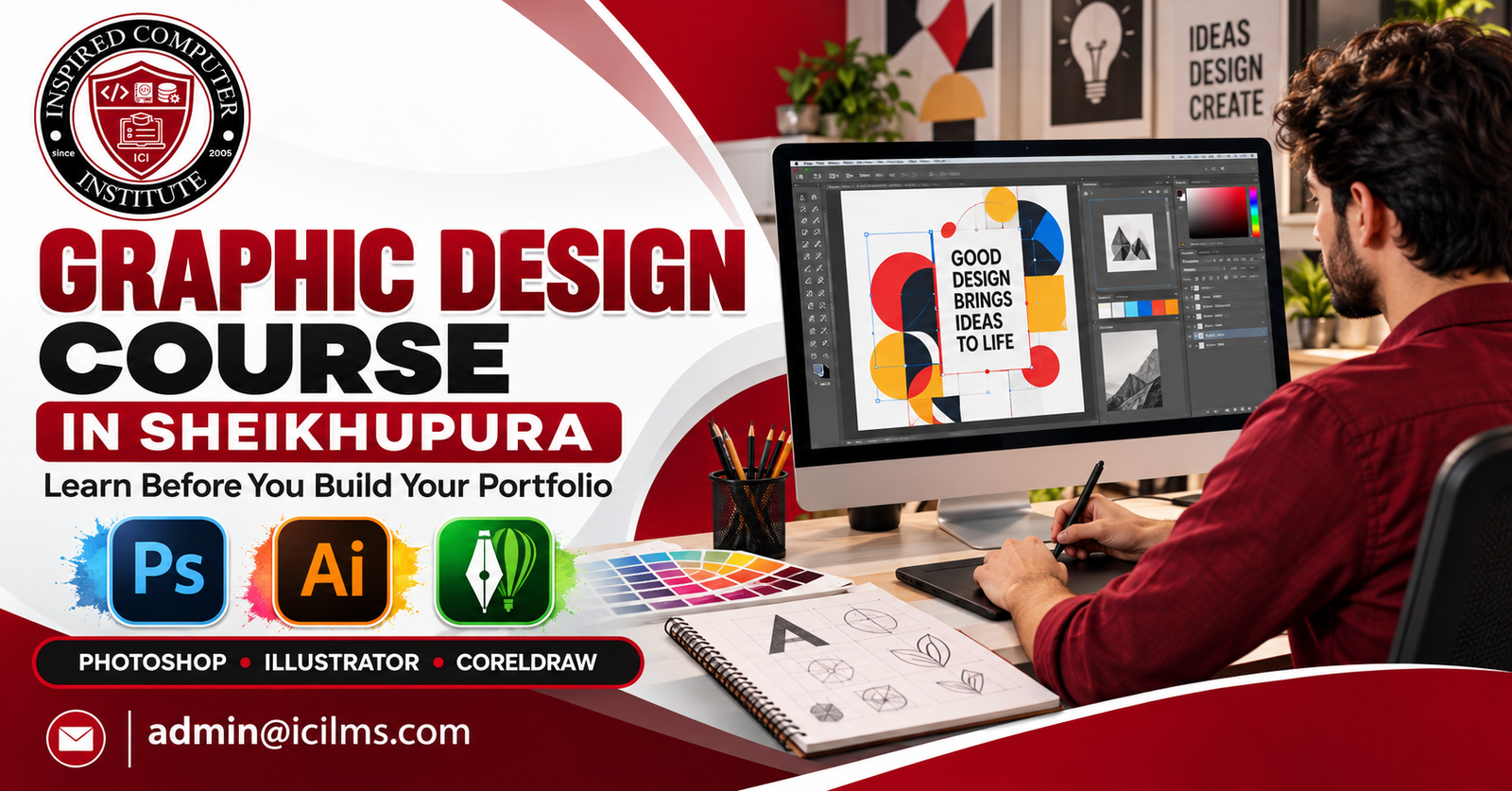
Graphic Design Course in Sheikhupura: What to Learn Before Building a Portfolio
Komal Shahzadi
- October 17, 2026
- Comment 0
Graphic Design Course in Sheikhupura: What to Learn Before Building a Portfolio
Imagine opening your laptop and creating a professional logo, designing an eye-catching social media advertisement, or preparing a business card that a real customer can use. These projects might seem complicated when you are starting, but they become much more manageable when you learn the right skills in the right order. If you are searching for a graphic design course in Sheikhupura, the first thing to understand is that learning software alone will not make you a successful designer. You also need to understand colors, typography, composition, branding, and the practical requirements of clients.
Graphic design is a useful skill for students, job seekers, aspiring freelancers, small business owners, and anyone who wants to explore a creative career. Businesses need visual content for social media, product packaging, promotional campaigns, shop signage, and many other purposes. This creates opportunities for people who can turn an idea into a clear, attractive, and purposeful design.
However, there is an important step between completing a course and convincing someone to hire you: building a portfolio. Your portfolio is a collection of selected projects that demonstrates what you can do, how you solve visual problems, and whether you understand the needs of a business. Before you start assembling that collection, you should develop a foundation that allows you to create work worth showing.
This guide explains what to learn before building your portfolio, how Photoshop, Illustrator, and CorelDRAW fit into your training, and how to prepare for real design assignments. Whether you plan to attend a local training institute or study independently, you can use these principles to make your learning more organized and your creative progress easier to measure.
1. Why Graphic Design Is a Valuable Skill to Learn in Sheikhupura
Sheikhupura offers a practical environment for aspiring graphic designers because visual communication is important to businesses of many sizes. Retail shops, restaurants, clothing stores, educational institutes, property dealers, printing businesses, and online sellers all use graphics to communicate with customers. Their needs may include promotional posters, product advertisements, logos, menus, brochures, packaging, and social media posts. Someone who learns to create these materials professionally can begin developing useful skills for employment, freelance work, or personal business projects.
For beginners, the advantage is that graphic design does not require you to start with expensive equipment or a specialized art background. A suitable computer, reliable design software, regular practice, and structured learning can provide a starting point. You do not need to draw realistic portraits or create complicated illustrations before you can design an effective advertisement. Many commercial projects depend more on layout, readability, image selection, and clear communication than on advanced drawing ability.
A graphic design course in Sheikhupura can also give you opportunities to understand the practical needs of local businesses. For example, you might practice designing a restaurant menu, a promotional banner for a clothing store, or an admission advertisement for an academy. These projects introduce you to real-world considerations, such as choosing readable fonts, including accurate contact information, and arranging content so customers can understand the message quickly.
The important thing is to approach graphic design as a professional skill rather than simply a hobby involving attractive colors and effects. Clients generally want designs that help them communicate, promote products, strengthen their brand, or attract attention. Your training should therefore combine creativity with problem-solving.
Before choosing a course, think about what you want to achieve. You might want an office job, freelance clients, a printing-related role, or the ability to promote your own business. Your destination will influence which skills deserve the most attention, but a solid understanding of design fundamentals will support every path.
2. What to Look for in a Graphic Design Course in Sheikhupura
Choosing a training course is an important decision because the quality of your learning experience can affect how quickly you develop practical skills. A course description might promise professional training, advanced software knowledge, or career opportunities, but those phrases do not automatically tell you whether the program will prepare you for real assignments. Instead of judging a course by its advertising alone, examine the subjects it teaches, the practical exercises it includes, and the feedback students receive.
Start by checking whether the course covers Adobe Photoshop, Adobe Illustrator, and CorelDRAW. These programs serve different purposes, and understanding their strengths can make you more flexible when working with different clients or employers. Photoshop is particularly useful for image editing and raster-based graphics, Illustrator specializes in vector artwork, and CorelDRAW is widely used in many print-oriented design environments. A course that introduces all three can help you understand how professional workflows vary according to the project.
The next consideration is practical training. Ask whether students create complete projects rather than merely following demonstrations on a screen. Watching an instructor design a poster can be helpful, but it does not prove that you can produce one independently. Good training should give you opportunities to complete assignments, correct mistakes, organize files, and explain the choices behind your designs.
You should also investigate the instructor’s experience, the availability of individual guidance, the software versions used in class, and the type of final project students complete. If possible, request examples of previous student work. These examples can help you determine whether the training emphasizes genuine design skills or mainly teaches students to reproduce existing templates.
Fees and schedules matter too, particularly if you are balancing education, employment, or family responsibilities. Compare the total cost, course duration, equipment requirements, and any additional charges before enrolling. Do not assume that the most expensive course is necessarily the best, or that a low-cost course cannot provide valuable instruction.
Ultimately, the best course is one that helps you become increasingly independent. By the end of your training, you should be able to interpret a design brief, choose suitable software, create an original solution, prepare the correct output files, and present your work professionally.
3. Understanding the Fundamentals of Graphic Design
Before you spend hours learning software shortcuts, understand the principles that make a design effective. Graphic design is the process of organizing visual elements to communicate a message, and software is simply the tool that helps you bring that message to life. You can create hundreds of effects in Photoshop, Illustrator, or CorelDRAW, but those effects will not automatically make your work professional. A strong design starts with a clear purpose, a suitable audience, and a thoughtful arrangement of elements.
One of the first principles to learn is visual hierarchy. This means arranging information according to its importance. Imagine creating an advertisement for a training institute in Sheikhupura. The course name, admission announcement, and contact number may deserve more attention than a long paragraph describing the institute. You can establish hierarchy by adjusting font size, weight, color, spacing, and placement. When people look at the design, their eyes should naturally move from the most important information to the supporting details.
Another fundamental principle is alignment. Text, images, icons, and other elements should relate to one another in a deliberate way. Random positioning can make even a beautiful design appear unfinished, while consistent alignment creates order and professionalism. Contrast is equally important because it helps different elements stand apart. Dark text on a light background, for example, can improve readability, while a carefully selected accent color can draw attention to a button or promotional offer.
You should also understand balance, repetition, proximity, and white space. Balance helps distribute visual weight, repetition creates consistency, proximity groups related information, and white space gives important elements room to breathe. These principles are useful for everything from a simple business card to a detailed brand presentation.
During your graphic design course in Sheikhupura, practice identifying these principles in advertisements, packaging, websites, and printed materials. Instead of merely deciding whether a design looks attractive, ask yourself why it works. Is the headline easy to notice? Does the layout feel balanced? Can someone understand the message in a few seconds? Learning to answer these questions will help you make stronger design decisions and create portfolio projects that demonstrate genuine understanding.
3.1 Typography, Color Theory, and Visual Hierarchy
Typography and color are two of the most influential tools in a graphic designer’s work. Typography involves selecting and arranging typefaces so that written information is readable and communicates the appropriate personality. Color theory helps you understand how colors interact, how they influence visual emphasis, and how to create harmonious combinations. When you learn to use these tools together, you can make a design feel professional without relying on excessive decoration.
Begin with typography by exploring the difference between serif, sans-serif, display, and script typefaces. A clean sans-serif font might work well for a technology advertisement, while a carefully selected serif typeface could suit an elegant editorial layout. Script fonts may add personality to a wedding invitation, but they can become difficult to read when used for long paragraphs or small contact details. The goal is not to use the most decorative font available; it is to choose typography that supports the message.
A useful beginner exercise is to create three versions of the same poster using different type combinations. Keep the wording identical, but change the typefaces, spacing, and hierarchy. Compare the results to see which version communicates most effectively. This exercise teaches you that typography is not an afterthought. It is a major part of the design itself.
Color theory deserves similar attention. Learn about warm and cool colors, complementary combinations, analogous palettes, saturation, brightness, and contrast. A restaurant advertisement may benefit from energetic colors, whereas a financial service might use a restrained palette that communicates stability. These are design choices rather than universal rules, so always consider the audience and brand personality.
Accessibility matters as well. Text should remain readable against its background, and important information should not depend on color alone. You should also learn how colors can change between screens and printed materials.
Before adding a design to your portfolio, inspect it at different sizes. If the headline disappears when the image is viewed on a phone, or the small text becomes unreadable when printed, the design needs improvement. Mastering typography, color, and hierarchy gives you a reliable foundation for nearly every project you will create.
4. Learning Adobe Photoshop for Creative Projects
Adobe Photoshop is one of the first tools many aspiring designers want to learn, and for good reason. It offers extensive options for editing photographs, combining images, creating digital artwork, and preparing promotional graphics. If you want to design social media advertisements, product banners, photo-based posters, or creative thumbnails, Photoshop can become an important part of your workflow.
Your first lessons should cover the interface, document dimensions, image resolution, layers, selections, and basic transformations. Layers are particularly important because they let you work with different elements independently. You can adjust a headline, replace a photograph, or change a background without rebuilding the entire composition. Learning to name and organize layers also makes your projects easier to edit later.
After mastering the basics, move on to masks, adjustment layers, blending modes, retouching tools, and selections. These features allow you to remove backgrounds, correct image colors, improve product photographs, and combine several images into a convincing composition. Practice making selections around objects with complex edges, such as hair, clothing, or leaves. Such exercises help you understand the difference between a rough edit and a polished result.
Another useful skill is creating realistic shadows, highlights, and lighting effects. Beginners sometimes add excessive glow, sharpening, or dramatic filters because the effects are easy to notice. Professional image editing usually requires restraint. Your objective should be to improve the visual message, not to demonstrate every tool you know.
You should also learn when Photoshop is appropriate and when another application would be more efficient. It is excellent for pixel-based artwork, but a logo intended to scale across packaging, signage, and business stationery is generally better developed as vector artwork. Understanding this distinction prevents avoidable quality problems.
For your portfolio, create at least three original Photoshop projects: a product advertisement, a promotional poster, and a photo-editing or compositing example. Explain the objective of each project and show a few meaningful stages of the process. That presentation demonstrates more than technical familiarity; it shows how you use Photoshop to solve visual communication problems.
5. Mastering Adobe Illustrator for Vector Design
Adobe Illustrator is an essential application to explore if you want to design logos, icons, illustrations, and other graphics that need to remain sharp at different sizes. Unlike ordinary raster images, vector graphics use mathematically defined paths and shapes. This makes them especially useful when a design must appear on a small business card and later be enlarged for a shop sign.
Begin by learning the Pen tool, shape tools, selection tools, path editing, fills, strokes, and the alignment panel. These features form the basis of much vector design. The Pen tool can feel difficult at first because it requires you to control anchor points and curves, but regular practice makes the process more intuitive. Start with simple objects such as leaves, cups, geometric symbols, and basic icons before attempting complicated illustrations.
Once you understand the basics, learn how to combine shapes, create consistent line weights, use negative space, and refine curves. Negative space is particularly useful in logo design because the empty areas between shapes can contribute to the identity of a symbol. A successful logo does not need to contain many details. It needs to communicate clearly and remain recognizable in different contexts.
Typography is another important part of Illustrator training. You should understand how to adjust letter spacing, align text with symbols, and create balanced wordmarks. You may also need to convert text to outlines when delivering artwork to a printer or another designer, although keeping an editable source file is often helpful when licensing and workflow requirements permit.
Practice designing a simple brand mark, a set of icons, and a small vector illustration. Then test your artwork at different sizes and against both light and dark backgrounds. If a logo becomes difficult to recognize when reduced, simplify it.
Your graphic design portfolio should include vector work that demonstrates originality rather than merely reproducing famous logos. You can invent a local bakery, a clothing label, or a technology startup and design a distinctive identity for it. Include the logo’s primary version, a simplified version, and a brief explanation of your design decisions. This shows potential clients that you understand the practical demands of scalable brand design.
6. Learning CorelDRAW for Printing and Commercial Design
CorelDRAW deserves attention if you are interested in commercial graphic design, especially work involving printing, signage, business stationery, and production artwork. Many printing environments use CorelDRAW-based workflows, although the software used depends on the business, its equipment, and its customers. Learning it can help you understand how design work moves from a computer screen to a physical product.
Start with document setup, page dimensions, rulers, guides, shape tools, curves, text formatting, and object alignment. These fundamentals help you prepare clean layouts for visiting cards, flyers, letterheads, brochures, and other commercial materials. You should also learn how to manage multiple pages and maintain consistent spacing across related designs.
One of the most useful lessons is preparing files for print. A design that looks correct on your monitor may produce disappointing results if its dimensions, colors, fonts, or image resolution are incorrect. Learn the difference between RGB and CMYK color workflows, understand the printer’s requirements, and check whether the project needs bleed or crop marks. The exact settings depend on the print provider, so confirm specifications before delivering final artwork.
CorelDRAW also provides tools for creating vector shapes and working with text. Practice producing a complete stationery set for an imaginary business, including a visiting card, letterhead, and envelope. Use the same logo, color palette, and typography across all three pieces. This teaches you how to maintain brand consistency while adapting a design to different dimensions.
Do not treat CorelDRAW as merely a program for copying existing visiting-card templates. Instead, use it to understand production requirements and create original layouts. Learn how to package editable files responsibly, check linked or embedded assets, and export formats that meet the printer’s needs.
If your course includes practical assignments, ask whether you will prepare artwork for actual output sizes and receive feedback on technical accuracy. That experience is valuable because commercial design requires more than visual appeal. A beautiful file that cannot be printed correctly is not a finished professional deliverable.
7. Choosing the Right Software for Different Design Tasks
Learning three design applications can feel overwhelming when you are just starting. The solution is to understand their strengths rather than trying to memorize every feature at once. Photoshop, Illustrator, and CorelDRAW overlap in some areas, but they are not interchangeable in every workflow. Selecting the appropriate tool helps you work efficiently and deliver files that suit the final purpose.
| Design task | Recommended starting tool | Why it fits |
|---|---|---|
| Photo retouching and image compositing | Photoshop | Extensive pixel-level editing and adjustment tools |
| Logo and icon design | Illustrator | Scalable vector paths and shapes |
| Vector artwork for signage | Illustrator or CorelDRAW | Precise vector output and editable artwork |
| Social media advertisements | Photoshop or Illustrator | Depends on whether the design is image-based or vector-heavy |
| Business cards and stationery | CorelDRAW or Illustrator | Suitable for vector layouts and commercial artwork |
| Photo-based promotional posters | Photoshop | Flexible image manipulation and layered compositions |
| Print-ready brochures | Illustrator, InDesign, or CorelDRAW | Choice depends on complexity and production workflow |
The most effective approach is to learn one application well enough to complete useful projects, then gradually introduce the others. For example, you could begin with Photoshop if you are interested in social media graphics and photo editing. Once you understand layers, masks, and layout, move into Illustrator to develop vector and branding skills. Add CorelDRAW when you are ready to explore print-oriented work or when a local employer or printing business uses it.
Real projects may require more than one application. You might develop a logo in Illustrator, edit product photography in Photoshop, and assemble a print layout in CorelDRAW. That does not mean every design must pass through all three programs. It means you should understand how to choose tools according to the job.
File formats are part of this decision. PSD files preserve Photoshop layers, AI files retain editable Illustrator artwork, and CDR files are native to CorelDRAW. Formats such as PNG, JPEG, SVG, and PDF serve different delivery purposes, and their suitability depends on whether the output is digital, vector-based, or intended for print.
During your training, complete the same small design exercise in two different applications where practical. Compare the editing process, output quality, and ease of making changes. Over time, you will develop a workflow that balances speed, flexibility, and technical reliability.
The goal is not to claim that you know every program. It is to demonstrate that you can select the right software, use it confidently, and produce a polished result.
8. Developing Layout, Composition, and Branding Skills
Software skills help you create design elements, but layout and composition determine how those elements work together. A strong composition guides attention, establishes relationships, and makes information easier to understand. Without these skills, a design can look crowded or confusing even when every image and font is technically appropriate.
Start by studying grids and alignment. A grid gives you a consistent structure for positioning text, images, and other elements. You do not have to follow a rigid grid in every creative project, but understanding structure helps you make deliberate decisions. For example, a promotional poster might use a strong vertical alignment for the headline, product image, and contact information. A magazine layout may require a more complex grid to organize columns and images.
Next, practice visual balance. Symmetrical compositions often feel orderly and formal, while asymmetrical compositions can feel energetic or contemporary. Neither approach is automatically better. The appropriate choice depends on the project’s audience, purpose, and personality. Use scale, contrast, and spacing to create emphasis without making the page feel unstable.
Branding requires a broader perspective. A brand identity is not just a logo; it is a coordinated visual system that may include colors, typography, imagery, graphic patterns, icons, and layout rules. When these elements work together, a business can maintain a recognizable appearance across different communication channels.
Try creating a small brand identity for an imaginary business in Sheikhupura. You might choose a bakery, a clothing store, or a tutoring academy. Define the intended audience, identify the brand’s personality, choose a color palette, and develop a logo. Then apply the identity to a visiting card, social media post, and promotional flyer.
Pay attention to consistency. If each item uses different fonts and unrelated colors, the identity will feel fragmented. If you repeat selected elements thoughtfully, the materials will appear connected while still serving different purposes.
This exercise is especially useful before you begin assembling a portfolio because it demonstrates your ability to think beyond isolated graphics. Clients often need multiple pieces of communication, not a single attractive image. Showing that you can create a coherent visual system makes your work more convincing and helps distinguish you from beginners who rely entirely on templates.
9. Understanding Image Editing and File Preparation
Professional graphic design involves more than making something look attractive on your screen. You must also understand image quality, file dimensions, color settings, and export options. These technical details can determine whether your work looks polished when viewed on a phone, uploaded to a website, or printed on paper.
Begin by learning the difference between raster and vector graphics. Raster images consist of pixels, which means enlarging a low-resolution photograph too much can make it appear blurry or pixelated. Vector graphics are based on paths and shapes, allowing them to scale cleanly when designed appropriately. Understanding this difference helps you decide whether a project should be developed in Photoshop, Illustrator, or CorelDRAW.
Resolution is another essential topic. For printed photographs, 300 pixels per inch is a common target at the final output size, although the appropriate resolution depends on the viewing distance, printing process, and supplier’s specifications. Digital graphics, on the other hand, should be designed according to the actual pixel dimensions required by the platform. Simply increasing a low-resolution image’s resolution setting does not recreate missing detail.
You should also learn about common export formats. JPEG is useful for photographs and many web images, PNG supports transparency, SVG is useful for suitable vector graphics on the web, and PDF is widely used for sharing documents and preparing print artwork. Native project files should usually be retained when future editing may be necessary.
For printing, learn about bleed, safe margins, crop marks, embedded fonts, and color profiles. Bleed allows artwork to extend beyond the final trim edge, reducing the risk of unwanted white borders after cutting. Safe margins keep essential text and logos away from edges that may be trimmed. Always confirm the exact specifications with the printer instead of assuming every project uses identical settings.
A useful practice assignment is to prepare one advertisement for both digital and print use. Create a version optimized for a social media post and another prepared according to a printer’s specifications. Compare the dimensions, color settings, and export formats.
Before delivering any file, inspect it at its intended size and open the exported version to confirm that text, images, and alignment remain correct. A reliable designer does not simply press Export and hope for the best. They check the final result, because technical accuracy is part of professional quality.
10. Practicing Social Media and Digital Marketing Design
Social media graphics are a practical area to explore during a graphic design course because many businesses need visual content to promote their products and services. Restaurants announce special offers, clothing shops introduce new collections, academies advertise admissions, and online sellers highlight individual products. These assignments provide useful opportunities to practice design principles while thinking about how people actually consume digital content.
Begin by understanding the audience and the platform. A graphic intended for an Instagram post may need a different composition from a YouTube thumbnail or a Facebook cover. Dimensions and interface requirements can change, so check current platform specifications before creating the final design. The important principle is to build artwork for its intended use rather than designing once and resizing carelessly for every channel.
A successful promotional graphic communicates its main message quickly. Imagine designing a discount advertisement for a local clothing shop. The viewer should be able to identify the product, understand the offer, and recognize the business without searching through unnecessary decorative elements. Strong contrast, concise wording, readable typography, and a clear visual focal point can make the design easier to understand.
You should also learn to use photographs responsibly. Product images must be clear, relevant, and appropriately licensed. Avoid stretching photographs, cutting out objects carelessly, or adding effects that obscure the product. If a design contains a price or promotion, ensure that the information is accurate and that any conditions are easy to understand.
To practice, develop a campaign consisting of several related posts for an imaginary business. Include a product announcement, a promotional offer, and an informational post. Keep the brand identity consistent while varying the layouts enough to prevent the campaign from becoming repetitive.
Think about performance without assuming that attractive design alone guarantees marketing success. Results may depend on the audience, offer, timing, targeting, copy, and distribution as well as the graphic itself. A designer can contribute by making the message clearer and more visually engaging, but should avoid promising sales or engagement based on design alone.
When adding social media work to your portfolio, present the campaign as a small case study. Identify the audience, explain the communication goal, and show how the designs work together. This demonstrates that you understand the purpose behind the visuals, not just the process of making them.
11. Creating Logos and Complete Brand Identity Projects
Logo design is one of the most appealing subjects for beginners, but it is also an area where thoughtful problem-solving matters more than decorative effects. A logo should help identify a business, reflect its character, and remain practical across different applications. Creating a convincing logo requires research, exploration, simplification, and testing rather than choosing a random symbol and adding a stylish font.
Begin with a design brief. Define the business, its audience, the products or services it offers, and the personality it wants to communicate. A children’s learning center may need a friendly and approachable identity, while a premium furniture brand may prefer a restrained and sophisticated appearance. These are starting points for exploration, not fixed rules about which symbols or colors each industry must use.
Research competing brands to understand the visual landscape. Look for common patterns, but avoid copying an existing identity. Your goal is to identify opportunities for differentiation. Sketch several concepts before moving to the computer, and explore different directions instead of polishing the first idea that comes to mind.
Once you have selected a promising concept, refine it in Illustrator or CorelDRAW. Pay attention to proportions, spacing, curves, and legibility. Test the logo in black and white, at small sizes, and on light and dark backgrounds. A mark that works only in one color combination or at a large size may be unsuitable for everyday business use.
The next step is to create a small identity system. Include the primary logo, an appropriate alternative version, a color palette, and typography choices. Apply these elements to a visiting card, social media post, packaging mockup, or other relevant item. This allows you to demonstrate how the logo functions as part of a larger visual system.
Be careful when using mockups in your portfolio. A realistic presentation can help clients imagine the final result, but the mockup should not hide weaknesses in the underlying design. Include a clear view of the actual logo and show how it works without elaborate presentation effects.
For beginners, fictional brands are perfectly suitable practice projects when clearly identified as concepts. Do not claim that an imaginary business hired you or that a concept produced real commercial results. Honest presentation builds credibility, and credibility is one of the most valuable qualities you can develop while preparing to work professionally.
12. Learning Print Design for Local Businesses
Print design remains a valuable skill for designers who want to work with shops, offices, schools, restaurants, printing services, and other organizations. Even when a business uses social media regularly, it may still need visiting cards, menus, brochures, posters, flyers, product labels, or shop signage. Learning to create these materials gives you a broader understanding of graphic design and the technical requirements involved in producing physical items.
Start with visiting cards because their small dimensions force you to think carefully about information hierarchy. A card may contain a name, designation, phone number, email address, logo, and business details. The challenge is to include the necessary information without making the design crowded. Use suitable typography, consistent alignment, and enough spacing to preserve readability.
Next, explore flyers and promotional posters. These formats usually require a clear headline, supporting information, imagery, and a call to action. A poster advertising admissions at an academy, for instance, should make the course or admission message easy to identify. Essential details such as dates, location, and contact information should be organized logically rather than scattered across the page.
Menus and brochures introduce additional challenges because they contain more information. You need to organize categories, maintain consistent typography, and create enough visual separation to help readers find what they want. For longer documents, grids and repeatable layout rules become especially useful.
Production preparation is just as important as appearance. Learn to confirm the final page dimensions, check image resolution, add bleed when required, and export the file according to the printer’s instructions. Some jobs may require a specific PDF standard, while others may involve editable vector files. Never assume that one export setting is appropriate for every printing process.
If possible, ask a local printing business what file problems it commonly encounters. You might discover that incorrect page sizes, missing fonts, unsuitable colors, and insufficient bleed cause unnecessary delays. Understanding these practical issues can help you deliver more reliable work.
For your portfolio, create a coordinated print package for a fictional business. Include a visiting card, flyer, and letterhead using a consistent identity. Show both the flat designs and a few realistic previews, and clearly label the work as a concept project. This demonstrates visual skill alongside production awareness.
13. Building a Graphic Design Portfolio From Scratch
Your portfolio is one of the clearest ways to demonstrate your readiness for design work. A certificate may show that you completed a course, but a portfolio gives potential employers and clients evidence of your practical abilities. It helps them judge your style, technical execution, attention to detail, and understanding of design problems.
You do not need to wait until you have paid clients to start building one. Beginners can develop portfolio projects around fictional businesses, personal interests, or realistic design challenges. What matters is that the projects are original, well executed, and presented honestly. A carefully developed set of strong examples is more useful than a large collection of unfinished or repetitive graphics.
Aim for variety without losing focus. If you want to work in branding, include logo concepts and coordinated identity materials. If your interest is social media design, demonstrate that you can create multiple types of promotional graphics. If you want to work with printing businesses, include stationery, flyers, brochures, and examples of correctly prepared production files.
For each project, explain the brief, audience, objective, and design decisions. For example, you could introduce a fictional bakery identity by explaining that the objective was to create a friendly, recognizable visual style for packaging and social media. Show the logo, typography, color palette, and selected applications. A short, specific explanation makes it easier for viewers to understand the thinking behind your work.
Pay close attention to presentation. Use consistent spacing, readable text, high-quality images, and a clear order. Remove unnecessary decoration that distracts from the project itself. If you include mockups, ensure the underlying designs remain visible and easy to evaluate.
You can host a portfolio on a suitable portfolio platform, a personal website, or a well-organized PDF. Choose a format that matches the opportunities you want to pursue. A PDF can be useful when applying for a job, while an online portfolio is convenient to share with clients and update as your skills improve.
Review your work regularly. Replace weaker projects as you create better ones, correct small mistakes, and remove examples that no longer reflect your abilities. Your portfolio should grow with you, showing progress rather than serving as a permanent archive of everything you have ever designed.
13.1 Choosing Portfolio Projects That Demonstrate Real Skills
Choosing the right projects is just as important as creating them well. Your portfolio should help a potential client or employer imagine you handling a real assignment. That means each example should demonstrate a particular skill, such as image editing, vector illustration, brand consistency, layout design, or print preparation.
A beginner could start with five core projects: a logo and identity concept, a Photoshop advertisement, a vector illustration, a coordinated social media campaign, and a print-ready stationery package. These projects cover several important areas without requiring an enormous amount of time. You can add more specialized work later as you discover which types of design you enjoy most.
Try to make each project different enough to reveal a new ability. Five nearly identical promotional posters may show that you can repeat a layout, but they will not necessarily demonstrate a broad understanding of design. A collection containing an identity system, a photo-based advertisement, a vector icon set, and a multi-page brochure communicates more range.
Quality should remain your priority. Before publishing a project, check alignment, typography, spelling, image quality, color consistency, and technical accuracy. Ask someone else to review the work if possible. A fresh pair of eyes may notice an awkward gap or confusing headline that you have overlooked after spending hours on the design.
When presenting a project, explain the problem you wanted to solve. Describe the intended audience and why you selected particular visual elements. Avoid writing a lengthy explanation that simply repeats what viewers can already see. The goal is to show your thinking clearly and efficiently.
You should also distinguish concept work from commissioned work. If a project was created for practice, label it as a concept. If you used stock photographs, fonts, or other third-party assets, follow the relevant licenses and disclose their use when appropriate. Never claim ownership of someone else’s design or present another designer’s work as your own.
A portfolio is not a competition to display the most complicated effects. It is evidence that you can make thoughtful decisions and produce dependable results. Start with a manageable collection, improve it consistently, and let each new project demonstrate something meaningful about your abilities.
14. Avoiding Common Beginner Portfolio Mistakes
One of the most common beginner mistakes is assuming that more effects mean better design. Excessive shadows, gradients, outlines, textures, and decorative elements can compete with the main message. When every element demands attention, the viewer has difficulty deciding where to look. Learn to remove anything that does not support the design’s purpose.
Another problem is copying tutorials too closely. Tutorials are useful for learning techniques, but reproducing a tutorial exactly does not necessarily demonstrate independent problem-solving. After following a lesson, create a new project using the same technique in a different context. Change the audience, subject, layout, and visual direction so you can demonstrate that you understand the method rather than merely memorizing the steps.
Typography errors can also weaken an otherwise promising project. Using too many fonts, inconsistent spacing, poor line breaks, or unreadable text can make a design feel unprofessional. Review your typography at the actual viewing size, and check whether the headline, supporting text, and contact details are easy to distinguish.
Low-quality images and incorrect exports are equally important problems. Stretching photographs, using unsuitable file formats, or ignoring print specifications can damage the final result. Keep an organized source file, check image quality, and export according to the intended platform or printer.
Avoid placing every design inside an elaborate mockup. Mockups can make a presentation more engaging, but they should support the design rather than conceal it. Include clean, direct views of your work so viewers can evaluate the typography, layout, and details without distraction.
Spelling mistakes and inaccurate business information can undermine trust. Proofread every headline, phone number, email address, price, and date. If the design contains sample details, make sure they are clearly fictional where confusion could arise.
Finally, do not fill your portfolio with work you are embarrassed to discuss. If an interviewer asks why you selected a particular typeface or how you approached a layout, you should be able to explain your decisions. You do not need to defend every creative choice as perfect, but you should understand the reasoning behind it.
The best way to avoid these mistakes is to create a repeatable review process. Inspect the design for visual quality, technical accuracy, spelling, consistency, and suitability for the intended audience. That final review can turn a rushed student exercise into a more professional portfolio piece.
15. Exploring Freelancing and Career Opportunities
After developing your design fundamentals and preparing a portfolio, you can begin exploring employment and freelance opportunities. Your first opportunity may come from a local business, a printing shop, a marketing agency, an educational institute, or a small company that needs regular promotional graphics. You may also choose to seek remote projects through freelance platforms or professional networks.
Different opportunities require different strengths. A printing-related role may emphasize CorelDRAW, layout accuracy, and production preparation. A marketing role may involve social media campaigns, photo editing, and fast turnaround times. A branding-focused position may place greater emphasis on Illustrator, typography, logo development, and visual consistency. Understanding these differences helps you decide which skills to develop next.
When looking for work, present your portfolio in a way that matches the opportunity. If you are applying to a printing business, prioritize print-oriented examples. If you want to work with a social media agency, highlight campaign graphics and image-based advertisements. A relevant portfolio helps a potential employer see how your abilities relate to the work they need done.
For freelance projects, communication is just as important as design. Ask clients about the target audience, project objectives, dimensions, required formats, deadline, and available brand assets. Confirm the scope before starting so both sides understand what is included. If a project requires several revisions, establish a clear process rather than relying on vague expectations.
Beginners should also learn to estimate their time and communicate their pricing clearly. Rates vary according to experience, complexity, market, and client requirements, so avoid assuming that every project has a standard price. Consider the time required for research, design, revisions, and file preparation when evaluating a job.
Be cautious about promises of instant income. Learning graphic design can create opportunities, but completing a course does not guarantee clients, employment, or a particular salary. Your results will depend on the quality of your work, your communication, consistency, and ability to find suitable opportunities.
A sensible first goal is to complete several strong projects, seek constructive feedback, and begin applying for small, clearly defined assignments. Treat each project as a chance to improve your process. Over time, practical experience can help you identify your strengths, develop a professional reputation, and decide which direction you want your career to take.
16. Creating a Practical Learning Plan Before Applying for Work
A learning plan makes your progress easier to measure and helps you avoid spending months watching tutorials without completing original projects. You do not need to master every design tool at once. Instead, divide your training into stages that combine software practice, design fundamentals, and portfolio development.
Weeks 1–2
Learn the fundamentals
Study typography, color theory, visual hierarchy, alignment, spacing, and basic composition. Analyze existing advertisements and recreate simple layouts as exercises without presenting copies as original portfolio work.
Weeks 3–4
Build Photoshop skills
Practice layers, selections, masks, adjustment layers, image retouching, and export settings. Complete an original poster and a product advertisement.
Weeks 5–6
Develop vector design skills
Learn Illustrator’s shape and Pen tools, create icons, and design an original logo concept. Test the design at different sizes and refine its proportions.
Weeks 7–8
Explore CorelDRAW and print production
Create stationery or a flyer, confirm output dimensions, and practice preparing artwork according to printer requirements.
Weeks 9–10
Build and refine your portfolio
Select your strongest original projects, write short case-study descriptions, correct mistakes, and prepare an online or PDF portfolio.
This ten-week schedule is a sample rather than a fixed requirement. You may need more time if you are learning from scratch or balancing your training with other responsibilities. Some learners will progress quickly through the software basics but need additional practice with composition, while others will understand design principles before becoming comfortable with the tools.
Try to schedule regular practice sessions instead of relying on occasional long study days. Even a consistent hour of focused work can help you improve if you spend it completing exercises, reviewing mistakes, and applying feedback. Keep a record of what you learn and identify the next skill you want to strengthen.
Once you have completed the initial projects, start practicing with realistic briefs. Give yourself a deadline, define the target audience, and establish the required output format before designing. These constraints make your practice more similar to professional assignments.
Before applying for work, review your portfolio against a simple standard: Can you explain the purpose of each project? Can you edit the source files independently? Can you deliver the correct format? Can you identify and fix obvious mistakes? If the answer is yes for your selected projects, you have a useful foundation for seeking feedback and exploring entry-level opportunities.
A structured plan turns learning into measurable progress. Rather than waiting until you feel completely ready, keep developing your skills while gradually putting your strongest work in front of potential clients and employers.
Conclusion: Turn Your Graphic Design Training Into a Strong Portfolio
Choosing a graphic design course in Sheikhupura can be a useful first step toward developing creative and professional skills, but the real value of your training comes from what you learn to create. Photoshop, Illustrator, and CorelDRAW each offer different capabilities, and understanding when to use them will help you handle a wider range of design assignments. Combine your software knowledge with typography, color theory, composition, branding, image editing, and print preparation to build a strong foundation.
Remember that a certificate alone cannot demonstrate everything you are capable of doing. Your portfolio should show original projects, thoughtful design decisions, and the ability to prepare work for its intended purpose. Start with manageable assignments, such as a promotional poster, a logo concept, a social media campaign, and a set of business stationery. Refine each project, correct your mistakes, and explain the problem your design was intended to solve.
If you are a beginner in Sheikhupura, you do not need to master every tool before creating your first portfolio piece. Learn the fundamentals, practice consistently, seek constructive feedback, and gradually expand your abilities. Be honest about your experience, develop good communication habits, and focus on delivering work that meets the client’s requirements.
Your first portfolio does not need to prove that you know everything. It needs to show that you can learn, think creatively, solve design problems, and produce work worth taking seriously. Start with that goal, and every well-planned project will bring you closer to becoming a more confident graphic designer.
Frequently Asked Questions About Graphic Design Courses in Sheikhupura
1. What is a graphic design course in Sheikhupura?
A graphic design course in Sheikhupura teaches students how to create visual content for businesses, digital platforms, and print media. Depending on the program, subjects may include Photoshop, Illustrator, CorelDRAW, typography, color theory, logo design, and portfolio development. Before enrolling, check the practical assignments, instructor experience, course schedule, and software coverage.
2. Is graphic design a good skill for beginners?
Yes. Beginners can learn graphic design without an advanced art background, provided they are willing to practice and develop their visual judgment. Start with basic design principles and simple projects before progressing to more complicated compositions. Consistent practice and constructive feedback are more useful than trying to master every tool immediately.
3. Which software should I learn first: Photoshop, Illustrator, or CorelDRAW?
Choose according to your immediate goals. Photoshop is a good starting point for photo editing and promotional graphics, Illustrator is particularly useful for logos and vector illustrations, and CorelDRAW can be valuable for print-oriented work. If you are unsure, learn basic design principles first and then explore each application through practical exercises.
4. Can I learn graphic design without prior computer experience?
Yes, although basic computer skills will make the learning process easier. Start by learning file management, folders, keyboard shortcuts, installing or accessing permitted software, and saving documents correctly. Once you are comfortable navigating your computer, begin learning design applications step by step.
5. How long does it take to learn graphic design?
The learning period depends on your starting point, study schedule, and goals. You may learn basic software operations within weeks, while developing reliable design judgment and professional-level skills generally requires substantially more practice. Focus on completing projects successfully instead of measuring progress only by the number of days spent studying.
6. What should I learn in Photoshop before building a portfolio?
Prioritize layers, selections, masks, adjustment layers, image retouching, blending modes, typography, and export settings. Practice with original product advertisements, promotional posters, and photo-editing projects. Your portfolio should show that you can use these tools to communicate a clear message rather than simply apply effects.
7. Why is Adobe Illustrator important for graphic designers?
Illustrator is especially useful for creating scalable vector graphics, including logos, icons, illustrations, and wordmarks. Learning the Pen tool, shape editing, alignment, and typography will help you create cleaner artwork. These skills are particularly valuable when a design needs to work across different sizes and applications.
8. Is CorelDRAW useful for printing businesses in Sheikhupura?
CorelDRAW can be useful for printing-related work, including visiting cards, flyers, stationery, signage, and other vector-based designs. However, software preferences vary between businesses and production environments. Ask local printing services which file formats and applications they commonly use before deciding how deeply to specialize in a particular tool.
9. Can I become a graphic designer without learning all three programs?
Yes. You can begin with one application and develop strong skills in a particular design area. A designer focused on photo editing may prioritize Photoshop, while someone specializing in logo design may concentrate on Illustrator. Learning additional software later can expand your options, but understanding design fundamentals is essential regardless of your chosen application.
10. What is the difference between raster and vector graphics?
Raster graphics consist of pixels and are commonly used for photographs and many digital images. Vector graphics use paths and mathematically defined shapes, making them suitable for artwork that needs to scale without the pixelation associated with enlarging raster images. Understanding the difference helps you select the right application and export format for each project.
11. What should a beginner include in a graphic design portfolio?
Start with a selection of original projects that demonstrate different abilities. Useful examples include a logo and brand identity, a photo-based advertisement, a vector illustration, a social media campaign, and a print-oriented design. Include brief explanations of the project objectives and identify concept work honestly.
12. Can I build a portfolio before getting my first client?
Absolutely. You can create fictional brands, personal projects, and realistic practice assignments. For example, design a complete identity for an imaginary bakery or develop a promotional campaign for a fictional clothing shop. Clearly label these projects as concepts rather than claiming that a real client commissioned them.
13. Do I need to know drawing to learn graphic design?
No. Drawing can be helpful for illustration and some branding projects, but it is not a requirement for every graphic design role. Many commercial designs rely on typography, layout, photography, vector shapes, and image editing. You can develop drawing skills gradually if your preferred specialization requires them.
14. How can I practice graphic design at home?
Set yourself small, realistic assignments and complete them from beginning to end. Create posters, product advertisements, visiting cards, logos, and social media graphics while focusing on a particular skill in each exercise. Review your work for readability, alignment, color consistency, and technical accuracy before adding it to your portfolio.
15. Is graphic design suitable for freelancing?
Yes, graphic design can support freelance work when you develop marketable skills and learn how to communicate with clients. Potential projects include social media graphics, logo concepts, advertisements, and print materials. However, freelance income is not guaranteed, and success depends on factors such as portfolio quality, client acquisition, pricing, reliability, and competition.
16. Can I get a graphic design job after completing a course?
A course can help you develop the skills needed to apply for entry-level positions, but employment is not guaranteed. Employers may assess your portfolio, software knowledge, problem-solving ability, communication, and ability to meet deadlines. Build practical examples during your training and compare your skills with the requirements of jobs you want to pursue.
17. What computer specifications are needed for graphic design?
Requirements depend on the software version and the complexity of your projects. A reasonably capable computer with sufficient memory, storage, and a suitable display is a sensible starting point. Check the official requirements for your chosen software before purchasing equipment, and consider the size of the files you expect to work with.
18. What is the difference between graphic design and digital marketing?
Graphic design focuses on creating visual communication, including logos, advertisements, illustrations, and layouts. Digital marketing focuses on promoting products or services through online channels and may involve advertising strategy, audience targeting, analytics, content, and conversion optimization. The two fields overlap because effective marketing campaigns often depend on well-designed visual content.
19. How can I choose a good graphic design institute in Sheikhupura?
Compare course syllabuses, practical assignments, instructor experience, available equipment, schedules, and total fees. Ask to see examples of student projects and find out whether the course includes individual feedback and portfolio preparation. Choose a program that emphasizes independent project work and practical skills instead of relying entirely on demonstrations or certificates.
20. What should I do after completing a graphic design course?
Review your strongest projects, correct technical mistakes, and organize your portfolio around the work you want to pursue. Seek feedback, improve weaker skills, and begin exploring suitable internships, entry-level jobs, or small freelance assignments. Continue learning as you gain experience, because design tools, client expectations, and digital platforms evolve over time.