Currently Empty: ₨ 0
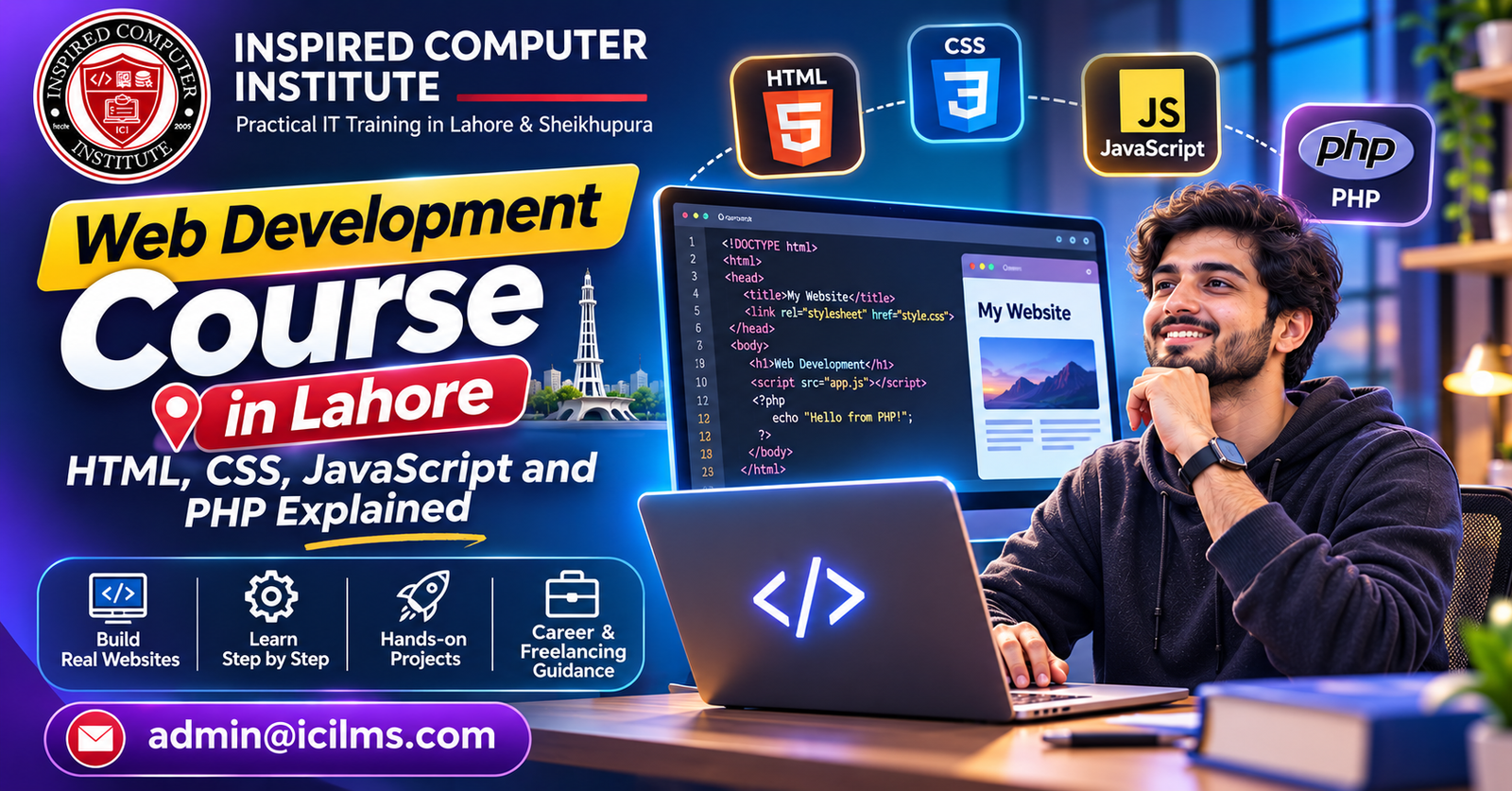
Web Development Course in Lahore HTML CSS JavaScript and PHP Explained
Komal Shahzadi
- November 3, 2026
- Comment 0
Web Development Course in Lahore HTML CSS JavaScript and PHP Explained
1. Introduction to Web Development in Lahore
The internet has become an essential part of everyday life, and behind almost every online experience is a website or web application. From shopping platforms and educational portals to business websites and online booking systems, web development plays a major role in how people communicate, work, and access information. If you are living in Lahore and thinking about learning a practical digital skill, enrolling in a web development course in Lahore can be a valuable step toward building a career in technology. You do not need to be an experienced programmer to begin. With the right learning approach, a computer, and consistent practice, you can gradually develop the skills required to create websites from scratch.
Web development is especially interesting because it combines creativity with logical thinking. You might begin by designing a simple webpage with a heading and a paragraph, then move toward creating a responsive business website, and eventually build an application that stores information and allows users to interact with it. Each stage introduces a new skill, but the learning process becomes easier when the concepts are explained in the correct order. That is why understanding HTML, CSS, JavaScript, and PHP is important for anyone researching web development training in Lahore. These technologies cover different parts of the website development process and help beginners understand how modern websites are structured, styled, made interactive, and connected to databases.
Lahore offers an appealing environment for people interested in digital skills because the city has a diverse educational community, technology businesses, software houses, and opportunities for independent work. Students, university graduates, career changers, and business owners can all benefit from understanding how websites work. Rather than treating programming as a mysterious subject reserved for experts, this guide breaks it down into understandable concepts. You will explore the role of each programming language, the skills a quality course should teach, the projects worth building, and the career paths that may become available after training. The goal is simple: help you understand what learning web development involves before you invest your time and effort.
2. What Is Web Development?
Web development is the process of creating, maintaining, and improving websites and web applications that operate through the internet or an internal network. It includes much more than writing code. Developers plan how a website should function, organize its information, create its visual structure, connect it to databases, and test it to make sure users can interact with it properly. A website may look simple on the surface, but several technologies can work together behind the scenes to deliver a smooth experience. For example, when you visit an online store, the product images and descriptions appear on your screen, but the website may also be checking stock availability, calculating prices, processing search requests, and retrieving information from a database.
A web development course introduces learners to the different components involved in building such experiences. Some technologies control what users see, while others handle information and application logic. The visible portion of a website is commonly called the frontend, whereas the server-side functionality is known as the backend. These two areas work together to make a website useful. Imagine a restaurant: the dining area is what customers experience directly, while the kitchen handles preparation and operations. A website follows a similar pattern. The frontend presents the experience, and the backend supports the operations that make that experience possible. Learning both sides can give beginners a broader understanding of website creation and open the door to full-stack development.
A structured web development course in Lahore should explain these concepts through practical examples rather than relying entirely on definitions. Students should learn how a browser interprets HTML, how CSS controls presentation, how JavaScript responds to user actions, and how PHP processes requests on a server. These skills become easier to understand when they are connected to projects. A registration form, for instance, can demonstrate several parts of web development at once: HTML creates the form, CSS styles it, JavaScript validates input, and PHP processes the submitted information. Once learners understand how these pieces connect, they can begin developing more complete websites instead of creating isolated coding exercises.
2.1 Frontend Development Explained
Frontend development focuses on the part of a website that visitors see and interact with directly. Whenever you open a webpage and notice its navigation menu, colors, images, buttons, headings, or layout, you are experiencing frontend development. Frontend developers use HTML to structure content, CSS to control its appearance, and JavaScript to add interactive behavior. Their work influences how easily visitors can understand a website, find information, and complete tasks. A well-designed frontend can make a website feel simple and intuitive, while a poorly organized interface may leave users confused even when the underlying system works correctly.
Consider a university website that allows students to explore degree programs and submit admission applications. The frontend might include a navigation bar, program descriptions, admission requirements, an application form, and buttons that guide visitors through the process. HTML organizes these elements, CSS makes the interface attractive and readable, and JavaScript can help display additional information or validate form entries. Frontend development also involves responsive design, which ensures that a website remains usable on different screen sizes. A page that looks excellent on a desktop computer should not become difficult to navigate on a mobile phone. This is particularly important for websites serving audiences who regularly access the internet through smartphones.
A beginner studying frontend development should become comfortable with browser developer tools, semantic HTML, CSS layouts, JavaScript fundamentals, and basic accessibility practices. These skills help learners identify errors and create interfaces that work for different users. A good course will also encourage students to build projects independently, because understanding a code example is not the same as being able to create a website without assistance. By practicing regularly, students can gradually develop the confidence to design landing pages, portfolio websites, business websites, and interactive interfaces. Frontend development is often a suitable starting point for beginners because its results are visible immediately in the browser, making it easier to connect written code with the outcome.
2.2 Backend Development Explained
Backend development focuses on the server-side systems that make a website function beyond its visible interface. It involves processing requests, managing application logic, handling user accounts, communicating with databases, and controlling access to information. When someone logs into a website, the backend checks whether the submitted credentials are valid. When a customer places an order, the backend may record the purchase, update inventory, and prepare information for payment processing. These operations usually happen without the visitor seeing the underlying code. However, they are essential to creating reliable and functional web applications.
PHP is one of the programming languages commonly used for backend web development. It can receive information submitted through a website, perform calculations, interact with a database, and generate responses that are sent back to a browser. For example, a website may use PHP to retrieve blog posts from a database and display them dynamically. Instead of creating a separate HTML file for every article, a developer can build a system that stores content in a database and presents it according to the visitor’s request. This approach makes websites easier to maintain and allows them to handle larger amounts of information.
Backend development also requires an understanding of security, database design, and server communication. Developers must learn how to validate user input, protect sensitive information, manage sessions, and prevent unauthorized access. These responsibilities become increasingly important as applications handle customer records, financial information, or private user accounts. A comprehensive web development course in Lahore should introduce backend concepts gradually, beginning with simple PHP scripts and moving toward database-driven applications. Students who understand both frontend and backend development can eventually explore full-stack development, where they build the user interface and the systems supporting it. This combination can be useful for freelance projects, software development roles, and personal business applications.
3. Why Choose a Web Development Course in Lahore?
Choosing where to learn a new skill can be just as important as choosing the skill itself. Lahore has a growing technology and education community, making it an interesting place for people who want to explore web development. Students can investigate classroom-based training, online courses, university programs, and independent learning opportunities. Each approach has its advantages, but the most important factor is whether the training provides practical experience. A course that explains programming concepts clearly and gives students opportunities to apply them can make the learning process more productive. Instead of memorizing code, learners should understand why a particular technique is used and how it solves a real problem.
One advantage of studying web development in Lahore is the possibility of connecting with other learners and professionals. Classroom training can provide opportunities to ask questions, discuss challenges, and receive feedback from instructors. Some students find that a structured schedule helps them stay consistent, especially when they are new to programming. Others prefer online learning because it allows them to study at their own pace or manage their education alongside work. Neither approach guarantees success on its own. What matters is choosing a learning environment that encourages practice, provides useful feedback, and helps students develop independent problem-solving skills.
A web development course can also be relevant to people from different educational backgrounds. A university student might use the skills to create a personal portfolio, while a business owner may want to understand how to maintain a company website. Someone working in another field might explore programming as a possible career change. Web development does not require every learner to have the same starting point, although basic computer literacy and a willingness to practice are helpful. The learning journey may initially feel challenging, particularly when students encounter unfamiliar terminology or programming errors. However, breaking the process into smaller goals can make it manageable. Start with a simple webpage, improve its design, add an interactive feature, and then connect it to a database. Each completed project becomes evidence of progress and a foundation for the next stage.
What Should You Look for in a Web Development Course?
Before enrolling, examine the course curriculum carefully. A course that promises to teach web development should explain what technologies are included, how much practical work is involved, and whether students receive guidance during projects. The course title alone does not tell you whether the training will be suitable for your needs. Some programs focus mainly on frontend development, while others cover backend programming, databases, and deployment. If your goal is to become a full-stack developer, you should look for a curriculum that explains how the frontend and backend communicate with one another.
The following features can help you evaluate a training program:
-
Structured curriculum: HTML, CSS, JavaScript, PHP, and database fundamentals should be introduced in a logical order.
-
Practical assignments: Students should create websites and applications instead of only watching demonstrations.
-
Instructor support: Learners should have a way to ask questions and receive feedback on errors.
-
Portfolio development: The course should encourage students to complete projects they can demonstrate to potential employers or clients.
-
Modern development practices: Git, responsive design, debugging, and basic website security should receive attention.
-
Career guidance: Interview preparation, portfolio reviews, and freelance project discussions can be useful additions.
It is also sensible to ask whether the course includes a final project and how student progress is assessed. A certificate may demonstrate course completion, but it does not automatically prove that someone can build a functioning website. Employers and clients often want to see practical evidence of technical ability. A well-organized portfolio can therefore be more persuasive than a certificate alone. When comparing web development training options in Lahore, focus on the skills you will actually gain and the projects you will be able to complete independently.
4. HTML: The Foundation of Every Website
HTML stands for HyperText Markup Language, and it is the basic building block of webpages. It describes the structure and meaning of the content displayed in a browser. When you visit a website, HTML helps define which parts are headings, paragraphs, images, links, forms, lists, and other elements. It is not a traditional programming language because it does not provide the same type of computational logic as JavaScript or PHP. Instead, HTML acts as a markup language that organizes content so browsers can interpret and display it. For beginners, it is usually the first technology to learn because it provides a clear introduction to how websites are constructed.
Imagine creating a personal portfolio website. You might want a heading that displays your name, a paragraph explaining your skills, a section showing completed projects, and a link that allows visitors to contact you. HTML provides the elements needed to organize this information. A heading can use an appropriate heading element, a paragraph can use a paragraph element, and a link can use an anchor element. These elements create the basic structure of the page before CSS is used to control its appearance. Without HTML, a developer would have no organized foundation on which to build the rest of the website.
HTML also plays an important role in accessibility and search engine optimization. Semantic HTML elements communicate the purpose of content more clearly to browsers, assistive technologies, and search engines. For example, using meaningful heading levels can help organize a page so that its content is easier to understand. Image alternative text can provide useful descriptions for visitors who cannot see an image. Properly labeled form controls can make online forms easier to use. These practices are important because a website should not simply look attractive; it should also communicate information effectively and remain accessible to different users.
4.1 Essential HTML Concepts for Beginners
A beginner HTML curriculum should start with the basic document structure. Students learn how to create an HTML document, specify its language, define the page title, and organize visible content inside the document body. They then explore common elements such as headings, paragraphs, links, images, lists, tables, and forms. These elements are used in almost every type of website, so understanding them creates a strong foundation for more advanced development. Students should also become familiar with attributes, which provide additional information about HTML elements. An image, for example, may use an attribute to specify its source and another to provide alternative text.
As learners progress, they should study semantic HTML. Elements such as header, nav, main, section, article, and footer help communicate the structure of a webpage. Instead of using generic containers for every part of a page, semantic elements can make the document more meaningful. This becomes particularly helpful when working on larger websites with multiple sections. A developer who understands semantic structure can organize content more clearly and make future changes easier. These concepts are also useful when collaborating with other developers, because well-structured code is easier to read and maintain.
Forms are another essential part of HTML training. Websites use forms to collect information such as names, email addresses, search terms, and application details. HTML provides input elements, labels, buttons, and other controls that allow users to submit information. Beginners should learn how to create forms with appropriate labels and input types. They should also understand that HTML validation alone is not enough to protect an application. Data submitted by users must be checked by the backend as well. Learning this distinction prepares students for later lessons involving JavaScript and PHP. By the end of the HTML stage, learners should be able to create a basic multi-section webpage with meaningful structure and usable forms.
5. CSS: Designing Attractive and Responsive Websites
CSS stands for Cascading Style Sheets. While HTML provides the structure of a webpage, CSS controls how that structure looks. It can change colors, fonts, spacing, borders, backgrounds, and the arrangement of content on the screen. CSS also helps developers create visual consistency across multiple pages. Imagine a website with ten different pages. Without a shared styling approach, each page might have slightly different colors, spacing, and typography. CSS allows developers to define common styles and apply them throughout the website, creating a more unified experience.
For beginners, CSS often makes web development feel more creative. A plain HTML page can be transformed into an attractive layout by changing its typography, adjusting spacing, adding background colors, and organizing content into sections. However, effective design involves more than selecting appealing colors. A website should remain readable, consistent, and easy to navigate. Buttons should look interactive, text should have sufficient contrast, and important information should be easy to find. Developers need to understand how design choices affect the way visitors use a website. A beautiful page that makes basic information difficult to locate is not necessarily a successful design.
CSS also introduces important layout techniques. Flexbox helps arrange elements along a row or column, while CSS Grid makes it possible to create more complex two-dimensional layouts. These techniques can replace older approaches that relied heavily on fixed positioning. Students should also learn about the box model, which explains how content, padding, borders, and margins affect the dimensions of elements. Understanding these concepts makes it easier to solve common layout problems. When a webpage appears crowded or elements unexpectedly move out of position, a developer with a solid CSS foundation can investigate the cause instead of relying on random adjustments.
5.1 Responsive Design and Modern CSS Techniques
Responsive web design is the practice of creating websites that adapt to different screen sizes and device types. A responsive website should provide a useful experience whether someone visits it on a desktop computer, tablet, or smartphone. This is important because people use different devices depending on their location, internet access, and personal preferences. A layout designed exclusively for a wide desktop screen may become difficult to use on a smaller display. Text might become too small, navigation menus may overflow, and buttons may be difficult to tap. Responsive design addresses these problems by allowing the layout to adjust as the available screen space changes.
CSS media queries are commonly used to apply different styles at different viewport sizes. A developer might display a multi-column layout on a large screen but change it to a single-column layout on a mobile device. Flexible units, responsive images, and adaptable containers also help create layouts that work across devices. Instead of relying on fixed pixel widths for every element, developers can use percentages, relative units, and layout techniques that respond naturally to available space. This makes websites more flexible and easier to maintain.
A practical CSS course should encourage students to test their websites at different screen sizes. Browser developer tools make it possible to simulate various viewport dimensions and identify layout problems. Students can begin by creating a simple landing page with a navigation bar, an introductory section, and several content cards. They can then adjust the design so that the page remains readable on smaller screens. This exercise teaches more than CSS syntax; it encourages learners to think about how real visitors experience their websites. A strong understanding of responsive design is valuable for frontend developers because modern websites need to work across a wide range of devices.
6. JavaScript: Making Websites Interactive
JavaScript is a programming language that allows developers to add behavior and interactivity to websites. HTML creates the structure, and CSS controls the appearance, but JavaScript makes it possible for a webpage to respond to user actions. When you click a button and a menu opens, select a product and see its price update, or enter information into a form and receive immediate feedback, JavaScript may be responsible for that interaction. It can also retrieve information from a server, update parts of a webpage without reloading the entire page, and support complex web applications. For beginners, JavaScript is an important transition from describing a webpage to writing code that performs logical operations.
Learning JavaScript introduces students to core programming concepts such as variables, data types, operators, conditions, loops, functions, and events. These concepts are not limited to web development. They form a foundation for understanding how software works more generally. A variable can store a value, a condition can determine which action should happen, and a function can organize reusable instructions. For example, a developer might create a function that calculates the total price of items in a shopping cart. A condition could determine whether a user has entered the required information before submitting a form. Through these examples, beginners begin to understand how programming logic solves practical problems.
JavaScript can initially feel more challenging than HTML and CSS because it introduces abstract concepts and requires careful attention to logic. A missing bracket, incorrect variable name, or unexpected value can prevent a script from working properly. However, these difficulties are part of the learning process. Students who practice debugging instead of simply copying solutions gradually become better at identifying and fixing errors. A quality web development course in Lahore should provide enough JavaScript practice for students to build confidence with both simple interactions and more advanced functionality. The goal is not merely to memorize syntax but to develop the ability to think through a problem and write code that produces the desired result.
6.1 JavaScript Fundamentals and Practical Applications
One of the most important JavaScript concepts is the Document Object Model, commonly known as the DOM. The DOM represents the structure of a webpage in a way that JavaScript can access and modify. This means a script can change text, update styles, display new content, or respond to interactions after a page has loaded. For example, a developer can create a button that switches a website between light and dark themes. Another example is an FAQ section in which clicking a question reveals its answer. These features demonstrate how JavaScript can make a static webpage feel more dynamic and useful.
Events are another essential concept. An event is an action or occurrence that a script can respond to, such as a button click, keyboard input, or form submission. Developers can attach event listeners to elements and define what should happen when an event occurs. This makes it possible to build interactive forms, navigation menus, image galleries, and other interface features. JavaScript can also validate user input before information is sent to a server. For instance, it might check whether a required field is empty or whether an email address follows a basic expected format. However, client-side validation should always be supported by server-side validation because users can bypass browser-based checks.
As students become more comfortable with the fundamentals, they can explore asynchronous JavaScript and the Fetch API. These techniques allow a webpage to communicate with a server and retrieve information without necessarily refreshing the entire page. A weather application, for example, might request current weather information and display the result in a webpage. A product search interface could retrieve matching results as a user enters a query. These projects demonstrate how JavaScript supports modern web experiences. Students should also become familiar with browser developer tools and error messages, because debugging is a routine part of software development. By completing practical projects, learners can build a portfolio that demonstrates their ability to create functional frontend applications.
7. PHP: Understanding Backend Web Development
PHP is a server-side scripting language widely associated with web development. It allows developers to process information on a web server, perform application logic, communicate with databases, and generate responses for browsers. Unlike JavaScript running in a browser, PHP code typically executes on the server before the resulting response is sent to the visitor. This distinction is important because the browser usually receives the output of PHP rather than the original server-side script. PHP is particularly relevant for learners who want to understand how websites manage user accounts, process forms, display dynamic content, and interact with stored information.
A simple example is a website that publishes articles. If every article were stored in a separate static HTML file, maintaining a large collection could become difficult. PHP can retrieve article information from a database and use a shared template to display it. When a visitor requests a particular article, the application can find the relevant record and generate the appropriate webpage. This approach allows websites to manage content more efficiently. It also demonstrates how backend programming connects the information stored by a website with the interface that visitors use.
PHP has a long history in web development and continues to be relevant in many applications. It is commonly used in content management systems, including WordPress, and supports numerous web hosting environments. For beginners, PHP can provide a practical introduction to server-side programming because it can be used to create relatively simple applications without requiring an overly complicated initial setup. Students can start by learning how PHP syntax works, then explore variables, conditions, loops, functions, and form processing. As their understanding develops, they can move toward database connections, authentication, and more organized application structures.
7.1 PHP, Databases, and Dynamic Websites
Databases are essential for websites that need to store and retrieve information. An online store might maintain product records, customer details, orders, and inventory information. A learning platform could store student accounts, course details, and assignment submissions. A database provides a structured way to manage this information, while PHP can act as the application layer that communicates with it. MySQL is a commonly used relational database system in PHP-based web development. Learning PHP alongside database fundamentals helps students understand how real applications store information and respond to user requests.
A beginner should first understand what a database, table, row, and column represent. A table can contain a collection of related records, such as registered users. Each row represents an individual record, while columns describe its attributes. For example, a user table might contain an identifier, username, and email address. PHP can execute database queries to retrieve or update information, allowing the website to respond dynamically. Students should learn how to use prepared statements and parameterized queries rather than directly combining untrusted user input with SQL statements. These techniques help protect applications against SQL injection, a security vulnerability in which malicious input manipulates database queries.
A practical project can bring these concepts together. Students might create a simple contact management application in which users can add, view, edit, and delete records. This type of application introduces the basic operations commonly described as CRUD: Create, Read, Update, and Delete. Learners can use HTML to create the interface, CSS to style it, JavaScript to improve interactions, PHP to process requests, and MySQL to store records. The project also introduces important responsibilities such as validating input, displaying useful error messages, and protecting sensitive information. By the time students complete such an application, they have a clearer understanding of how backend development supports the functionality of a website.
8. How HTML, CSS, JavaScript, and PHP Work Together
Understanding each technology individually is useful, but the real value of web development becomes clearer when these technologies work together. A modern website often relies on multiple layers, each with a different responsibility. HTML provides the structure, CSS defines the presentation, JavaScript handles browser-side interactions, and PHP processes server-side requests. A database may store information that PHP retrieves and returns to the browser. These components form a connected system rather than four separate subjects. When learners understand the relationship between them, they can move beyond isolated exercises and begin developing complete web applications.
Imagine a student registration website. HTML creates the registration form and organizes its fields. CSS makes the form visually clear and ensures it works on smaller screens. JavaScript can check whether the user has entered the required information and display helpful messages. When the form is submitted, PHP receives the request, validates the submitted data on the server, and communicates with a database to store the registration. The server then sends a response that the browser can display to the user. Each technology contributes to a different part of the same process, and the application becomes functional because those parts work together.
This integrated approach also explains why students should not rush through their training. A learner who understands HTML but has not studied CSS may struggle to create an attractive interface. Someone who knows JavaScript but does not understand backend development may find it difficult to create a website that stores user information securely. Similarly, a student who learns PHP without understanding HTML forms may have difficulty connecting the backend to the interface. A structured course helps students develop these skills progressively. By combining the technologies through practical projects, learners can see how their knowledge fits together and identify the areas that need further practice.
A Practical Example: Building a Dynamic Website
Consider a small business website that allows customers to submit service inquiries. The business wants a page containing its services, contact details, and an inquiry form. HTML organizes the content, while CSS creates a consistent visual design. JavaScript can help validate the form and improve the user’s experience by displaying feedback when required fields are missing. When a customer submits the form, PHP processes the request and can store the information in a database. The business can then retrieve the inquiry records through an administrative interface, subject to appropriate access controls.
This example illustrates the difference between a static website and a dynamic application. A static page can display information without needing to retrieve different content for every visitor. A dynamic application can respond to user input, store records, and present information based on the request. Both types of websites are useful, and the appropriate choice depends on the project’s requirements. A small informational website may not need a database, while an application that manages customer inquiries may benefit from one. Learning how to make these decisions is an important part of becoming a capable developer.
Students should also understand that a functional application needs testing. A form may work when all fields are completed correctly but fail when someone submits incomplete information. A page may look good on a desktop screen but become difficult to use on a mobile device. A database query may return unexpected results when the database contains no records. Developers need to test these situations and improve the application accordingly. This is why practical training should include debugging, responsive testing, error handling, and basic security considerations. The ability to identify and fix problems is just as important as the ability to write code.
9. Practical Projects, Career Opportunities, and Conclusion
Learning web development becomes much more effective when students apply their knowledge to projects. A project gives learners a reason to use programming concepts and helps them discover where their understanding is incomplete. Reading about CSS layouts, for example, may help someone understand the theory, but creating a responsive website reveals the practical challenges of spacing, alignment, and screen sizes. Similarly, learning PHP syntax is useful, but building an application that stores and retrieves information provides a deeper understanding of backend development. Projects also help students develop problem-solving habits, which are essential for working independently or collaborating with a development team.
A beginner should start with manageable projects and gradually increase their complexity. There is no need to build a large online marketplace during the first few weeks of training. A simple personal portfolio, a responsive landing page, or a basic calculator can provide valuable experience. As learners progress, they can build projects that involve multiple technologies. For example, a student might create a blog with a database, a registration system with PHP, or a small inventory management application. These projects can demonstrate practical skills and provide useful material for a professional portfolio.
The following project ideas can help learners organize their development journey:
| Project | Main technologies | Skills developed |
|---|---|---|
| Personal portfolio | HTML, CSS | Page structure, styling, responsive layouts |
| Interactive calculator | HTML, CSS, JavaScript | Variables, functions, events, logic |
| To-do list | HTML, CSS, JavaScript | DOM manipulation, event handling, data management |
| Blog website | HTML, CSS, PHP, MySQL | Dynamic content, database operations |
| Registration system | HTML, CSS, JavaScript, PHP, MySQL | Forms, validation, server-side processing |
| Inventory management system | HTML, CSS, JavaScript, PHP, MySQL | CRUD operations, application logic, database design |
These projects can become the foundation of a portfolio. A portfolio is a collection of work that demonstrates what a developer can build. It should include clear descriptions of each project, the technologies used, and the problems the project solves. Where possible, learners should include a live demonstration and a link to the source code. They should also explain their own contribution to each project, particularly if they worked with classmates or used existing code. A thoughtful portfolio can make it easier for potential employers or clients to understand a developer’s practical ability.
Career Opportunities After Learning Web Development
Completing a web development course can introduce learners to several career paths. Some students may prefer frontend development because they enjoy designing interfaces and working with browser-based interactions. Others may find backend development more interesting because it involves databases, application logic, and server-side operations. Learners who understand both areas can explore full-stack development. These roles involve different responsibilities, and the appropriate direction depends on a person’s interests, strengths, and willingness to continue learning.
Frontend developers generally work with HTML, CSS, JavaScript, and related technologies to create user-facing interfaces. Backend developers focus on server-side functionality, databases, and application logic. Full-stack developers work across both areas, although the exact responsibilities vary between organizations. A PHP developer may specialize in PHP-based applications, content management systems, or database-driven websites. Freelancers can also use these skills to create websites for small businesses, organizations, and individual clients. The opportunities available to a learner will depend on their practical skills, portfolio quality, communication abilities, and the requirements of the local or remote job market.
For students in Lahore, it can be useful to explore local software companies, internships, freelance platforms, and remote work opportunities. However, it is important to approach career expectations realistically. Completing a short course does not automatically guarantee employment or a particular income. The technology industry changes regularly, and developers need to continue improving their skills after their initial training. Employers may expect familiarity with version control, collaboration, debugging, and development workflows in addition to programming fundamentals. Building projects, practicing technical interviews, and learning how to communicate clearly can help students prepare for professional work.
How Long Does It Take to Learn Web Development?
The time required to learn web development depends on the student’s starting point, learning schedule, and goals. Someone who studies consistently and practices every day may progress differently from someone who can only study on weekends. A beginner should focus on understanding the concepts rather than rushing to complete a particular number of lessons. Learning HTML and CSS may feel relatively straightforward at first, but JavaScript programming and backend development often require more sustained practice. The most useful measure of progress is whether the learner can build something independently.
A possible learning roadmap might look like this:
| Learning stage | Suggested focus |
|---|---|
| First stage | HTML fundamentals and webpage structure |
| Second stage | CSS, layouts, and responsive design |
| Third stage | JavaScript fundamentals and interactive features |
| Fourth stage | PHP, forms, and server-side programming |
| Fifth stage | MySQL, database operations, and application security |
| Final stage | Portfolio projects, testing, Git, and deployment |
This roadmap is a general learning sequence rather than a guaranteed timeline. Some learners may need additional time for programming logic, while others may already have experience that helps them progress faster. Students should also reserve time for revision. Revisiting a concept after using it in a project can reveal details that were not obvious during the original lesson. Consistent practice, meaningful feedback, and gradually more challenging projects can make the learning process more effective.
Conclusion
A web development course in Lahore can be a practical starting point for anyone interested in learning how websites and web applications are created. HTML, CSS, JavaScript, and PHP each play a different role in the development process. HTML organizes webpage content, CSS controls its appearance, JavaScript adds interactive behavior, and PHP supports server-side functionality. When these technologies work together with a database, developers can create applications that respond to users, store information, and deliver useful online experiences.
The best way to approach web development is to learn each technology in a logical order and apply it through practical projects. Start with a simple webpage, improve its design, add interactive features, and then explore how backend programming can make it dynamic. As your skills develop, create projects that demonstrate your understanding and build a portfolio that reflects your progress. Do not be discouraged by programming errors or unfamiliar concepts. Every developer encounters challenges, and learning how to solve them is part of the process.
For learners researching web development training in Lahore, the most important decision is choosing a learning approach that combines clear instruction with hands-on practice. A course can provide structure and guidance, but your progress will depend on how consistently you apply what you learn. With patience, curiosity, and a commitment to building real projects, you can develop a strong foundation in frontend and backend development and begin exploring the opportunities available in the digital world.
Frequently Asked Questions
1. Is a web development course in Lahore suitable for beginners?
Yes. A beginner-friendly web development course should start with HTML and CSS before introducing JavaScript and PHP. Students do not generally need previous programming experience, although basic computer skills are helpful. A structured learning sequence allows beginners to understand the fundamentals before moving toward more advanced projects. Regular practice is important because programming skills develop through repeated application.
2. Can I learn HTML, CSS, JavaScript, and PHP in one course?
Yes, a comprehensive course can cover all four technologies. However, the depth of instruction and the amount of practical work matter more than the number of subjects included in the course title. Students should make sure they have enough time to practice each technology and understand how the different components work together. A course that includes database fundamentals and practical projects can provide a broader foundation for full-stack development.
3. Do I need a university degree to become a web developer?
A university degree is not always necessary for web development. Many people learn programming through courses, independent study, and practical projects. However, employers may have different educational requirements depending on the position and organization. A strong portfolio, practical knowledge, problem-solving ability, and communication skills can help demonstrate your capabilities. Continuing to learn and improve your projects is important regardless of your educational background.
4. What is the difference between frontend and backend development?
Frontend development focuses on the part of a website that users see and interact with. It commonly involves HTML, CSS, and JavaScript. Backend development handles server-side operations such as processing requests, managing databases, and implementing application logic. PHP is one technology used for backend development. Full-stack development combines knowledge of both frontend and backend technologies.
5. What projects should I build after completing a web development course?
Beginners can start with a personal portfolio, responsive landing page, or interactive calculator. As their skills improve, they can create a blog, registration system, or database-driven application using PHP and MySQL. Projects should demonstrate practical skills and solve understandable problems. A portfolio containing a few well-developed projects can be more useful than a large collection of unfinished exercises.