Currently Empty: ₨ 0
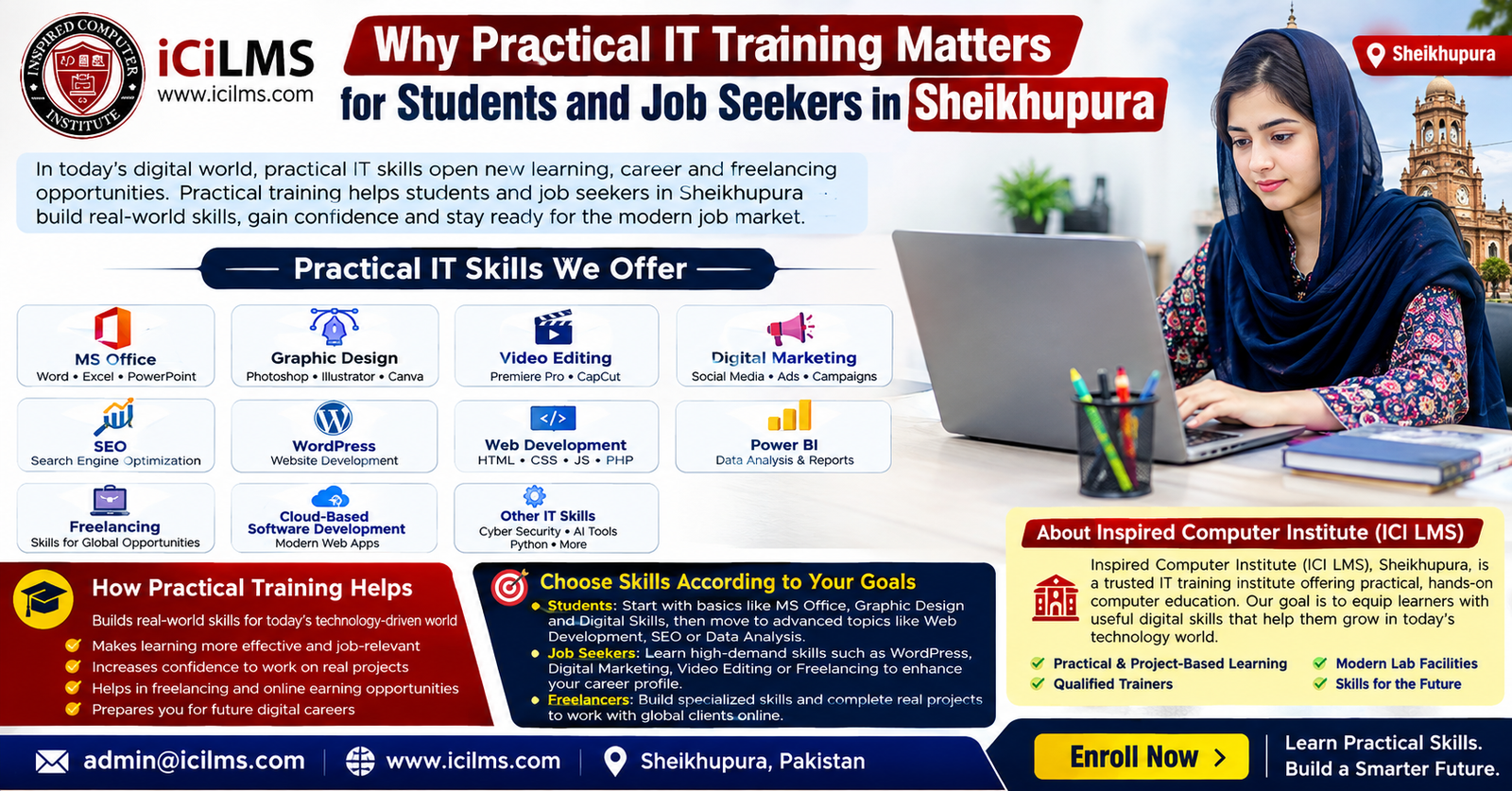
Why Practical IT Training Matters for Students and Job Seekers in Sheikhupura
Komal Shahzadi
- August 18, 2026
- Comment 0
Why Practical IT Training Matters for Students and Job Seekers in Sheikhupura
The Changing Digital Job Market in Sheikhupura
The way people study, work, communicate and run businesses has changed dramatically, and Sheikhupura is part of that wider digital shift. Students and job seekers are no longer competing only on the basis of academic qualifications or certificates; in many roles, employers also want to know whether a candidate can actually use the tools required for the job. A person may understand what a spreadsheet is, for example, but an office employer may need someone who can prepare a professional report, organize data with formulas, create a useful chart and format a document without constant supervision. The same principle applies across technology-related careers. A learner who studies the definition of SEO but has never researched keywords, optimized a page or evaluated search performance may find it difficult to demonstrate practical competence. This is why practical IT training in Sheikhupura can be valuable for students, graduates, career changers and job seekers who want to connect classroom learning with actual work. Digital skills are also increasingly relevant to small businesses, educational institutions, marketing teams, software companies, freelancers and remote service providers. Practical training does not automatically produce employment, and it should never be presented as a guaranteed route to income, but it can make learning more purposeful by giving students opportunities to practice. Think of theoretical knowledge as a map: it can show you where you need to go, but practical experience teaches you how to navigate the road. For a student in Sheikhupura, that distinction can matter when moving from education into internships, office work, freelance projects or further professional development. The goal is not simply to collect another certificate; it is to develop skills that can be demonstrated through actual work.
Why Theoretical Knowledge Alone Is Often Not Enough
Theoretical education has an important role in IT because learners need concepts, terminology, principles and logical understanding before they can use technology effectively. The problem begins when theory becomes the entire learning experience. Knowing the names of HTML tags does not necessarily mean someone can build a usable website, just as knowing the definition of a marketing funnel does not mean a learner can plan a campaign for a real business. Employers and clients often evaluate practical ability indirectly through interviews, assignments, portfolios, tests or trial projects, so learners benefit from being able to demonstrate what they can actually produce. Imagine two candidates applying for a junior digital marketing position: one can explain what keywords, social media and conversion rates mean, while the other can show a sample keyword research sheet, a content calendar, an optimized article and a basic campaign report. The second candidate has something concrete to discuss. Practical education also exposes learners to problems that textbooks cannot fully reproduce, such as inconsistent formatting, broken website layouts, confusing client requirements, missing data, unsuitable images or deadlines. These small difficulties are where confidence develops because the learner has to make decisions rather than simply remember information. Practical computer education therefore works best when it complements theory instead of replacing it. Students should understand why a technique works and then practice using it in a realistic situation. Job seekers can take the same approach by turning lessons into sample projects that demonstrate competence. This combination creates a stronger learning cycle: understand the concept, apply it, make mistakes, correct them, repeat the process and eventually produce work independently. For many technology careers, that cycle is much closer to real professional life than memorizing definitions for an examination.
What Practical IT Training Really Means
Practical IT training means learning technology through purposeful use rather than treating software or digital concepts as purely academic subjects. A practical learner does not merely watch someone demonstrate a tool and then move on; the learner uses the tool to complete a task, solve a problem or create something that resembles real work. In an MS Office course, that might mean preparing a business letter, building an expense spreadsheet or creating a presentation for a fictional company. In graphic design, it could involve producing a social media advertisement, logo concept or promotional poster. In web development, the learner might create a responsive website, troubleshoot a layout problem and publish the finished project in a suitable environment. The important point is that practical training turns an abstract lesson into an outcome that can be inspected. This approach is especially useful for beginners because technology often looks easier when someone else is demonstrating it than when you have to perform the same task yourself. A learner may understand every step while watching a teacher and then forget where to begin when faced with a blank document or development environment. Repeated practice closes that gap. Good practical training also includes feedback, because simply repeating an incorrect process can reinforce mistakes. Learners should have opportunities to ask why something failed, test alternatives and improve their work. For students and job seekers in Sheikhupura, this type of learning can make computer education more connected to everyday needs. It can help someone become more comfortable with office technology, explore creative work, understand digital business and discover whether a particular IT field actually suits their interests. Practical training is therefore not just about clicking buttons. It is about developing the ability to use digital tools with purpose, judgment and increasing independence.
Learning by Creating Real Digital Work
The strongest practical learning experiences often revolve around projects because projects force learners to combine several skills at once. Consider a simple assignment to create a website for a fictional local bakery. The learner may need to plan the pages, write content, choose images, structure the navigation, build the layout, make the site responsive and test it on different screen sizes. Suddenly, concepts that seemed separate in class become connected. A similar process can happen in digital marketing: instead of merely learning what a campaign is, a student can create a hypothetical campaign, define a target audience, write advertising copy, design supporting graphics, prepare a content calendar and evaluate sample results. Projects also make learning more memorable because the student has a finished artifact to examine later. This does not mean every training project must imitate a large corporate assignment. A simple spreadsheet, five-page website, social media graphic, short edited video, SEO content brief or Power BI dashboard can provide meaningful practice when the learner completes it independently. The value increases when the project includes realistic constraints. For example, a learner might have to finish a report using imperfect data or adapt a website after discovering that a section does not display correctly on mobile devices. Such exercises teach problem-solving, not just software operation. They also give students something useful to discuss during an interview. Instead of saying, “I completed a WordPress course,” a candidate can explain, “I created a sample business website, structured its pages, added a contact form, optimized basic on-page elements and tested the layout.” That difference may seem small, but it changes the conversation from attendance to ability. A portfolio of modest but genuine projects can therefore become an important bridge between training and the professional world.
Practical MS Office Skills for Education and Employment
MS Office remains a practical starting point for many students and job seekers because office productivity skills are useful far beyond traditional IT departments. Microsoft Word, Excel and PowerPoint are commonly associated with administrative, educational, accounting, sales and business tasks, which means learners can apply these skills in many environments. The important distinction is between knowing that these programs exist and being able to use them efficiently. A student who learns Word practically can prepare properly structured assignments, reports, resumes, letters and business documents instead of relying on inconsistent formatting. Excel becomes more valuable when the learner can organize data, use formulas, apply filters, create charts and build a clear worksheet for a realistic business scenario. PowerPoint practice can involve designing a professional presentation with a logical narrative rather than filling slides with paragraphs. These capabilities may sound basic compared with software development or artificial intelligence, but basic does not mean unimportant. In an office, an employee who can prepare accurate documents and manipulate data confidently can save time and reduce avoidable errors. Practical Excel projects can also become a foundation for more advanced data skills, including reporting and Power BI. The key is to learn beyond isolated menu commands. Instead of memorizing where a feature is located, learners should understand when and why they would use it. A useful exercise might involve creating a monthly sales report from raw data, calculating totals and percentages, identifying the best-performing products and presenting the findings in a short presentation. Another project could involve creating a professional resume and cover letter in Word. By completing such tasks, students begin to understand how office software functions as a workplace tool rather than simply as examination material. For Sheikhupura’s students and job seekers, practical MS Office training can therefore provide a foundation upon which more specialized digital skills can be built.
Graphic Design as a Creative Digital Skill
Graphic design offers an appealing route for learners who enjoy visual communication and creative problem-solving. Practical graphic design education goes beyond explaining color theory, typography or design principles; it gives students repeated opportunities to turn ideas into visual assets. A learner might start with a simple social media post and gradually work toward posters, promotional banners, thumbnails, business cards, presentation graphics or brand materials. The software itself is only one part of the skill. A good designer also needs to understand hierarchy, spacing, readability, audience expectations and the purpose of the design. For example, an advertisement for a restaurant should communicate an offer quickly, while a corporate presentation graphic may need a cleaner and more restrained visual style. Practical assignments help students understand these differences. They can create an initial design, review it critically, make revisions and compare the result with the original brief. This iterative process is important because professional design rarely involves creating something once and declaring it finished. Clients, supervisors or marketing teams may request changes, and designers need to respond without losing the core objective. Learners in Sheikhupura can also use locally relevant scenarios to make their practice more realistic. They could design promotional material for a hypothetical clothing store, educational center, restaurant, property business or small online retailer. These projects can eventually form a portfolio, although students should clearly label fictional work as sample work rather than presenting it as paid client experience. Graphic design can also combine naturally with digital marketing, video editing and freelancing. Someone who learns to create strong visual content may later explore social media marketing or content production. The important thing is to develop fundamentals first and avoid assuming that mastering software buttons automatically makes someone a professional designer. Practical design training is strongest when learners understand the communication problem they are solving, make deliberate visual decisions and refine their work based on feedback.
Video Editing and the Growing Demand for Visual Content
Video has become an important communication format for businesses, educators, creators and organizations, making video editing a practical skill worth exploring for learners who are comfortable with visual storytelling. A beginner does not need to start by producing a complicated film. Practical training can begin with trimming clips, arranging a sequence, adding titles, balancing audio, using transitions appropriately and exporting content for different platforms. Once these fundamentals become comfortable, learners can practice more advanced tasks such as captions, basic color correction, motion graphics and storytelling. The real learning happens when students edit complete projects rather than simply experimenting with individual effects. For example, a learner could create a one-minute promotional video for a fictional local business, combining product footage, text overlays, background music and a clear call to action. Another project could involve turning a longer educational recording into several short clips. These exercises teach an important professional lesson: editing is not about adding as many effects as possible; it is about helping the viewer understand and stay engaged with the content. Practical video editing also develops transferable skills such as file management, attention to detail, timing and revision. A student may discover that poorly organized source files make an assignment unnecessarily difficult, or that unclear audio can undermine otherwise attractive visuals. These lessons become easier to remember when they emerge from real practice. Video editing can also complement graphic design and digital marketing. A learner who understands branding can create more consistent visual content, while someone studying marketing can learn how video supports awareness and engagement. Job seekers should nevertheless approach the field realistically. Learning editing software does not automatically create clients or employment. The useful goal is to build competence gradually, produce several polished examples and understand the kind of video work one is actually interested in. A portfolio containing a few well-executed, purpose-driven projects can demonstrate more than a long list of software features.
Digital Marketing and SEO for Modern Businesses
Digital marketing is another field where practical experience can make a major difference because marketing concepts only become meaningful when they are applied to an audience, message and measurable objective. A learner can memorize terms such as impressions, engagement, conversion, customer journey and call to action, yet still struggle to plan a basic campaign. Practical training gives students a chance to connect those concepts. They can create a fictional campaign for a local business, define the intended audience, prepare social media content, develop simple graphics, write landing-page copy and decide what results they would monitor. This approach also teaches that digital marketing is not a collection of disconnected tricks. Content, SEO, social media, websites, email communication and analytics can influence one another. For example, a business may publish a useful article that attracts search visitors, direct those visitors to a service page and then use social media to distribute related content. Students who work through this process start to see how digital assets fit together. Practical learning is particularly important because online platforms and best practices change over time. A course should therefore encourage learners to understand principles rather than blindly memorize one platform’s current interface. SEO provides a good example. Search optimization involves understanding search intent, content quality, technical accessibility, page structure and other factors rather than simply repeating a keyword. A practical SEO assignment could ask a student to identify a target query, examine competing content, build a content outline, optimize a sample page and explain why each change was made. The learner can then use basic tools to inspect the page and assess potential improvements. This creates a much stronger understanding than copying a checklist. For job seekers in Sheikhupura, practical digital marketing skills can be relevant to agencies, businesses, content teams and freelance work, but realistic expectations remain essential. Marketing results depend on many variables, including competition, budget, product quality, audience and execution.
Learning SEO Through Practical Projects
SEO is especially suitable for project-based learning because the discipline involves research, analysis, content creation and technical awareness. A practical learner might begin by choosing a fictional business, such as a local clothing store, tutoring service or restaurant, and identifying topics that potential customers could search for. The student can then organize those topics according to intent, distinguish informational searches from commercial ones and develop a simple content plan. The next step might involve writing an article that answers the searcher’s actual question rather than producing text solely for a keyword. The learner can practice creating a useful title, logical headings, descriptive links, appropriate metadata and clear calls to action while maintaining natural language. Technical concepts can then be introduced through practical checks such as mobile usability, page speed considerations, indexing basics and internal linking. This kind of assignment teaches an important lesson: SEO is not simply about inserting keywords into paragraphs. It is about helping search engines understand a page while making the page genuinely useful to people. Learners can also practice evaluating existing pages and explaining what could be improved. A local business scenario makes the exercise particularly relevant because it introduces location-based considerations, service pages and customer-focused content. Students should also learn that search rankings are not guaranteed and that no ethical SEO course can promise a particular position in search results. Search algorithms, competitors, content quality and technical factors all influence outcomes. Practical SEO training should therefore emphasize analysis and adaptability rather than shortcuts. By documenting the work they perform, learners can create a small SEO case study for their portfolio. They can show the original problem, the research process, the changes made and the reasoning behind those changes. Even if the project is fictional, it demonstrates structured thinking. Over time, repeated projects can help a beginner develop the habit of making decisions based on evidence instead of assumptions.
WordPress and Web Development Skills
Web skills provide another strong example of why practical IT training matters because websites are ultimately things that need to work, not merely concepts that need to be described. WordPress can provide beginners with an accessible route into website creation, allowing them to practice pages, navigation, themes, content structures, forms and basic site management. A practical WordPress learner might build a small website for a fictional school, restaurant, consultant or online store and learn how different components fit together. The learner can practice creating pages, organizing menus, adding images, publishing content and checking whether the site remains usable on mobile screens. These activities create a foundation for understanding how websites function. More advanced learners can move into HTML, CSS, JavaScript, databases and programming frameworks as their goals require. Web development should not be reduced to copying code from tutorials, either. A useful project asks learners to understand what the code does and modify it when the requirements change. For instance, a student could create a contact form and then change its layout, validation or styling rather than simply reproducing a tutorial line by line. Troubleshooting becomes an important part of this process. A missing bracket, incorrect file path, CSS conflict or responsive design problem can teach more than a perfect example because the learner must investigate the cause. Practical web development also introduces version control, testing, security awareness and deployment concepts as learners progress. Not everyone who learns WordPress needs to become a software engineer, and not every web developer needs to become a full-stack specialist. The right depth depends on the learner’s objective. A student interested in small-business websites may benefit from WordPress and basic front-end knowledge, while someone targeting software development may need a much deeper programming path. The common requirement is practice: build something, test it, find problems, fix them and understand why the solution works.
From Website Concepts to Functional Websites
The difference between understanding a website in theory and producing one becomes obvious when a learner starts with a blank project. A practical assignment could begin with a simple brief: create a responsive five-page website for a fictional local service business. The learner must decide what information belongs on the home page, how users should move through the site and which action the visitor should take. Next comes implementation, where content structure, design, responsive behavior and functionality all have to work together. A page that looks attractive on a large monitor but becomes difficult to navigate on a phone is not a complete success. Similarly, a website with technically correct code but confusing content may still provide a poor user experience. Practical development therefore teaches learners to think beyond code and consider the person using the website. Testing should be part of the project as well. Students can check links, forms, images, menus and page layouts before publishing. They can ask another person to navigate the site and observe where that person becomes confused. These exercises build habits that are useful in professional environments, where developers often work from requirements and feedback rather than personal preference. WordPress learners can follow a comparable process by creating a complete site rather than merely exploring themes. They can practice organizing content, configuring basic settings and making thoughtful design decisions. Learners interested in coding can gradually replace or supplement visual tools with HTML, CSS and JavaScript projects. The important thing is to avoid treating every technology as a separate island. Web development connects naturally with SEO, content writing, graphic design, analytics and digital marketing. A student who understands these relationships can make more informed career decisions. Practical website projects can also become portfolio pieces, provided the learner accurately describes what was created and what technologies were used. That honesty matters because a portfolio should represent genuine ability rather than create an unrealistic impression.
Power BI and Practical Data Analytics
As organizations collect more digital information, the ability to turn data into understandable reports has become a useful professional skill. Power BI is one example of a platform that can help learners explore data visualization, reporting and business intelligence concepts. Practical Power BI training should not focus solely on learning where different buttons are located. Instead, students should work with datasets and answer realistic questions. For example, a learner could receive fictional sales data containing products, dates, regions and revenue and then create a dashboard showing monthly performance, top products and regional trends. The process forces the student to clean or organize information, understand relationships between data fields, select appropriate visualizations and explain what the results mean. This is where data analytics becomes more than chart decoration. A dashboard should help someone make sense of information, not simply contain colorful graphics. Learners can also practice presenting findings in plain language. If one region has lower sales, the student should be able to describe what the data shows without automatically claiming to know the cause. This distinction between observation and assumption is an important analytical habit. Power BI skills can build naturally on Excel knowledge, making them a potential progression for learners who begin with office productivity. At the same time, students should understand that business intelligence is broader than a single software platform. Data preparation, logical thinking, communication and business understanding all matter. Practical assignments can therefore include questions such as which metrics a manager actually needs, how frequently the report should be updated and which visualization communicates the answer most clearly. Job seekers can preserve selected dashboards as portfolio examples using anonymized or fictional data. They should never expose confidential information from a real employer or client. A small collection of thoughtful reports can demonstrate the ability to move from raw information to a useful visual summary. That is a much more meaningful learning outcome than simply stating that a Power BI course was completed.
Freelancing and Building a Marketable Portfolio
Freelancing is often discussed alongside IT training because digital skills can be delivered remotely, but learners should approach freelancing as a business activity rather than as an automatic result of completing a course. Practical training can help by giving students examples of work they could potentially offer, such as website creation, graphic design, video editing, SEO support, virtual assistance, data reporting or digital marketing. The next challenge is learning how to present that ability professionally. A freelancer needs more than software knowledge. Clear communication, understanding requirements, setting realistic expectations, managing revisions and delivering files correctly are all part of the service. Practical education can introduce these habits through simulated client projects. A student might receive a fictional brief requesting ten social media graphics, a business website or a monthly SEO report. The student can prepare questions, define the deliverables, complete the work and revise it after receiving simulated feedback. This exercise teaches something tutorials often miss: the client may not describe the problem in technical language. The freelancer has to translate a vague request into specific work. Portfolio building is equally important. A portfolio should show selected examples and explain the learner’s role rather than simply display dozens of unrelated files. Someone learning graphic design could show a poster, social media campaign and brand concept, while a WordPress learner could present a business website and explain the design and content decisions. An SEO learner might create a sample optimization case study, and a Power BI learner could demonstrate a dashboard using fictional data. None of these examples guarantees freelance work, but they can provide evidence of practice. Learners should also understand that freelance platforms and independent client acquisition are competitive. Building a sustainable reputation can take time, and income can fluctuate. Practical IT training is therefore best viewed as preparation: it can help a person develop a service skill, portfolio and professional habits, while actual freelance outcomes depend on many factors outside the classroom.
Cloud-Based Software Development and Modern IT Skills
Cloud computing has changed how software and digital services are built, deployed and maintained, making cloud-related knowledge increasingly relevant to learners who want to move toward software development and modern IT infrastructure. Practical learning in this area can include understanding cloud platforms, hosted databases, application deployment, APIs, version control, containers, authentication concepts and basic cloud security. Beginners should not feel pressured to master every cloud service because the ecosystem is enormous and constantly evolving. A more sensible approach is to build strong fundamentals and then practice a small, complete project. For instance, a learner could develop a simple web application, store its data using an appropriate hosted service and deploy the application to a cloud environment. The project can teach concepts that are difficult to appreciate through theory alone: environment variables, deployment errors, logs, permissions and differences between local and hosted environments. Version control can also be integrated so that the learner understands how changes are tracked and how code can be restored when something goes wrong. Practical cloud education should include responsible habits from the beginning. Students should learn not to expose passwords or secret keys in public code repositories, and they should understand that cloud resources can have costs depending on the platform and usage. This is an area where guided learning can be particularly useful because a small configuration mistake can create confusion for beginners. Cloud-based development also connects naturally with web development and programming. A learner who already understands HTML, CSS and JavaScript may find it easier to appreciate how an application moves from local development to a hosted environment. Students interested in professional software engineering can eventually explore areas such as backend development, databases, DevOps practices, testing and cloud architecture. The goal of practical training at the beginner stage is not to create an instant cloud expert. It is to develop a reliable mental model through manageable projects and gradually increase complexity as understanding improves.
Other IT Skills Students Can Explore
IT is much broader than the popular categories of office software, design and web development, so students should feel free to investigate other areas according to their interests and abilities. Networking, cybersecurity, programming, database management, UI/UX design, IT support, software testing, automation and data analysis can all lead to different learning paths. Practical exposure is useful here because it helps learners discover what they actually enjoy. Someone who thinks they want to become a programmer may discover through practice that they prefer analyzing data, while another student who initially dislikes coding may enjoy web development once they build a small application. Cybersecurity provides a good example of the need for responsible practical learning. Instead of simply memorizing definitions of threats, learners can study safe laboratory environments, basic network concepts, authentication, access control and defensive practices. IT support learners can practice diagnosing common computer problems, installing software, managing files and documenting solutions. Programming students can build small applications rather than spending months only watching lectures. UI/UX learners can create wireframes, prototypes and user flows before progressing toward more detailed interface design. The breadth of IT means that choosing a direction is often more useful than trying to learn everything at once. Technology changes quickly, but fundamentals such as logical reasoning, communication, problem-solving and structured learning remain valuable. Students should also consider the local and remote opportunities associated with a skill, the amount of practice required, their access to suitable hardware and software, and whether they genuinely enjoy the work. A practical course should help learners answer those questions rather than simply push them toward the most fashionable technology. There is no universal “best computer course” for everyone in Sheikhupura. The right skill is the one that fits a learner’s goals and can be developed to a useful level through consistent practice.
How to Choose the Right IT Skill for Your Career Goal
Choosing an IT skill becomes easier when learners begin with a destination rather than a software name. A student interested in office administration may benefit from MS Office, Excel, documentation and data-handling skills, while someone attracted to creative work could explore graphic design and video editing. A learner interested in online business might combine WordPress, SEO and digital marketing, whereas someone aiming toward software engineering may need programming, databases, web development, version control and cloud technologies. This goal-based approach prevents a common problem: collecting certificates from unrelated courses without developing depth in any one area. Learners should ask themselves what type of work they would like to perform repeatedly, not simply which course sounds impressive. They can then identify the foundational skills required and build progressively. A simple framework is to choose one core skill, one complementary skill and one practical project. For example, a prospective digital marketer could make digital marketing the core skill, SEO the complementary skill and a complete campaign simulation the project. A web learner might choose front-end development as the core, WordPress or basic SEO as a complementary skill and a responsive business website as the project. Someone interested in data could start with Excel, progress to Power BI and create a sales dashboard using sample data. Learners should also consider their current level. Beginners often benefit from foundational courses before jumping into advanced subjects. Time and resources matter as well. Some areas require a stronger computer, specialized software or reliable internet access. Finally, learners should review course structure rather than relying solely on course titles. Ask whether the program includes hands-on assignments, instructor feedback, practical assessments and portfolio-oriented projects. The best choice is not necessarily the longest course or the one with the most impressive title. It is the learning path that provides a realistic progression from beginner knowledge to demonstrable ability.
Practical IT Training at Inspired Computer Institute in Sheikhupura
For learners looking for structured computer education in the area, Inspired Computer Institute in Sheikhupura can be considered as one local option for developing practical digital skills. The institute is also referred to as ICI LMS, a short form that can be useful when discussing its learning environment or training resources. The value of an institute should ultimately be judged by what learners actually get from the training experience: clear instruction, opportunities to practice, useful projects, feedback and a curriculum that connects with real digital tasks. For a beginner, having a structured learning environment can make it easier to move through unfamiliar software without becoming overwhelmed. Practical training at an institute can also provide a routine that encourages consistent practice, which is important because digital skills rarely become strong after a handful of demonstrations. Learners considering ICI LMS or any other training provider should still ask sensible questions before enrolling. They can check which software and technologies are taught, how much class time is dedicated to hands-on work, whether students complete projects, what level the course targets and whether the syllabus matches their career objective. A learner interested in graphic design should expect design assignments, while someone choosing web development should look for actual website-building practice. Similarly, a Power BI learner should have opportunities to work with data and create dashboards rather than only watch demonstrations. The same principle applies to digital marketing, SEO, WordPress and video editing. An institute can provide guidance and structure, but learners still need to practice outside formal lessons and take responsibility for improving their skills. The purpose of mentioning Inspired Computer Institute is therefore not to suggest guaranteed employment or income. Rather, practical training through a structured learning environment such as ICI LMS can help learners turn computer education into tangible digital work, provided they actively practice, complete projects and continue learning after the course.
How a Project-Based Learning Approach Can Help
A project-based approach can change the atmosphere of IT learning because it gives every lesson a practical destination. Instead of learning Excel formulas as isolated commands, a learner can use them to complete a sales report. Instead of studying WordPress menus individually, the learner can use them while building a complete business website. Instead of learning video-editing effects simply because they are available, the student can decide which techniques improve a promotional video. This context makes it easier to remember why a tool matters. Projects also reveal gaps in understanding, which is a good thing when the learner has support available. Someone may discover that they can create a webpage but do not understand responsive design, or that they can make a dashboard but struggle to select meaningful metrics. Those discoveries provide clear next steps. A good project should be challenging enough to require thought without becoming so complicated that a beginner cannot finish it. It should also have a defined objective and some form of evaluation. For example, a website project can be assessed for navigation, responsiveness, content organization and functionality. A graphic design project can be evaluated for readability, hierarchy, consistency and alignment with the brief. An SEO project can be reviewed for search intent, content quality and technical basics. This type of assessment helps learners replace the question “Did I finish the course?” with a more useful question: “Can I complete this task independently?” That change in mindset is one of the strongest advantages of practical training. Students also become more comfortable with revision, which is a normal part of professional digital work. A first attempt rarely represents the final result. Learning to inspect work, receive feedback and make improvements is itself a career skill. Whether the training happens at ICI LMS, another institute, online or through self-study, a project-based structure can make learning more measurable and meaningful.
Turning Training Into a Useful Digital Portfolio
A portfolio gives learners a way to demonstrate practical ability without asking an employer or client to take their claims entirely on trust. It does not need to be enormous. A beginner with five carefully selected projects may have a stronger portfolio than someone with thirty unfinished examples. The important factor is relevance and quality. A graphic designer could present a small branding exercise, a promotional poster, a social media campaign and a thumbnail set. A web developer might show a responsive business website, a simple application and a project demonstrating a particular programming technique. An SEO learner can document a sample optimization project, while a Power BI student can explain how a fictional dataset was transformed into a dashboard. The portfolio should clearly distinguish between academic projects, personal projects, simulated client briefs and actual paid work. Honesty protects credibility. Learners can also include a short explanation with each project: what the objective was, what tools were used, what challenges appeared and how the final result addressed the brief. This makes the portfolio more informative than a gallery of screenshots. Practical training becomes especially valuable when students build portfolio material while learning because each course assignment can have a second purpose. Instead of creating a disposable classroom exercise, the learner creates something that may later support an internship or job application. The portfolio can also expose weaknesses. If all examples look almost identical, the learner may need broader practice. If projects are technically functional but poorly presented, communication and design may need attention. Over time, a portfolio can become a record of progress. The first website may be simple, while a later project demonstrates stronger responsiveness, structure and usability. This visible improvement can be motivating. Still, learners should remember that a portfolio is evidence, not a guarantee. Employers consider many factors, including communication, experience, qualifications and organizational fit. Freelance clients similarly evaluate reliability, pricing, responsiveness and trust. A good portfolio simply gives practical skills a clearer voice.
Common Mistakes to Avoid When Learning IT Skills
One of the biggest mistakes beginners make is trying to learn too many technologies simultaneously. IT offers an almost endless list of software platforms, programming languages and specializations, so it is easy to jump from Photoshop to Python, SEO to cybersecurity and WordPress to cloud computing without becoming genuinely competent in any of them. Another common mistake is watching tutorials without doing the work independently. A learner may feel productive after watching several hours of demonstrations, but that confidence can disappear when the tutorial is closed and a blank project appears. Passive learning needs to be balanced with active practice. Copying projects exactly as shown can also limit problem-solving ability. Once learners understand an example, they should change something: use a different layout, add a new feature, work with another dataset or solve a similar problem without looking at the original instructions. Ignoring fundamentals is another trap. Advanced tools can look exciting, but weak understanding of file management, basic computer operation, communication, logic or data organization can create unnecessary difficulties later. Learners should also avoid choosing a course solely because it promises fast employment or easy freelance income. Technology careers can be rewarding, but they involve competition, continuous learning and sometimes a long period of practice before a learner becomes professionally useful. Certificates can document participation, but they cannot replace competence. Another mistake is failing to maintain a portfolio and notes. Students may complete excellent projects and then forget what they did several months later. Saving source files, documenting tools and recording lessons learned can make later job applications easier. Finally, learners should not be afraid of mistakes. A broken formula, poorly designed graphic, failed deployment or confusing website is not evidence that someone cannot learn IT. It is often part of the learning process. The important thing is to investigate the problem, understand the cause and attempt a better solution.
Conclusion: Practical Skills Can Make Learning More Career-Focused
Practical IT training matters because digital careers are built around doing, not merely describing. Students and job seekers in Sheikhupura can benefit from learning how to transform theoretical concepts into documents, spreadsheets, dashboards, websites, graphics, videos, marketing campaigns and other useful digital outputs. MS Office, graphic design, video editing, digital marketing, SEO, WordPress, web development, Power BI, freelancing and cloud-based software development each offer different possibilities, but they share one important requirement: learners need opportunities to practice. Practical education can help students understand what a real task feels like, discover their strengths, identify gaps and build evidence of their abilities. It can also make career planning more deliberate. Instead of asking which computer course is currently popular, learners can ask which type of work they want to perform and then choose the skills that support that direction. Institutes such as Inspired Computer Institute in Sheikhupura, also referred to as ICI LMS, can provide a structured environment for this kind of development, although learners should evaluate any training provider based on curriculum, hands-on practice, instructor support and project quality. No training course can honestly guarantee a job, clients or a fixed income. What training can do is provide knowledge, guided practice and a foundation from which learners can continue building professional competence. The most useful mindset is to treat every course as the beginning of a skill-building process rather than the final destination. Build something. Break it. Fix it. Improve it. Explain what you did. Then build something slightly more difficult. For a student preparing for the digital workplace or a job seeker trying to broaden professional options, that cycle can be far more valuable than collecting certificates without practical experience. In a digital economy, the ability to demonstrate useful work can turn learning from an academic exercise into a more career-focused journey.
Frequently Asked Questions About Practical IT Training in Sheikhupura
Is practical IT training useful for students in Sheikhupura?
Yes, practical IT training can be useful for students in Sheikhupura because it gives them opportunities to apply computer concepts to realistic tasks. A student may understand basic computer terminology from school or college but still need hands-on experience before feeling comfortable preparing professional documents, managing spreadsheets, designing graphics or creating a website. Practical projects can help bridge that gap by turning lessons into activities with a clear outcome. For example, an MS Office learner could create a formatted report and Excel sales sheet, while a web development student could build a small responsive website. This type of work also helps students identify which digital fields they actually enjoy before investing significant time in advanced study. Someone who experiments with graphic design may discover a strong interest in visual communication, while another learner may prefer data analysis or programming. Practical training should not be viewed as a replacement for formal education; instead, it can complement academic study by adding applied experience. Students should also keep their expectations realistic. Completing a short course does not automatically make someone ready for every professional role, and no responsible training provider should guarantee a job simply because a student completed a program. Stronger outcomes generally require continued practice, feedback, independent projects and gradual specialization. Students can improve the value of their training by maintaining project files and building a portfolio that demonstrates what they can actually do. They should also learn to explain their projects clearly because communication is important alongside technical ability. Whether the training comes from Inspired Computer Institute, another local provider, an online platform or self-study, the quality of practical work matters more than the label alone. For students in Sheikhupura, the most useful approach is to choose a skill aligned with a genuine career interest and then practice it consistently.
Which computer skill should a beginner learn first?
There is no single computer skill that is best for every beginner because the right starting point depends on the learner’s goals, existing knowledge and preferred type of work. Someone who wants an office or administrative role may benefit from starting with MS Office and Excel, while a creative learner may prefer graphic design or video editing. A person interested in websites could begin with WordPress and then progress toward HTML, CSS and JavaScript, whereas someone interested in marketing might combine digital marketing with SEO and content skills. Beginners should avoid choosing a field simply because they have heard that it is profitable. Every digital specialization requires practice, and motivation becomes important when the initial excitement disappears and difficult problems appear. A better method is to explore a field through a small practical project. For example, create a basic presentation, edit a short video, design a poster, build a simple webpage or organize a sample dataset. The experience can reveal whether the learner enjoys that type of work. Once a direction feels suitable, the student can study its fundamentals and gradually increase the difficulty of projects. It is also helpful to distinguish between foundational and specialized skills. Basic computer literacy, file management, internet research and professional communication can support almost every IT path. After those foundations are comfortable, the learner can specialize. Career goals should influence the next step as well. If the objective is office work, advanced cloud software development may not be the immediate priority. If the objective is software engineering, spending all available learning time on presentation design may not provide the right progression. A good learning path is therefore personal. The most useful first skill is the one that creates a foundation for the kind of work the learner hopes to pursue. Practical experimentation before specialization can make that decision more informed and reduce the temptation to jump between unrelated courses.
Can practical IT training guarantee a job or freelance income?
No responsible IT training program can guarantee a job, clients or a specific level of freelance income simply because a learner completes a course. Employment and freelance outcomes depend on many factors, including actual skill level, communication, portfolio quality, experience, market demand, competition, location, networking, interview performance and the requirements of individual employers or clients. Practical training can improve preparation because it gives learners opportunities to practice realistic tasks and develop examples of work, but it cannot control what happens in the labor market. The same principle applies to freelancing. Knowing graphic design, WordPress, SEO, video editing or another digital skill is only one part of becoming a successful freelancer. A freelancer also needs to understand client requirements, communicate clearly, manage deadlines, handle revisions and present services professionally. Beginners may need time to build credibility before receiving consistent opportunities. This is why learners should be cautious about advertisements promising immediate earnings after a short course. A more realistic objective is to become capable of performing a defined service to a reasonable standard and then gradually gain experience. Practical projects can help establish that foundation. A student might build three sample websites, several graphics or a set of data dashboards and use those examples to demonstrate skills when appropriate. If the projects are fictional, they should be identified honestly as sample work. Learners can then seek internships, entry-level opportunities, supervised projects or suitable freelance assignments depending on their circumstances. Continuous improvement is also important because digital tools and industry practices change. A course completed today may teach useful foundations, but professionals still need to update their knowledge. Practical IT education should therefore be viewed as an investment in capability rather than a promise of financial results. The learner’s responsibility continues after the classroom, and long-term progress generally comes from combining training with practice, feedback, persistence and realistic career planning.
Is an institute necessary for learning IT skills?
An institute is not strictly necessary for everyone because many IT skills can be learned through books, documentation, online courses, tutorials, practice projects and communities. However, structured classroom training can be helpful for learners who prefer guided instruction, regular schedules and direct feedback. Beginners sometimes struggle with deciding what to learn first, which resources to trust and how to troubleshoot problems when they become stuck. An instructor can provide a learning sequence and help explain concepts that are confusing when studied independently. The value of an institute depends heavily on how the training is delivered. A course that consists almost entirely of lectures may not provide the same practical benefit as a program where students regularly create projects and receive feedback. Learners should therefore ask about hands-on assignments, project work, assessment methods, software access and instructor interaction before enrolling. They can also ask whether the curriculum matches their intended career path. Someone interested in Power BI should expect data projects and dashboards, while a prospective graphic designer should have opportunities to complete actual design assignments. The same standard can be applied to ICI LMS or any other computer training provider. Self-study can work particularly well for motivated learners who can organize their own schedule and troubleshoot independently, while institute-based learning may provide additional structure for those who need it. A blended approach can also be effective: attend structured training for foundations and use independent practice to deepen skills. The important issue is not whether learning happens inside or outside an institute. It is whether the learner understands the material, can apply it independently and can demonstrate useful work. An institute can provide the environment and guidance, but the learner still has to practice. Technology skills become stronger through repetition and problem-solving, so even an excellent course cannot substitute for active participation.
How can I choose a practical computer course in Sheikhupura?
Choosing a practical computer course in Sheikhupura should begin with the career outcome you are trying to achieve. First, identify the type of work that interests you, such as office administration, graphic design, video production, digital marketing, SEO, web development, data analysis, freelancing or software development. Then compare course syllabuses rather than relying only on course names or promotional claims. Look for evidence that students will actually use the relevant software and complete realistic projects. Ask whether the training includes assignments, instructor feedback, practical assessments and opportunities to build a portfolio. It is also sensible to consider the course level. A beginner should not enroll in an advanced program without understanding the prerequisites, while an experienced learner may find a basic course repetitive. Software and equipment requirements should also be checked before enrollment, particularly for video editing, graphic design, programming and cloud development. Learners can ask how much practice is expected outside class and whether they will receive support when they encounter problems. If considering Inspired Computer Institute in Sheikhupura and its ICI LMS learning environment, prospective students should evaluate the actual curriculum and practical components against their personal objectives rather than assuming that every course is suitable for every learner. Reviews and recommendations can provide context, but the syllabus and learning methodology deserve close attention. Cost is another consideration, but the cheapest course is not automatically the best value, just as the most expensive course is not automatically the strongest. Finally, think about what happens after the course. Does the learner leave with completed projects, organized source files and a clearer understanding of the next learning steps? A practical course should help answer those questions. The best choice is ultimately the program that fits the learner’s goals, provides meaningful hands-on experience and supports a realistic path toward continued skill development.