Currently Empty: ₨ 0
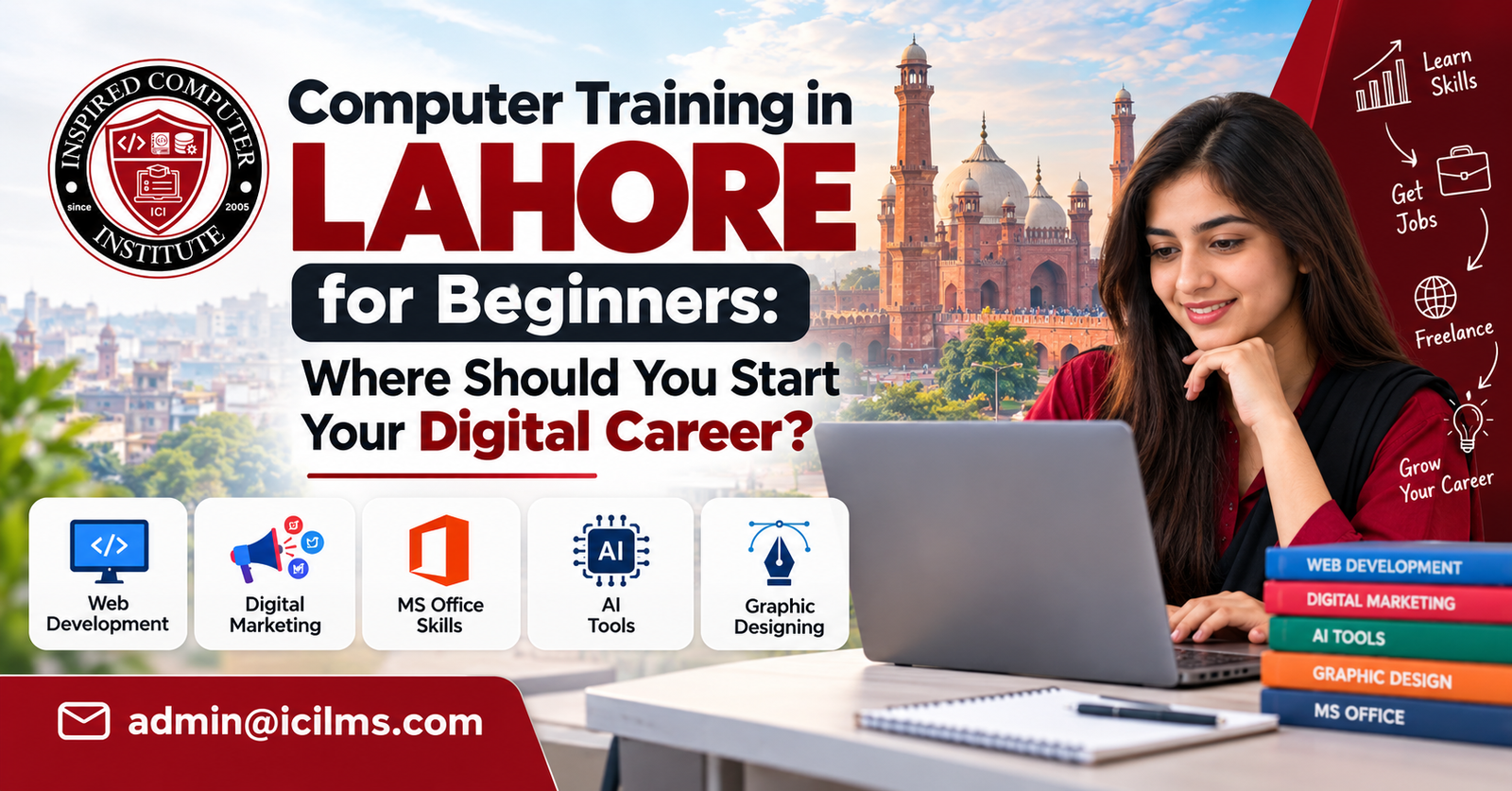
Computer Training in Lahore for Beginners: Where Should You Start Your Digital Career?
Komal Shahzadi
- October 6, 2026
- Comment 0
Computer Training in Lahore for Beginners: Where Should You Start Your Digital Career?
Starting a digital career can feel confusing when almost every advertisement promises to turn you into a designer, developer, freelancer, marketer, or IT professional in a few weeks. If you’re completely new to computers, those promises can make the decision even harder. Should you learn Microsoft Office first? Should you jump directly into graphic design? Is web development better? What about digital marketing, artificial intelligence, freelancing, or data analytics? The truth is much simpler: your first computer course should give you a solid foundation before you specialize. Think of digital skills like learning to drive. You wouldn’t start by practicing racing techniques before becoming comfortable with the steering wheel, brakes, road signs, and basic traffic rules. Your digital career works in much the same way.
For students and job seekers, computer training in Lahore for beginners can provide a practical entry point into an increasingly digital employment market. Lahore has a large education sector, a growing technology ecosystem, software companies, digital agencies, e-commerce businesses, universities, training centers, and a sizeable community of freelancers. That creates plenty of opportunities, but it also means beginners encounter an enormous number of courses. Some focus on basic IT literacy, while others teach specialized skills such as SEO, graphic designing, web development, digital marketing, programming, video editing, and data analysis. Choosing a course simply because it is popular is rarely a good strategy.
A better starting point is to ask three questions: What can I already do on a computer? What kind of work interests me? What skill could realistically help me earn or find employment? Your answers create a roadmap. Someone who has barely used a laptop needs a different starting point from a university student who already understands Word, PowerPoint, and internet research. This guide explains how beginners in Lahore can build that roadmap, select useful training, avoid common mistakes, and gradually turn basic computer knowledge into marketable digital skills.
Why Computer Skills Matter for Beginners in Lahore
Computer literacy is no longer limited to people pursuing careers in software houses or IT departments. Walk into almost any modern office and you’ll find computers sitting at the center of everyday operations. Schools use digital records and learning platforms. Retail businesses maintain spreadsheets and computerized inventories. Marketing agencies manage social media dashboards. Accountants use financial software. Customer-support teams communicate through email and CRM systems. Even traditional businesses increasingly depend on WhatsApp, digital payments, online advertising, spreadsheets, and e-commerce platforms. For a beginner entering Lahore’s employment market, computer skills therefore aren’t merely an additional line on a CV; they can influence the range of jobs for which you are realistically prepared.
The important distinction is between using a computer casually and using it professionally. A person may spend several hours every day watching videos, browsing social media, or chatting online yet struggle to format a professional Word document, organize files, prepare an Excel worksheet, attach documents correctly to an email, or create a presentation. Employers generally care about the second category of ability. They want people who can use technology to complete work accurately and efficiently. This is why structured beginner computer training can be valuable even for young people who have grown up around smartphones.
Computer skills also create pathways beyond conventional employment. Pakistan has developed a substantial freelance and digitally enabled services economy, and beginners frequently encounter platforms such as Upwork and Fiverr while exploring ways to earn online. Yet freelancing itself isn’t a skill. It is simply a method of selling a skill. You still need something valuable to offer—perhaps graphic design, WordPress development, SEO, video editing, bookkeeping, content support, data analysis, or another service. Basic computer education provides the foundation; specialization creates your market value.
For people in Lahore, this distinction can prevent wasted time and money. Instead of enrolling in every trendy course, you can develop competence in stages. Learn how computers and productivity tools work, become comfortable communicating and researching online, choose a specialization that fits your interests, practice it through projects, and only then focus heavily on employment or freelancing. That sequence isn’t glamorous, but it is far more sustainable than chasing whichever digital skill happens to be fashionable this month.
What Should You Learn First in Computer Training?
A beginner’s first objective should be digital independence. In practical terms, that means being able to sit in front of an unfamiliar computer and complete ordinary tasks without constantly asking someone else for assistance. You should understand files and folders, operating-system navigation, common keyboard shortcuts, software installation basics, browsers, email, cloud storage, document creation, spreadsheets, presentations, printing, and basic troubleshooting. None of these abilities sounds as exciting as artificial intelligence or app development, but skipping them often creates frustrating gaps later.
Imagine someone enrolling directly in a web-development course without understanding how folders, file extensions, browsers, downloads, or compressed files work. The instructor may be explaining HTML while the student is still wondering where a downloaded project went. The problem isn’t intelligence; it’s an incomplete foundation. Good basic computer courses in Lahore should therefore help beginners become comfortable with the environment in which all later digital work happens. Once routine computer operations stop consuming your attention, learning specialized software becomes considerably easier.
Internet literacy deserves equal attention. Beginners should know how to search efficiently, judge the credibility of information, download files safely, identify suspicious links, use strong passwords, understand basic privacy practices, and communicate professionally through email. Cloud tools such as Google Drive and collaborative documents have also become common in modern workplaces. You don’t need to become a cybersecurity specialist, but you should understand enough to protect your accounts and avoid obvious scams.
Your starting level matters. If you can already organize files, type comfortably, prepare documents, use spreadsheets at a basic level, handle email, and research online, repeating a lengthy fundamentals course may not be necessary. Ask an institute for a course outline or assessment before enrolling. Computer training should close your actual skill gaps rather than simply award you another certificate. That principle will save you both money and months of unnecessary study.
Basic Computer Operations and Windows Skills
For an absolute beginner, learning the operating system is similar to learning the layout of a new city. You need to know where things are before you can travel efficiently. A practical introductory course should teach you how to create and organize folders, copy and move files, rename documents, use external drives, understand common file formats, manage downloads, connect basic peripherals, and navigate Windows settings. You should also become comfortable with applications, browser tabs, task management, screenshots, keyboard shortcuts, printing, and simple troubleshooting. These small abilities add up surprisingly quickly.
File management deserves more attention than it usually receives. In professional environments, poorly organized files create genuine problems. Imagine receiving a client project and saving everything with names such as “final,” “final2,” and “final-real-new.” It may seem harmless until you have fifty projects and cannot identify the latest version. Beginners should learn sensible folder structures, descriptive filenames, backups, and cloud synchronization. These habits are mundane, but professional digital work is built on mundane habits performed consistently well.
Typing is another overlooked skill. You don’t need championship-level typing speed, but slow, inaccurate typing can reduce productivity across almost every digital career. Developers write code, marketers prepare campaigns, designers communicate with clients, virtual assistants handle documents, and office employees prepare reports. Practicing touch typing for even a short period each day can gradually make computer work feel more natural. Keyboard shortcuts such as copy, paste, undo, save, search, switching windows, and selecting text can also eliminate hundreds of unnecessary mouse movements.
Basic troubleshooting completes the picture. A beginner should gradually learn what to check when Wi-Fi disconnects, a program freezes, storage runs low, a printer isn’t detected, or a browser behaves unexpectedly. You won’t solve every technical problem yourself—and you shouldn’t be expected to—but understanding simple diagnostic steps builds confidence. By the end of this stage, a computer should feel less like a mysterious machine and more like an ordinary working tool.
Microsoft Office and Everyday Productivity Skills
For many beginners, Microsoft Office training in Lahore is one of the most practical bridges between basic computer literacy and office employment. Word, Excel, and PowerPoint continue to represent useful workplace skills, while comparable cloud-based applications such as Google Docs, Sheets, and Slides are increasingly common in collaborative environments. The goal shouldn’t be memorizing every button. You should learn how to produce professional outputs: properly formatted documents, useful spreadsheets, clear presentations, and files that other people can easily understand and edit.
Microsoft Word goes far beyond typing paragraphs. Beginners should learn page formatting, headings, tables, margins, headers and footers, page numbering, lists, images, templates, document review, PDF export, and consistent styling. Consider the difference between a randomly formatted CV and a clean, well-structured one. Both might contain identical information, but presentation affects usability and perception. The same principle applies to reports, letters, proposals, invoices, and academic assignments.
Excel deserves particular attention because spreadsheet literacy can become valuable across many roles. Beginners can start with data entry, cell formatting, sorting, filtering, tables, and formulas such as SUM, AVERAGE, COUNT, IF, and basic lookup functions. From there, they can progress toward charts, pivot tables, data cleaning, dashboards, and more sophisticated analysis. Advanced Excel skills can eventually support careers in administration, finance, operations, sales reporting, and data-related work.
PowerPoint should be approached as communication rather than decoration. Learning to organize information into a coherent presentation, use readable typography, incorporate charts, and maintain visual consistency is more useful than filling slides with animations. Add professional email, PDF handling, cloud storage, and basic online collaboration to these Office skills, and a beginner starts developing a toolkit that applies across numerous industries rather than a single job title.
Choosing the Right Computer Course in Lahore
Choosing a computer course becomes easier when you stop asking, “Which course is best?” and start asking, “Which course is best for my current level and intended outcome?” There is no universal answer. A matric student exploring digital careers, a graduate seeking an office job, a shop owner trying to digitize operations, and an aspiring freelancer all have different requirements. Before paying a fee, write down what you want to be capable of doing when the course ends. A clear outcome might be “I want to become confident with Word and Excel,” “I want to build WordPress websites,” or “I want to create a portfolio of social-media designs.”
Then inspect the curriculum carefully. Course titles are marketing labels; syllabuses tell you what you’ll actually learn. Two institutes can both advertise a “Digital Marketing Course” while teaching dramatically different material. One might concentrate on Facebook advertising, another on SEO, and another provide only a shallow overview of ten subjects. The same problem occurs with IT diplomas and graphic-design programs. Ask for a detailed module breakdown and determine how much time is dedicated to practical work.
Location and schedule matter as well, especially in a city as large and busy as Lahore. A course may look affordable until you calculate transportation costs and the time spent commuting several days per week. Students commonly explore training options around educational and commercial areas such as Gulberg, Johar Town, Model Town, Township, and other parts of Lahore, but proximity alone shouldn’t determine quality. Compare the curriculum, instructor experience, lab access, class size, student work, and support before making a decision.
Most importantly, don’t let a certificate become the entire objective. Certificates can document training, but employers and clients often need evidence that you can actually perform the work. A useful course should leave you with skills, projects, confidence, and ideally a portfolio. The paper should be the receipt for learning, not the learning itself.
Short Computer Courses vs. Long-Term Diploma Programs
Short courses and diplomas solve different problems. A focused short course can be ideal when you already know what you need. If your objective is learning Excel, WordPress, Photoshop, SEO, or another clearly defined skill, spending a few weeks or months on concentrated training may make more sense than enrolling in a broad diploma. Short courses also allow beginners to test a field without making a large financial or time commitment. Someone curious about graphic design can explore the fundamentals before deciding whether to pursue it professionally.
Longer diploma programs can work well for learners who want broader exposure. Depending on the institution and curriculum, a diploma may cover computer fundamentals, Office applications, design tools, web technologies, databases, networking, or programming. Breadth can help younger students who haven’t chosen a specialization. The danger is that some programs touch twenty topics without developing professional competence in any of them. Breadth has value only when it is paired with enough practice to make the material useful.
Compare courses using outcomes rather than duration. A six-month course isn’t automatically twice as valuable as a three-month program. Ask what projects students complete, which software they use, how many practical hours are included, whether assignments receive feedback, and whether previous students can demonstrate meaningful work. If an institute promises guaranteed earnings immediately after a short course, treat the claim cautiously. Digital careers reward competence, not course duration.
Cost should be evaluated the same way. The cheapest program can become expensive if you finish without usable skills, while a costly course isn’t automatically high quality. Ask whether software, lab access, examinations, certificates, or other charges are included. For many beginners, a sensible strategy is to take a solid foundational course followed by one specialized program rather than purchasing a huge “everything in IT” package before discovering what they actually enjoy.
Online vs. Physical Computer Training in Lahore
Physical classes can be especially useful for complete beginners because immediate assistance reduces friction. If you don’t understand file management, software installation, or basic troubleshooting, having an instructor beside you can save considerable frustration. A classroom also creates structure. You have a timetable, classmates, deadlines, and a reason to practice regularly. For learners who struggle with self-discipline, that routine can be more valuable than having unlimited online videos.
Online learning offers different advantages. It can be cheaper, flexible, and far broader in subject choice. Instead of being limited to instructors within commuting distance, you can learn from educators around the world. Recorded lessons can be replayed, which is useful when a technical concept takes several attempts to understand. Online learning is particularly effective once you have enough basic computer confidence to troubleshoot small problems independently and search for solutions when you become stuck.
A hybrid approach often gives beginners the best of both worlds. You might take computer training in Lahore physically to establish your foundation, then use online courses, documentation, tutorials, and practice projects to deepen your specialization. This approach also teaches an important professional habit: independent learning. Technology changes continuously, so no institute can teach you everything you’ll need throughout your career. Eventually, you must become capable of teaching yourself.
Don’t judge a course merely by whether it is online or offline. Judge the learning system. Does it include projects? Can you ask questions? Do you receive feedback? Are the lessons updated? Can you practice with the required software? Is there accountability? A well-designed online course can outperform a weak classroom program, while an excellent instructor in a physical lab can provide guidance that prerecorded videos cannot replicate. Choose the format in which you’re most likely to practice consistently.
Best Digital Career Paths After Basic Computer Training
Once you have solid computer fundamentals, specialization begins. This is where your career direction becomes much more personal. Instead of trying to learn programming, SEO, design, video editing, cybersecurity, artificial intelligence, and freelancing simultaneously, choose one primary path and give it enough attention to discover whether you can become genuinely competent. The internet rewards specialists far more often than beginners expect. Knowing 10% of ten different skills may feel impressive, but employers and clients usually pay you to solve a specific problem.
Your personality can help guide the choice. Visual thinkers may enjoy graphic design or video editing. People who like logic and problem-solving may gravitate toward programming or data analysis. Strong communicators may find digital marketing, content strategy, social media management, or SEO interesting. Detail-oriented people may prefer Excel, bookkeeping, analytics, virtual assistance, or administrative technology. None of these categories is rigid; they’re simply clues.
Market demand matters, but it shouldn’t be the only factor. Beginners often ask which skill earns the most money. That’s understandable, yet income ranges within each field can be enormous. A highly skilled designer can earn more than an inexperienced developer, and an excellent SEO professional can outperform an average designer. Your earning potential depends on skill depth, experience, communication, portfolio quality, positioning, and the market you serve, not merely the label attached to your course.
Give yourself permission to experiment before committing. Complete a small design project, build a basic webpage, analyze a spreadsheet, or create a sample marketing campaign. Ten hours of hands-on practice often tells you more about your compatibility with a field than ten hours of career videos. Your first specialization doesn’t have to become your lifelong career either. Digital skills overlap, and the strongest professionals often combine complementary abilities over time.
Graphic Designing
Graphic design is a popular entry point because beginners can see their progress quickly. You create something, look at it, improve it, and repeat. Courses may introduce tools such as Adobe Photoshop, Illustrator, Canva, or other design applications, but software knowledge alone doesn’t make someone a designer. Good training should also teach typography, color, composition, hierarchy, spacing, branding, and visual communication. Software is the toolbox; design principles tell you what to build with it.
Beginners should create projects that resemble real client requests. Instead of copying tutorial artwork forever, design a restaurant menu, social-media campaign, business card, poster, product advertisement, logo concept, or brand identity. Give yourself constraints and deadlines. This exposes weaknesses much faster than passively following an instructor. Over time, collect your strongest pieces into a focused portfolio.
Graphic design can connect naturally with several other digital careers. Social-media marketers need creatives, e-commerce stores require product visuals, agencies produce advertising material, and businesses need branding. Designers can also move toward UI design, motion graphics, video production, or specialized brand work. That flexibility makes design attractive for beginners who enjoy visual problem-solving.
Artificial intelligence has changed parts of the creative workflow, but that makes foundational judgment more important rather than irrelevant. Generating an image or layout isn’t the same as understanding a client’s audience, maintaining brand consistency, preparing production-ready files, or deciding why one visual communicates better than another. Learn modern AI-assisted workflows where appropriate, but don’t let tools replace design thinking. A person who understands both creative fundamentals and modern tools is better positioned than someone who relies entirely on either one.
Web Development
Web development appeals to beginners who enjoy building things and solving logical problems. At the front-end level, students typically encounter HTML for structure, CSS for presentation, and JavaScript for interaction. From there, learning can branch into frameworks, back-end development, databases, APIs, content-management systems, e-commerce, or full-stack development. It is a broad field, so beginners shouldn’t expect to master everything in a single short course.
Your first milestone should be surprisingly modest: build a few functional websites yourself. Create a personal portfolio, small business website, landing page, or simple interactive project. Make the pages responsive so they work across different screen sizes. Publish them online. Then improve them based on what breaks. Projects turn programming concepts into usable skills. Watching someone else code can create an illusion of understanding that disappears when you’re faced with an empty editor.
WordPress represents another possible path, particularly for people interested in building business websites without starting with deep programming knowledge. Learning themes, plugins, page builders, hosting basics, domains, security, backups, performance, and basic customization can lead to practical website-building services. Yet even WordPress professionals benefit from understanding HTML and CSS because real projects eventually require customization.
Web development requires patience. Errors are part of the process, not evidence that you’re unsuited to technology. A missing bracket or incorrect path can break a page, and finding the problem teaches you how systems behave. If debugging feels like solving a puzzle rather than enduring punishment, development may suit you. Begin small, practice consistently, and resist the temptation to collect frameworks before mastering the fundamentals beneath them.
Digital Marketing and SEO
Digital marketing is attractive because virtually every business wants attention, leads, or sales online. The field includes search engine optimization (SEO), paid advertising, social media marketing, email marketing, content strategy, analytics, conversion optimization, and e-commerce marketing. Beginners should understand these categories before choosing one or two areas to study deeply. A course that claims you’ll master the entire industry in a few days should immediately raise questions.
SEO is particularly interesting for people who enjoy a mixture of research, writing, analysis, websites, and problem-solving. Beginners can learn keyword research, search intent, on-page optimization, internal linking, technical fundamentals, content planning, and performance measurement. Search itself continues to evolve as AI-powered experiences become more prominent, so modern SEO increasingly benefits from understanding how useful, trustworthy content can be discoverable across multiple search and answer environments.
Digital marketers need practical experimentation. Create a small website, develop a content plan, study search queries, analyze competitors, or build a mock campaign. If you’re learning social media marketing, develop a month’s content strategy for an imaginary business rather than merely memorizing platform terminology. If you’re studying advertising, understand campaign structure and measurement before spending meaningful amounts of money.
Analytics separates strategy from guessing. Learn to interpret metrics in context rather than celebrating every large number. Ten thousand irrelevant impressions can be less valuable than fifty qualified inquiries. A capable marketer asks what business outcome matters and works backward from it. That mindset—connecting digital activity to traffic, leads, conversions, retention, or revenue—can make your skills much more useful to employers and clients.
Freelancing and Remote Work
Freelancing is often marketed to beginners as though it were a standalone computer course. It isn’t. Freelancing is a business model for selling skills. Before worrying about profile optimization, proposals, gig thumbnails, or platform algorithms, develop a service somebody has a reason to buy. That could be WordPress development, graphic design, SEO, bookkeeping, video editing, virtual assistance, data analysis, or another deliverable.
Once your skill is credible, learn the business side. Clients care about communication, deadlines, scope, reliability, revisions, and outcomes. A technically talented freelancer who disappears for three days can lose clients to someone slightly less advanced who communicates clearly. Practice writing professional messages, asking useful questions, defining deliverables, and managing expectations. English communication can be especially valuable when working with international clients, although strong services can also be sold within Pakistan.
Your portfolio matters before your first paid project. This creates the classic beginner’s problem: how do you show experience when nobody has hired you? Create realistic sample projects. Build a website for an imaginary café, redesign a weak advertisement, prepare an SEO audit of a public website, or create a dashboard from sample data. Label personal projects accurately rather than pretending they were paid client engagements.
Avoid believing screenshots that promise effortless online income. Freelancing can involve competition, rejected proposals, difficult clients, changing platform policies, and inconsistent demand. Treat it like a small service business. Build expertise, document your work, communicate professionally, and diversify your client-acquisition methods over time. The objective isn’t simply to “join Fiverr”; it is to become someone whose work solves a problem well enough that people are willing to pay for it.
Data Analysis and Advanced Office Skills
Data analysis can be an excellent progression for people who discover they enjoy spreadsheets, numbers, patterns, and structured problem-solving. You don’t necessarily need to begin with advanced programming. Excel can provide an approachable first step through formulas, data cleaning, pivot tables, charts, conditional logic, lookup functions, and dashboards. Once those concepts feel comfortable, learners can explore tools such as Power BI, SQL, and eventually Python where relevant to their goals.
The core skill isn’t creating colorful charts. It is turning raw information into useful answers. Imagine a shop owner gives you thousands of sales records and asks which products are growing, which months perform best, and which categories produce weak results. A useful analyst cleans the data, asks the right questions, performs the calculations, and communicates the findings clearly. Technology supports that process, but analytical thinking drives it.
Advanced Office skills can also lead toward administrative, operations, reporting, and coordination roles. Many organizations need employees who can maintain records, prepare reports, reconcile information, automate repetitive spreadsheet work, and create management dashboards. For graduates from non-technical backgrounds, this can provide a less intimidating route into digital work than starting immediately with software development.
Build a portfolio using non-sensitive sample or public datasets. Create dashboards, write short explanations of what the data shows, and document your process. Employers don’t merely want evidence that you’ve watched a Power BI tutorial. They want evidence that you can take messy information and make it understandable. Being able to explain an insight simply is often as valuable as generating it technically.
How to Choose a Computer Training Institute in Lahore
A polished website and impressive advertisements don’t automatically indicate excellent training. Before selecting a computer institute in Lahore, investigate what happens inside the classroom. Ask to see the complete curriculum, meet or learn about the trainer, understand class sizes, inspect available lab facilities where possible, and look at genuine student projects. If an institute teaches a portfolio-based field such as graphic design or web development but cannot show meaningful student work, ask why.
Trainer quality matters enormously. A knowledgeable practitioner can explain not only which button to press but why a technique works, what professionals actually do, and which beginner mistakes waste time. Teaching ability matters too. Someone can be excellent at programming and terrible at explaining it. If trial or demonstration classes are available, use them to assess whether the teaching style matches how you learn.
Consider practical logistics. How many students share a computer? Can you practice outside class hours? What happens if you miss a lesson? Are recordings or revision sessions available? Does the course include assignments? Who reviews them? Is career guidance included, and what exactly does that phrase mean? Vague promises such as “complete job support” deserve specific follow-up questions.
Reviews can provide clues but shouldn’t replace your own evaluation. Look for detailed feedback that describes teaching, projects, support, and outcomes rather than generic praise. Speak with former students when possible. Ultimately, choose an institute because its curriculum, trainer, practical work, learning environment, and cost make sense together—not because its advertisement promises a shortcut to a six-figure salary.
Course Curriculum and Practical Training
A strong curriculum should move logically from fundamentals to increasingly independent work. If you’re taking graphic design, for example, the sequence might progress from software basics and design principles toward guided exercises and eventually independent portfolio projects. Web-development training should move from foundational technologies toward complete websites rather than jumping randomly between tools. Office training should involve producing realistic documents and spreadsheets instead of merely demonstrating menu options.
Ask how much of the course involves actual computer use. You cannot learn digital skills effectively by spending most of your time copying definitions into a notebook. Theory has its place, but computer training is fundamentally practical. You need to click, type, build, break, troubleshoot, revise, and repeat. That’s where confidence comes from.
Assignments should become gradually less guided. At first, an instructor may demonstrate each step. Later, you should receive a problem and decide how to solve it. That transition is essential because workplaces and clients won’t sit beside you and reproduce tutorial instructions. Real competence begins when you can complete an unfamiliar task using what you’ve learned.
Check whether the curriculum reflects current workflows without becoming obsessed with whatever tool is newest. Foundations usually survive software changes. A designer who understands visual hierarchy can adapt to another design program. A developer who understands programming logic can learn another framework. A marketer who understands customer intent can adapt to changing platforms. Learn tools, but invest more deeply in transferable principles.
Trainers, Labs, Fees, and Student Support
Fees naturally influence your decision, but compare the complete value rather than the headline price. Ask about admission charges, examination fees, certificate fees, software requirements, lab charges, and any other expenses. Find out whether installments are possible if that matters to you. A transparent institute should be able to explain what you are paying for without making the pricing unnecessarily confusing.
The training environment matters particularly for students who don’t own a capable computer. If you depend on the institute’s lab, confirm how much hands-on access you’ll actually receive. A two-hour class isn’t truly two hours of practice if several students share one machine or spend most of the session watching demonstrations. For software-heavy subjects such as design, video editing, or development, hardware and software availability can directly affect learning.
Support after class can also make a substantial difference. Beginners frequently get stuck on small issues while practicing at home. A reasonable question-and-answer channel, office hours, revision class, or instructor support system can prevent a ten-minute problem from turning into a week of frustration. However, support shouldn’t mean instructors completing your assignments for you. Productive support helps you understand the problem and solve it independently.
Career assistance should be evaluated with equal care. Useful support might include CV feedback, portfolio reviews, interview preparation, internship information, or guidance on presenting services to clients. No ethical institute can guarantee that every student will obtain a particular salary merely by completing a course. Your results still depend on competence, practice, communication, market conditions, and persistence. Look for credible support rather than spectacular guarantees.
How Long Does It Take to Build Job-Ready Computer Skills?
There is no honest universal answer because “computer skills” can describe everything from typing a document to engineering complex software. A complete beginner may become comfortable with basic computer operations and everyday Office applications within a few months of consistent practice, while developing professional-level competence in design, development, marketing, or data analysis can take much longer. Course duration tells you how long classes run; it doesn’t tell you when you’ll become good.
Practice quality matters more than simply counting months. Consider two students enrolled in the same three-month course. One attends class twice a week and never opens the software at home. The other practices an hour most days, completes additional projects, asks questions, and corrects mistakes. They may receive identical certificates, yet their abilities can be dramatically different. Learning happens during deliberate practice, not merely attendance.
Set milestones based on outputs. For Office skills, your milestones could include producing a professional report, building a functional spreadsheet, and creating a clear presentation without assistance. A designer might aim to complete five portfolio-worthy projects. A developer could build and publish several responsive websites. An SEO learner might conduct keyword research, optimize pages, perform a basic audit, and measure results on a practice site.
Don’t rush the process simply because social media makes everyone else’s progress appear instantaneous. Digital careers compound. Your first spreadsheet may take an hour; later you can build one in minutes. Your first website may feel impossible; eventually its structure becomes familiar. Consistency wins because every project reduces the number of things that still feel mysterious. Focus on becoming demonstrably capable rather than becoming “certified” as quickly as possible.
How Beginners Can Turn Computer Skills Into Income
Your first income opportunity doesn’t necessarily need to come from an international freelancing platform. Look around you. Lahore contains thousands of small businesses, shops, educational organizations, professionals, restaurants, online sellers, and service providers that need digital help. A beginner designer might create social-media material for a local business. A WordPress learner might build a simple website. Someone with strong Excel skills could organize inventory or reporting systems. An SEO learner could help a small company improve its website structure and content.
Start with a narrow offer. “I do digital work” tells a potential client almost nothing. “I create monthly social-media graphics for restaurants” or “I build simple WordPress websites for local service businesses” is much clearer. Specialization makes your offer easier to understand and gives you a defined type of project to practice. As your abilities expand, your services can expand too.
Document results wherever possible. A portfolio showing what you made is useful; a case study explaining the problem, your approach, and the outcome is even stronger. If you’re working with real businesses, obtain permission before sharing confidential information or analytics. Early projects may be small, but they teach essential skills that courses cannot fully simulate: client communication, revisions, deadlines, scope management, and payment discussions.
Keep expectations realistic. Your first project may not pay much, and finding it may take longer than completing it. That’s normal in a competitive market. Instead of chasing instant earnings, build a system: improve your skill, create proof, identify suitable clients, communicate clearly, deliver reliable work, collect legitimate testimonials, and repeat. Over time, reputation and specialization can become as important as technical ability.
Common Mistakes Beginners Should Avoid
The biggest beginner mistake is trying to learn everything simultaneously. A student watches one video about web development, another about Amazon, three about AI, then purchases a graphic-design course because someone posted an earnings screenshot. A month later, the student has ten bookmarks and no marketable skill. Curiosity is valuable, but constant switching prevents depth. Give one chosen path enough time and practice before deciding it doesn’t suit you.
The second mistake is confusing watching with learning. Tutorials feel productive because an expert makes the process look smooth. Close the video, however, and suddenly you can’t reproduce the work. Use tutorials as instruction, then rebuild the project independently. Change the requirements. Solve new problems. The moment you struggle is often the moment genuine learning begins.
Don’t ignore communication skills either. You may be technically excellent, but clients and employers need to understand you. Practice professional email, clear written communication, basic English where relevant to your intended market, presentation skills, and the ability to explain technical work simply. Communication doesn’t replace technical competence, but it amplifies it.
Finally, don’t build your career around certificates alone. Collecting certificates can create the comforting feeling of progress without producing professional capability. A smaller collection of strong projects usually tells a more meaningful story. Learn the concept, apply it, get feedback, improve the result, and save your strongest work. Your goal isn’t to prove that you attended training. Your goal is to demonstrate what you can actually do after the training.
Conclusion
Finding the right computer training in Lahore for beginners becomes much easier once you stop searching for a magical course and start building a logical skill path. If you’re completely new, begin with computer fundamentals, Windows, internet usage, email, file management, typing, Microsoft Office, and digital safety. Once those abilities become comfortable, choose a specialization based on your strengths and career goals. Graphic design, web development, digital marketing, SEO, advanced Excel, data analysis, and other digital fields can all become worthwhile paths when you develop genuine competence rather than surface-level familiarity.
When comparing institutes in Lahore, pay attention to the curriculum, instructor, practical assignments, lab environment, student portfolios, support, schedule, and total cost. Don’t let attractive advertising or salary promises make the decision for you. Visit institutes where practical, ask detailed questions, compare several options, and make sure your chosen program involves substantial hands-on work. A certificate may help document your education, but your portfolio and practical ability are what demonstrate readiness.
Remember that learning technology is not a single event. Software changes, platforms evolve, AI tools improve, and employers adopt new workflows. The most useful skill you can develop is the ability to keep learning. Once you understand fundamentals, new tools become less intimidating because you have something solid to connect them to.
Your digital career also doesn’t need to begin with a perfect five-year plan. Start with the next sensible step. Learn the basics. Practice until they become ordinary. Explore a specialization. Build projects. Ask for feedback. Improve your communication. Then look for internships, entry-level jobs, local clients, freelance opportunities, or further education that matches your direction. A career in technology is built much like a staircase: you don’t need to see every step from the bottom—you simply need to make sure the next one is strong.
FAQs About Computer Training in Lahore for Beginners
1. Which computer course is best for beginners in Lahore?
For an absolute beginner, a basic computer course covering Windows, file management, internet usage, email, typing, Microsoft Word, Excel, and PowerPoint is generally a sensible starting point. Once you can use these tools independently, move toward a specialized skill that fits your career goal.
2. Can I learn computer skills if I have never used a computer before?
Yes. Beginner-level training is specifically intended for people with little or no experience. Starting from fundamentals can actually prevent knowledge gaps that become frustrating during advanced courses.
3. How long does a basic computer course usually take?
Duration varies considerably by curriculum, class frequency, and institute. Rather than selecting a course based only on weeks or months, check the number of practical hours and the skills you should be able to demonstrate at completion.
4. Is Microsoft Office still worth learning?
Yes. Word, Excel, and PowerPoint remain useful across many administrative and professional environments. Excel can be particularly valuable because learners can progress from simple spreadsheets into reporting, dashboards, and analysis.
5. Which computer skill is best for freelancing?
There isn’t one universally best skill. Web development, graphic design, SEO, video editing, virtual assistance, data-related services, and other specializations can support freelance work. Choose one that matches both market needs and your ability to become genuinely competent.
6. Can I start freelancing immediately after completing a computer course?
You can begin exploring freelancing, but completing a course alone doesn’t guarantee that you’re ready for paid work. Build several strong projects and make sure you can deliver your chosen service independently before aggressively pursuing clients.
7. Do I need a laptop to take computer training?
Not always. Many physical institutes provide computer labs, but having access to a computer outside class makes regular practice much easier. Ask prospective institutes how much individual lab time students receive.
8. Is graphic design good for beginners?
It can be, particularly for people who enjoy visual creativity. Learn design principles alongside software rather than concentrating entirely on Photoshop, Illustrator, Canva, or another tool.
9. Is web development difficult for beginners?
It can feel challenging initially because you’re learning a new way of thinking. Starting with HTML and CSS before progressing gradually into JavaScript and other technologies makes the learning curve more manageable.
10. Should beginners learn coding?
Coding is useful if it aligns with your goals, but it isn’t mandatory for every digital career. Designers, marketers, Office professionals, analysts, and other digital workers can follow paths that require different levels of programming knowledge.
11. Is digital marketing a good career option?
Digital marketing can offer diverse career directions, including SEO, social media, paid advertising, content, email marketing, and analytics. Practical experience and measurable results are important because employers and clients typically care about business outcomes.
12. What is the difference between basic computer training and an IT diploma?
Basic training usually concentrates on everyday computer literacy and productivity applications. An IT diploma may cover a wider selection of technical subjects over a longer period, although the exact curriculum differs significantly among institutes.
13. Are online computer courses better than physical classes?
Neither format is automatically better. Physical training can provide structure and immediate assistance, while online training offers flexibility and broader course selection. Your discipline, access to support, and amount of practical work matter more than the delivery format alone.
14. How do I know whether a computer institute in Lahore is good?
Review its curriculum, instructor credentials and teaching approach, lab facilities, practical assignments, class sizes, student work, fees, and support. Where possible, attend a demonstration class and speak with former students.
15. Can computer training help me get an office job?
It can strengthen your preparation for roles requiring digital productivity skills, particularly if you become proficient with documents, spreadsheets, email, presentations, and file management. Employment still depends on the specific role, your broader qualifications, experience, and hiring conditions.
16. What should I learn after Microsoft Office?
Choose according to your goals. Advanced Excel and Power BI may suit analytical learners, while graphic design, web development, SEO, digital marketing, programming, or other specializations may fit different interests.
17. Can students learn computer skills alongside school or university?
Yes. A manageable part-time schedule can work well, especially when students practice consistently between classes. Avoid taking so many courses simultaneously that academic work and practical skill development both suffer.
18. Do certificates matter for computer jobs?
Certificates can support a CV and document completed training, but they aren’t a substitute for competence. In portfolio-driven fields, demonstrable projects and practical ability can be particularly important.
19. How can I practice computer skills without a job?
Create your own realistic projects. Build sample websites, prepare spreadsheets, design brand materials, conduct practice SEO audits, analyze public datasets, or create mock campaigns. Personal projects can provide useful evidence of skill before your first professional opportunity.
20. Where should I start my digital career in Lahore?
Start by assessing your current ability. Learn basic computer and Office skills if necessary, then select one specialization based on your interests and career objectives. Choose practical training, build projects, develop a portfolio, and gradually pursue internships, jobs, local clients, or freelance work rather than trying to master every digital field at once.