Currently Empty: ₨ 0
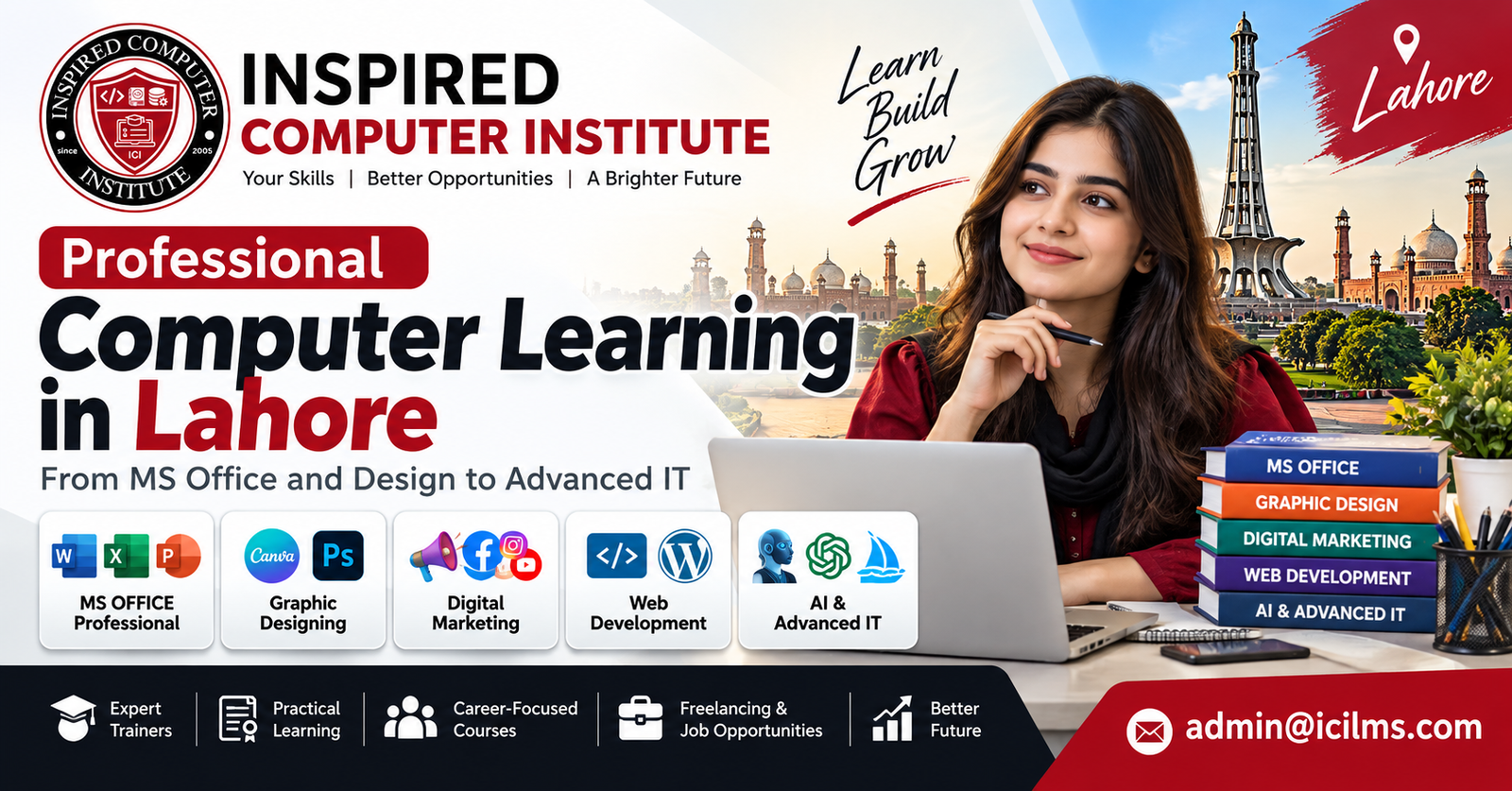
Professional Computer Learning in Lahore: From MS Office and Design to Advanced IT – Complete Guide 2026
Komal Shahzadi
- October 8, 2026
- Comment 0
Professional Computer Learning in Lahore: From MS Office and Design to Advanced IT – Complete Guide 2026
1. Introduction to Professional Computer Learning in Lahore
Technology has changed the way people study, work, communicate, and run businesses. Whether someone wants to prepare an office report, design a company logo, build a website, or manage an online store, computer skills have become an important part of everyday professional life. In a growing educational and commercial city like Lahore, learning practical computer skills can open doors to employment, freelancing, entrepreneurship, and further technical education. This is why professional computer learning in Lahore attracts students, job seekers, working professionals, and business owners who want to improve their abilities.
Lahore offers a wide variety of computer education opportunities, ranging from basic computer literacy to specialized information technology training. Beginners can start with Microsoft Office, typing, internet browsing, and email communication. Creative students may prefer graphic designing, video editing, or UI/UX design, while technically inclined learners can explore programming, web development, cybersecurity, networking, and cloud computing. The right course depends on your current knowledge, interests, career goals, and available study time.
One of the biggest advantages of professional computer training is its practical nature. Unlike education that focuses mainly on theory, a well-designed computer course encourages students to work directly with software, solve problems, complete assignments, and develop projects. For example, an MS Excel student might prepare a sales report, while a graphic design student creates a complete brand identity for a fictional business. These projects help learners understand how their new skills apply to actual workplace situations.
Another important consideration is that computer education is not limited to people pursuing IT careers. Accountants use spreadsheets, teachers prepare digital presentations, shop owners manage online records, and marketing teams create social media campaigns. Even someone working in administration or customer service can benefit from better computer knowledge.
If you’re considering computer courses in Lahore, this guide explains the available learning paths, popular software programs, course durations, estimated fees, career possibilities, and important factors to consider before choosing an institute.
2. Why Computer Education Is Important in Lahore
Lahore is one of Pakistan’s major centers for education, commerce, technology, and creative services. The city has universities, software companies, advertising agencies, retail businesses, educational institutions, and organizations that rely on digital tools. As businesses adopt new technologies, employees increasingly need the ability to use computers efficiently. This makes computer education in Lahore relevant not only for people entering the technology industry but also for those seeking jobs in traditional business sectors.
Consider an ordinary office environment. Employees may need to prepare letters in Microsoft Word, analyze expenses in Excel, deliver presentations through PowerPoint, communicate using email, and maintain digital records. Someone who understands these tools can often complete routine assignments more independently and accurately. For job applicants, these skills can strengthen a CV and make it easier to meet the practical requirements of administrative, clerical, and support roles.
Computer education also matters because digital business opportunities continue to expand. Small businesses increasingly use websites, social media pages, digital advertisements, and online marketplaces to reach customers. A person who learns graphic design or digital marketing may be able to help a local clothing shop promote its products, while a web developer can create an online presence for a service provider. These examples show how technical knowledge can support economic activity beyond software companies.
Students benefit from digital skills as well. Research assignments, online classes, presentation preparation, data organization, and collaborative projects all require some level of computer literacy. Learning these skills early can make academic work easier and prepare students for more advanced technical subjects.
However, completing a computer course does not automatically guarantee employment. Employers usually consider several factors, including communication skills, practical experience, portfolio quality, problem-solving ability, and interview performance. A certificate may demonstrate that training has been completed, but the ability to perform real tasks is often more valuable.
For people who want to remain competitive in a changing job market, professional IT training in Lahore can provide a useful foundation. The key is choosing a course that develops practical abilities rather than simply teaching software menus or theoretical definitions.
3. Benefits of Joining a Professional Computer Training Institute
Learning computer skills independently is possible through tutorials, online courses, and practice. However, many beginners find structured classroom training more manageable, particularly when they have limited experience using computers. A professional training institute can provide a learning schedule, access to equipment, instructor guidance, and opportunities to ask questions. These advantages make formal computer education attractive to students who prefer an organized approach.
One major benefit is hands-on learning. Watching someone use Microsoft Excel or Adobe Photoshop is different from completing the same task yourself. In a practical class, students can open the software, follow demonstrations, experiment with features, and correct mistakes. This process helps build confidence and familiarity. When an instructor reviews completed assignments, learners can also identify weaknesses they might overlook during independent study.
Another advantage is the opportunity to follow a structured curriculum. A good beginner course introduces essential concepts before moving into complicated tasks. For example, graphic design students should understand color, typography, alignment, and composition rather than immediately attempting complex effects. Similarly, programming students benefit from learning variables, conditions, loops, and functions before building full applications.
Professional institutes may also provide completion certificates, portfolio guidance, mock interviews, or career counseling. These services vary significantly between providers, so students should verify what is included before paying admission fees. A certificate from an institute is not necessarily equivalent to an internationally recognized vendor certification.
Classroom learning can also create useful connections. Students meet others interested in technology, exchange ideas, discuss assignments, and sometimes collaborate on projects. This can be particularly helpful for beginners who do not yet know anyone working in the IT industry.
Still, not every training center offers the same quality. Some emphasize practical projects, while others rely heavily on lectures. Before joining a computer training institute in Lahore, prospective students should inspect the computer laboratory, review the syllabus, ask about instructor experience, and request a demonstration class where possible.
The best institute is not necessarily the most expensive or the one advertising the largest number of courses. It is the one that helps you develop the specific skills needed for your next educational or professional goal.
4. Basic Computer Courses for Beginners
For someone who has never used a computer regularly, advanced programming or professional graphic design can feel overwhelming. Starting with a basic computer course in Lahore is often a better approach. These courses introduce fundamental concepts such as operating systems, files, folders, keyboards, software applications, and internet connectivity. Their purpose is to help learners become comfortable using a computer independently.
A beginner typically starts by understanding the difference between hardware and software. Hardware includes physical components such as the monitor, keyboard, mouse, processor, and storage drive. Software refers to programs and operating systems that allow users to perform tasks. Understanding these basic ideas helps students troubleshoot simple problems and follow instructions more confidently.
File management is another essential skill. Many new users struggle to locate downloaded documents, organize folders, rename files, or transfer information between storage devices. Although these tasks may appear simple, they are fundamental to efficient computer use. A person who cannot organize digital files may face difficulties in an office environment, even after learning advanced software features.
Basic training should also introduce operating system functions, including installing approved applications, managing settings, creating shortcuts, and using common keyboard commands. Students may learn how to connect printers, save documents in different formats, and recognize common error messages. These practical lessons can reduce dependence on others for routine computer tasks.
Computer safety deserves attention from the beginning. Students should learn to create strong passwords, recognize suspicious downloads, protect personal information, and maintain backups of important files. Basic cybersecurity awareness is useful for anyone using online banking, email, educational platforms, or workplace accounts.
Most importantly, a beginner course should encourage consistent practice. Even 30 to 45 minutes of daily computer use can help reinforce classroom lessons. Typing documents, organizing folders, preparing simple spreadsheets, and using email are effective exercises.
Once students become comfortable with these foundations, they can move toward Microsoft Office, graphic designing, digital marketing, web development, or other specialized courses with greater confidence.
5. Microsoft Office Training: Word, Excel, and PowerPoint
Among the most practical options for beginners, an MS Office course in Lahore remains especially useful. Microsoft Office applications are widely used in education, administration, finance, sales, and business communication. Learning Word, Excel, and PowerPoint can help students perform common workplace tasks and prepare for roles that require document creation, reporting, and presentations.

Microsoft Excel for calculations and reporting

PowerPoint for professional presentations
Microsoft Word is usually the first application introduced. Students learn to type and format documents, adjust margins, insert tables, create headers and footers, and prepare professional letters. More advanced lessons may cover styles, page numbering, mail merge, references, and document templates. These skills are useful for office assistants, students, teachers, and people responsible for preparing formal reports.
Microsoft Excel deserves particular attention because spreadsheets are used in so many industries. Beginners start with rows, columns, worksheets, and basic calculations. As their knowledge improves, they can explore functions such as SUM, AVERAGE, IF, COUNTIF, SUMIF, and XLOOKUP. Intermediate learners may also study conditional formatting, charts, sorting, filtering, PivotTables, and data validation.
Imagine working for a small business that records daily sales manually. With Excel, you could create a spreadsheet that calculates totals, tracks expenses, and summarizes monthly performance. Instead of spending hours reviewing handwritten records, the business could use formulas and structured tables to reduce repetitive work.
PowerPoint focuses on visual communication. Students learn to create slides, insert images and charts, apply consistent layouts, and present information clearly. Good training should also explain how to avoid overcrowded slides and use readable fonts and suitable colors.
Some institutes include Outlook, Access, or introductory Power BI training, although these subjects are not always part of a standard MS Office course. Students should check the syllabus before enrolling.
A strong Microsoft Office course should finish with practical assignments, such as preparing a business letter, designing an expense tracker, and creating a short presentation. These exercises demonstrate whether students can use the applications independently.
6. Internet, Email, Typing, and Digital Communication Skills
Computer literacy is incomplete without the ability to use the internet safely and communicate professionally. Almost every modern workplace depends on digital communication, whether employees are sending documents, attending online meetings, conducting research, or collaborating with colleagues. For this reason, internet and email training in Lahore is an important part of beginner computer education.
Internet training usually begins with web browsers, search engines, website navigation, and downloading files. Students should learn how to search effectively rather than simply entering random words into a search engine. For example, using specific keywords, quotation marks, and source filters can help locate relevant information more quickly. Learners should also understand how to distinguish trustworthy websites from misleading or suspicious pages.
Email communication is another essential skill. Students can practice creating an email account, composing messages, attaching documents, organizing folders, and responding to professional correspondence. Understanding the difference between CC and BCC is useful, particularly when communicating with multiple recipients. Equally important is learning how to write clear subject lines and concise, respectful messages.
Professional Computer Learning in Lahore
Typing practice may seem less exciting than graphic design or programming, but it can make a noticeable difference in productivity. Someone who types accurately without constantly looking at the keyboard can complete assignments faster. Training should emphasize accuracy before speed, since frequent mistakes often cancel out the benefits of typing quickly.
Digital communication also includes online meetings and collaborative tools. Students may learn how to use Google Meet, Microsoft Teams, Zoom, Google Drive, and shared documents. These applications are relevant to remote employment, online education, and businesses working with distributed teams.
Online safety must remain a central part of training. Learners should understand phishing emails, fraudulent links, suspicious attachments, two-factor authentication, and privacy settings. These skills can help protect personal accounts and sensitive workplace information.
By combining internet research, typing, email etiquette, and basic security practices, students build a foundation that supports almost every other computer course. These abilities may not always appear impressive on a certificate, but they are frequently used in real professional environments.
7. Graphic Designing Courses in Lahore
Graphic design is a popular choice for students who enjoy creativity, visual communication, and digital media. Businesses need logos, advertisements, brochures, packaging, social media graphics, and other visual materials to communicate with customers. A graphic designing course in Lahore can introduce learners to the tools and principles used to create these materials professionally.

1. MS Office Training in Lahore

2. Graphic Designing Course in Lahore

3. Advanced IT and Web Development Training
A common misconception is that graphic design simply means learning Photoshop or another editing program. Software knowledge is important, but design is fundamentally about communicating ideas visually. Students need to understand color relationships, typography, composition, contrast, alignment, hierarchy, and spacing. Without these principles, even someone who knows hundreds of software shortcuts may struggle to produce effective designs.
Professional training should introduce both raster and vector graphics. Raster images are made from pixels and are commonly used for photographs and detailed image editing. Vector graphics use mathematical paths and can be resized without the same loss of quality, making them suitable for logos and illustrations. Understanding the difference helps designers choose appropriate tools and export formats.
Practical projects are essential. A beginner might start by creating social media posts, simple posters, and business cards. As their skills improve, they can develop complete branding packages containing logos, color palettes, typography guidelines, stationery, and promotional materials. These projects can become part of a portfolio used when applying for jobs or approaching freelance clients.
Students should also learn about file preparation. A design intended for Instagram may require different dimensions and color settings from a brochure intended for commercial printing. Export formats such as PNG, JPEG, SVG, and PDF serve different purposes, and selecting the wrong format can affect quality.
Graphic design training can lead toward several specializations, including branding, advertising design, social media content creation, illustration, packaging, and user interface design. However, competition can be significant, especially for basic design services.
To stand out, learners should develop original work, understand client requirements, communicate clearly, and explain the reasoning behind their design decisions. A thoughtful portfolio often provides stronger evidence of ability than a certificate alone.
8. Adobe Photoshop, Illustrator, and CorelDRAW Training
Three applications frequently discussed in professional graphic design training in Lahore are Adobe Photoshop, Adobe Illustrator, and CorelDRAW. Although they share some functions, each has strengths that make it suitable for different creative tasks. Understanding these differences can help students choose the right software and avoid relying on one application for every project.
Adobe Photoshop is primarily associated with raster image editing. Designers use it for photo retouching, image manipulation, digital compositions, mockups, and promotional graphics. A beginner should learn layers, masks, selection tools, adjustment layers, blending modes, and non-destructive editing techniques. These features make it possible to modify images while preserving flexibility for later revisions.
Adobe Illustrator is particularly useful for vector graphics. Logo design, icons, illustrations, and scalable branding elements are common Illustrator projects. Students should become familiar with the Pen tool, shapes, paths, anchor points, typography, and vector export options. A well-designed vector logo can be used on a small business card or a large billboard without becoming pixelated.
CorelDRAW is another vector graphics application used in various printing, signage, and design workflows. Some local printing businesses prefer it for particular production tasks. Learners interested in commercial printing may benefit from understanding page layouts, outlines, object manipulation, and print preparation within CorelDRAW.
| Software | Primary strength | Common applications |
|---|---|---|
| Adobe Photoshop | Raster image editing | Photo editing, posters, composites |
| Adobe Illustrator | Vector illustration | Logos, icons, brand identities |
| CorelDRAW | Vector design and layouts | Signage, print materials, illustrations |
Students should remember that professional design is not about collecting software certificates. It is about producing effective visual solutions. Someone who can create a clear, memorable logo and prepare the correct production files may be more valuable to a client than someone who knows numerous effects but lacks design judgment.
A good training program should therefore combine software demonstrations with assignments that resemble client projects. Students might create a restaurant menu, clothing brand logo, event poster, and social media campaign.
By the end of the course, learners should have a portfolio demonstrating variety, technical accuracy, and an understanding of visual communication.
9. Web Designing and Web Development Courses
Websites are important tools for businesses, educational institutions, organizations, and individuals who want to establish an online presence. From a small restaurant displaying its menu to an e-commerce store accepting orders, websites support many different purposes. This makes web designing and web development courses in Lahore relevant for students interested in technical careers, freelancing, and digital entrepreneurship.

Web designing and web development are closely related, but they are not identical. Web design focuses on appearance, usability, navigation, layout, and the overall experience of visitors. Web development involves writing the code and building the systems that make a website function. Some professionals specialize in one area, while others develop skills across both.
Beginners often start with HTML, CSS, and JavaScript. HTML provides the structure of a webpage, CSS controls its appearance, and JavaScript adds interactivity. Together, these technologies form the foundation of front-end web development. Students can practice by creating personal portfolios, business landing pages, and responsive websites that adapt to mobile devices.
As learners progress, they may study front-end frameworks such as React. Those interested in back-end development can explore technologies such as Node.js, PHP, Python, and relational databases. Back-end systems manage tasks including user authentication, data storage, business logic, and communication with databases.
WordPress is another practical learning option. It allows users to create and manage many types of websites through themes, plugins, and a content management interface. Although WordPress can reduce the need for custom coding, professional projects still benefit from knowledge of security, performance, accessibility, hosting, and maintenance.
Students should also understand responsive design. A website that looks attractive on a desktop computer but becomes difficult to use on a mobile phone may frustrate visitors. Testing layouts across different screen sizes is therefore essential.
A complete web development course should include projects, version control with Git, debugging techniques, and basic deployment. Students should finish with functioning websites they can demonstrate to potential employers or clients.
Web development requires patience because technologies change and problems are not always solved immediately. Learners who enjoy logical thinking, experimentation, and continuous improvement may find it a rewarding long-term career path.
10. Digital Marketing and SEO Training in Lahore
Businesses increasingly depend on digital channels to attract customers, communicate with audiences, and promote products. This has created interest in digital marketing courses in Lahore, particularly among students, entrepreneurs, content creators, and people seeking online work. Digital marketing combines creativity, communication, data analysis, and technology to help organizations reach specific business goals.
One important area is Search Engine Optimization (SEO). SEO involves improving websites so search engines can understand their content and users can find relevant information. Students should learn keyword research, search intent, page titles, meta descriptions, internal linking, technical website fundamentals, and content optimization. Good SEO training also emphasizes helpful content, clear website structure, and a positive user experience rather than shortcuts promising guaranteed rankings.
Social media marketing is another major component. Platforms such as Facebook, Instagram, LinkedIn, and TikTok allow businesses to communicate with different audiences. Students can learn how to plan content calendars, write captions, create promotional graphics, evaluate engagement, and develop campaigns aligned with business objectives.
Paid advertising introduces another set of skills. Google Ads and Meta advertising platforms allow marketers to target audiences and measure campaign results. However, successful advertising requires more than launching an advertisement. Learners need to understand budgets, conversion tracking, audience selection, creative testing, and return on advertising spend.
Content marketing also deserves attention. Blog articles, videos, newsletters, guides, and case studies can help businesses educate customers and build credibility. Students should learn to research topics, identify audience needs, and develop content that answers real questions.
Analytics connects these activities. Tools such as Google Analytics and Google Search Console can provide information about website traffic, search visibility, and visitor behavior. Understanding the data helps marketers evaluate what is working and identify areas for improvement.
Digital marketing courses should include practical exercises rather than relying entirely on theoretical lectures. A student might create an SEO plan for a local business, develop a sample advertising campaign, or audit a website.
Results in digital marketing are not guaranteed. Competition, budgets, content quality, website performance, and market conditions all influence outcomes. Professional training should teach students how to test ideas, interpret evidence, and adjust strategies responsibly.
11. Advanced IT Courses and Professional Certifications
Students who already understand basic computer operations may want to explore advanced IT courses in Lahore. These programs focus on specialized technical skills used in software development, infrastructure management, cybersecurity, cloud services, databases, and related fields. Compared with beginner courses, advanced training usually requires more independent practice, logical thinking, and a willingness to troubleshoot complex problems.
One important distinction is the difference between completing a local training course and earning an industry-recognized certification. A computer institute may issue its own certificate after a student finishes a program. Vendor certifications, by contrast, often require passing a separate examination administered under specific conditions. Examples include certifications associated with Microsoft, Cisco, AWS, and CompTIA. Students should verify current examination requirements, official training materials, and fees through the relevant certification provider.
Advanced IT learning is most effective when students choose a clear specialization. Trying to study programming, cloud computing, ethical hacking, artificial intelligence, and networking simultaneously can make progress difficult. A focused path allows learners to build knowledge gradually and understand how different concepts connect.
For example, someone interested in cloud administration may first study operating systems, networking fundamentals, and basic scripting. A future cybersecurity professional might begin with networking, Linux, system administration, and security principles. A software developer would usually prioritize programming fundamentals, data structures, databases, and project development.
Laboratory work is especially important at this level. Students need opportunities to configure systems, write programs, examine logs, deploy applications, and solve realistic technical problems. Virtual machines and cloud-based practice environments can provide useful alternatives when physical equipment is limited.
Advanced courses also demand continuous learning. A framework, cloud service, or security tool that is popular today may change significantly over time. Professionals must regularly review documentation, practice new techniques, and update their skills.
Before joining an advanced program, students should examine prerequisites carefully. A course advertised as suitable for everyone may not provide enough foundational instruction for complete beginners.
The strongest training programs explain what students should already know, what they will learn, and which practical tasks they should be able to perform after completion.
12. Programming, Python, and Software Development
Programming is one of the central skills behind modern technology. Websites, mobile applications, business software, automation tools, and many digital services depend on code. For students interested in technical problem-solving, programming courses in Lahore can provide a pathway into software development and related careers.

Python is often recommended to beginners because its syntax is relatively readable. Students can begin with variables, data types, conditions, loops, functions, and basic input and output. These concepts introduce the logical structure of programming without requiring learners to manage too many complicated details at once.
Once the fundamentals become familiar, students can explore file handling, error handling, object-oriented programming, and commonly used libraries. Python can support automation, data processing, web development, testing, and machine learning. However, these specializations require additional knowledge beyond basic Python syntax.
Other languages serve different purposes. JavaScript is widely used for interactive websites and web applications. Java and C# are used in various enterprise and application development environments. C and C++ are useful for understanding lower-level programming concepts and performance-sensitive systems. The best language depends on the type of software a student wants to build.
Programming education should emphasize problem-solving, not memorizing code. Consider a simple task: calculating a student’s final grade from multiple assessments. A programmer must identify the required inputs, define the calculation rules, handle invalid data, and present the result. Writing the code is only one part of the process.
Projects are essential for developing these skills. Beginners can create calculators, quiz applications, expense trackers, and simple inventory systems. Intermediate students might build web applications connected to databases or automate repetitive office tasks.
Version control with Git is another valuable skill. It helps developers track changes, collaborate, and manage different versions of a project. Students should also learn how to read documentation, test their programs, and debug errors systematically.
Software development is rarely mastered through a short course alone. It requires repeated practice and exposure to increasingly challenging problems. Students who continue building projects after formal training are generally better positioned to demonstrate their abilities during technical interviews.
13. Networking, Cybersecurity, and Cloud Computing
Not every IT professional spends the day developing software. Many work behind the scenes, maintaining networks, protecting systems, and ensuring that digital services remain available. Networking, cybersecurity, and cloud computing courses in Lahore introduce students to these important areas of information technology.
Networking provides the foundation for understanding how computers and devices communicate. Students learn about IP addresses, routers, switches, local area networks, DNS, DHCP, and network protocols. Practical exercises may involve configuring devices, testing connectivity, and troubleshooting communication problems. Knowledge of networking is useful for technical support, system administration, cybersecurity, and cloud infrastructure roles.
Cybersecurity focuses on protecting systems, networks, and information against unauthorized access, disruption, and misuse. Beginners should understand common threats such as phishing, malware, credential theft, and insecure configurations. They also need to learn defensive practices, including access controls, patch management, backups, monitoring, and incident response.
Ethical hacking is sometimes advertised as a separate course, but responsible security testing requires authorization and a clear scope. Students should practice only in approved laboratory environments or on systems they have explicit permission to assess. Professional cybersecurity education should emphasize legal boundaries and defensive outcomes rather than unauthorized access.
Cloud computing introduces services delivered through remote computing infrastructure. Platforms such as Amazon Web Services, Microsoft Azure, and Google Cloud provide resources for hosting applications, storing information, managing databases, and supporting business systems. Students may study virtual machines, cloud storage, identity management, networking, monitoring, and cost controls.
These three fields overlap considerably. A cloud engineer benefits from networking knowledge, while a cybersecurity analyst needs to understand operating systems and network behavior. Similarly, network administrators increasingly encounter cloud-connected infrastructure.
Beginners should avoid selecting advanced certifications solely because they appear impressive in advertisements. Understanding prerequisites and building practical experience are more important than rushing through a large number of exams.
A useful training environment should include simulations, virtual laboratories, troubleshooting assignments, and documented projects. Students should be able to explain not just which commands they used but why they selected them.
These specializations can offer long-term career possibilities, but they require disciplined study and regular skill updates as infrastructure and security threats evolve.
14. Freelancing and Online Earning Opportunities
One reason many students search for professional computer learning in Lahore is the possibility of working independently. Freelancing allows skilled individuals to provide services to clients on a project or contract basis. Common services include graphic design, website development, content writing, SEO, video editing, data analysis, and digital marketing.

Platforms such as Upwork and Fiverr provide ways for freelancers to present services and connect with potential clients. However, creating an account does not guarantee projects. New freelancers often face competition, limited reviews, and difficulty explaining the value of their work. Success usually depends on a combination of technical ability, communication, reliability, and consistent service quality.
The first step is developing a marketable skill. Someone who has completed a graphic design course should create original examples of logos, promotional posts, or branding projects. A web developer might build sample websites for different business categories. These examples help potential clients evaluate ability even when the freelancer has limited paid experience.
Choosing a specific service can also make marketing easier. Instead of offering every possible digital service, a beginner could focus on creating social media designs for restaurants or building simple websites for small businesses. A clear specialization makes it easier to describe deliverables, estimate project requirements, and identify suitable clients.
Communication is equally important. Freelancers must understand project briefs, ask relevant questions, discuss deadlines, and explain revisions. Poor communication can cause disputes even when the technical work is satisfactory. Learning to write professional proposals and maintain clear project records is therefore valuable.
Pricing requires careful consideration. Beginners should account for the time needed to complete a project, software costs, platform fees, revisions, and the complexity of the work. Charging extremely low prices may attract some clients initially but can make sustainable work difficult.
Freelancing income is unpredictable, particularly during the early stages. Students should be cautious of institutes that advertise guaranteed dollar earnings or promise immediate clients after course completion.
A realistic freelancing course should teach portfolio development, client communication, proposals, contracts, project management, and payment safety alongside technical skills.
With patience and consistent improvement, freelancing can become a useful professional option. It works best when approached as a service business rather than an effortless way to make money online.
15. Computer Course Duration and Fee Structure in Lahore
Before enrolling in any program, students naturally want to know how much it will cost and how long it will take. Computer course fees in Lahore vary depending on the institute, subject, course level, instructor experience, laboratory facilities, and training format. A short introductory course may cost considerably less than a specialized program involving advanced software, professional equipment, or certification preparation.
The following figures are illustrative planning ranges in Pakistani rupees, not verified current quotations from individual institutes. Actual prices in October 2026 may fall outside these ranges, so students should request updated fee schedules directly from training providers.
| Computer course | Typical study duration | Illustrative fee range (PKR) |
|---|---|---|
| Basic Computer Course | 1–3 months | 5,000–15,000 |
| Microsoft Office | 1–3 months | 6,000–18,000 |
| Graphic Designing | 3–6 months | 15,000–45,000 |
| Web Designing | 2–4 months | 12,000–35,000 |
| Web Development | 4–8 months | 25,000–80,000 |
| Digital Marketing and SEO | 2–4 months | 12,000–40,000 |
| Python Programming | 2–5 months | 15,000–50,000 |
| Networking Fundamentals | 3–6 months | 20,000–60,000 |
| Cybersecurity Fundamentals | 3–6 months | 25,000–80,000 |
| Cloud Computing Fundamentals | 2–5 months | 20,000–65,000 |
Course duration should not be confused with total learning time. A three-month program meeting twice weekly may provide fewer instructional hours than a six-week intensive course. Students should ask about total contact hours, practical laboratory time, homework requirements, and access to recorded lessons.
Fees can also include or exclude different services. Some institutes charge separately for registration, examination vouchers, printed materials, software access, or certificates. International certification exams may carry substantial additional costs.
A cheaper course is not necessarily poor quality, just as an expensive course is not automatically superior. Students should compare the complete curriculum, instructor credentials, student-to-computer ratio, project requirements, and available support.
Online training may reduce commuting expenses, but it requires a suitable computer, reliable internet, and personal discipline. Classroom programs provide a more structured environment, although travel time can become a significant factor for students living far from the institute.
When comparing options, calculate the total cost of learning rather than looking only at the advertised tuition fee. This includes transport, equipment, internet access, software subscriptions, and any examination charges.
A thoughtful financial decision can help students complete their training without unnecessary pressure.
16. How to Choose the Best Computer Institute in Lahore
Finding the best computer institute in Lahore requires more than searching for the nearest training center or choosing the lowest advertised fee. Different students have different needs, and the right institute depends on the course, teaching quality, location, schedule, and expected learning outcomes.
Lahore has educational and commercial areas where students may find computer training providers, including Gulberg, Johar Town, Model Town, Garden Town, Township, and other neighborhoods. However, the presence of an institute in a well-known area does not establish its quality. Students should evaluate individual providers rather than assuming that location or marketing claims guarantee better instruction.
A useful starting point is the course syllabus. Ask whether the curriculum covers the tools and skills relevant to your goals. For example, a graphic design program should teach design principles, software workflows, file preparation, and portfolio development. A web development course should include actual coding assignments and working projects.
Instructor experience matters as well. A trainer who has completed real projects may be able to explain common workplace challenges and practical solutions. Students can ask about the instructor’s professional background and request examples of teaching materials or student work.
Laboratory facilities should also be inspected. Computers need to be capable of running the required software, particularly for demanding applications such as video editing, 3D design, and virtualization. Reliable internet, appropriate software access, and manageable class sizes can improve the learning experience.
Student feedback can provide useful clues, although online reviews should be evaluated carefully. Look for detailed comments describing teaching quality, practical assignments, and administrative support rather than relying entirely on star ratings.
Before paying fees, clarify the institute’s refund policy, attendance requirements, class schedule, certificate conditions, and examination arrangements. Written confirmation can help prevent misunderstandings later.
Career support is another factor worth investigating. Some institutes may provide CV guidance, interview preparation, portfolio reviews, or introductions to employers. These services should be verified rather than assumed.
Ultimately, the best institute is one that offers transparent information, qualified instruction, sufficient practical work, and a curriculum aligned with your goals.
17. Career Opportunities After Completing Computer Courses
Completing a computer course can help students explore different professional directions. However, the available opportunities depend heavily on the subject studied, practical experience, communication skills, and the quality of completed projects. Career opportunities after computer courses in Lahore range from office support roles to specialized technical positions.
Students trained in Microsoft Office may apply for administrative assistant, office support, documentation, or data-entry positions. These roles often involve preparing reports, organizing records, updating spreadsheets, and communicating with colleagues. Advanced Excel knowledge may also support work involving reporting and business operations, although specialized analytical roles often require additional skills.
Graphic design students can pursue junior designer positions, social media content creation, printing and advertising work, or freelance projects. A strong portfolio is particularly important because employers and clients want to see visual evidence of creativity and technical competence.
Web development students may seek internships, junior developer roles, website maintenance assignments, or freelance website projects. Employers may assess coding ability through technical interviews and practical tests, so students should be prepared to explain their projects.
Digital marketing learners can explore roles involving SEO, content coordination, social media management, advertising support, and website analytics. Strong writing skills, campaign knowledge, and the ability to interpret performance data can improve their suitability for these positions.
Advanced IT learners may work toward networking, technical support, system administration, cloud operations, or cybersecurity roles. Many specialized positions require substantial foundational knowledge and experience, so an entry-level support role can sometimes be a practical starting point.
| Training area | Potential entry-level direction | Important evidence of ability |
|---|---|---|
| MS Office | Office assistant, documentation support | Reports and spreadsheet assignments |
| Graphic Design | Junior graphic designer | Original design portfolio |
| Web Development | Junior web developer | Functional websites and code repositories |
| Digital Marketing | SEO or marketing assistant | Audits, content plans, campaign projects |
| Programming | Junior developer or trainee | Working applications and coding projects |
| Networking | IT support or network technician | Troubleshooting and lab experience |
| Cybersecurity | Security support or junior analyst pathway | Security fundamentals and authorized labs |
Students should not assume that every course leads directly to a high-paying position. Job requirements differ across employers, and some roles require degrees, certifications, or previous experience.
A practical career strategy is to complete relevant projects, build a CV, create a portfolio, apply for internships, and continue learning.
The real value of computer training becomes clearer when students can demonstrate what they know and apply those skills to actual problems.
18. Future of Professional Computer Education in Lahore
The future of professional computer education in Lahore is closely connected to changes in business technology, artificial intelligence, automation, cloud infrastructure, and digital communication. As tools evolve, training programs will need to focus on practical understanding and adaptability rather than teaching students to memorize fixed sequences of software commands.
Artificial intelligence is already influencing many types of computer work. Office users can employ AI-assisted tools to draft documents, summarize information, and explore data. Designers can use AI features for certain editing and concept-development tasks. Programmers can receive suggestions for code, documentation, and debugging. However, these tools still require human judgment, verification, and an understanding of the underlying task.
This creates an important lesson for students: learning how to operate a tool is not enough. They also need to understand how to evaluate its output. A spreadsheet formula may produce an incorrect result if the underlying data is wrong. An AI-generated design may contain visual inconsistencies or intellectual property concerns. A suggested piece of code may introduce security vulnerabilities if copied without review.
Data literacy is likely to remain useful across many careers. Employees increasingly encounter dashboards, reports, customer records, and performance measurements. The ability to organize information, interpret charts, and ask meaningful questions can support decision-making in both technical and non-technical roles.
Cybersecurity awareness will also remain essential. As organizations depend on online accounts, cloud services, and connected devices, protecting information becomes a shared responsibility. Even employees who never pursue cybersecurity careers benefit from understanding secure passwords, phishing risks, and responsible data handling.
Hybrid learning models may provide additional flexibility. Students can attend practical laboratory sessions while using online materials for revision and independent assignments. This combination can help learners balance education with employment or other commitments.
The most valuable future training programs will likely combine technical knowledge with communication, creativity, critical thinking, and problem-solving. Students who can learn new tools independently will be better prepared for changes in the workplace.
For Lahore’s students and professionals, the objective should not simply be to complete one computer course. It should be to develop a foundation for continuous learning and practical improvement.
19. Conclusion
Professional computer learning in Lahore offers many pathways for people who want to improve their digital skills, prepare for employment, explore freelancing, or move into specialized technology careers. From basic computer literacy and Microsoft Office to graphic designing, web development, programming, digital marketing, and advanced IT, students can choose training that matches their interests and experience.
The most important decision is not necessarily which course is currently popular. It is which skill will help you achieve a realistic goal. A student preparing for an administrative job may benefit more from advanced Excel than from introductory cybersecurity. Someone interested in creative work may find graphic design a better starting point than programming. A learner hoping to become a software developer should focus on coding fundamentals and consistent project work.
Course quality also matters. Practical assignments, experienced instructors, suitable equipment, and transparent fees can make a significant difference. Students should evaluate institutes carefully and avoid promises of guaranteed jobs, instant expertise, or effortless online income.
Professional development continues after formal training ends. Regular practice, portfolio building, communication skills, and independent learning help turn classroom knowledge into useful professional ability.
Whether you are a beginner, university student, job seeker, freelancer, or working professional, computer education can be a meaningful investment when approached with clear expectations.
Choose a suitable learning path, practice consistently, and focus on building skills you can demonstrate in the real world.
20 Frequently Asked Questions About Professional Computer Learning in Lahore
FAQ 1. Which computer course is best for beginners in Lahore?
A basic computer course combined with Microsoft Office training is a practical starting point for most beginners. It introduces computer operations, file management, typing, internet browsing, email, and common office applications. These skills are useful in education and many workplaces. After completing the basics, students can choose a specialization based on their interests.
FAQ 2. What is the average fee for computer courses in Lahore?
Fees depend on the course, institute, duration, and facilities. As an illustrative planning estimate, basic computer courses may cost around PKR 5,000–15,000, while specialized technical programs can cost considerably more. These are not verified current institute quotations. Students should contact training providers for updated fees and check whether certificates, materials, and examinations are included.
FAQ 3. How long does an MS Office course take in Lahore?
An MS Office course in Lahore commonly takes approximately one to three months, depending on the schedule and syllabus. Beginner programs may focus on Word, Excel, and PowerPoint, while more comprehensive courses include advanced Excel formulas and reporting. Students should compare total instructional hours rather than relying only on the advertised number of weeks.
FAQ 4. Can I learn graphic designing without previous computer experience?
Yes, beginners can learn graphic design, although basic computer knowledge makes the process easier. Students should first become comfortable with file management, typing, and common software operations. They can then study design principles and applications such as Photoshop and Illustrator. Consistent practice and original projects are important for building a portfolio.
FAQ 5. Which computer course is best for freelancing in Pakistan?
Graphic design, web development, SEO, content writing, video editing, and digital marketing are all potential freelancing skills. The best choice depends on your interests, abilities, and willingness to practice. Freelancing platforms are competitive, and completing a course does not guarantee clients. A strong portfolio and reliable communication are essential.
FAQ 6. Is web development a good career in Lahore?
Web development can be a worthwhile career for people who enjoy programming and solving technical problems. Businesses need websites, applications, and online systems, creating opportunities for developers with suitable skills. Beginners should learn HTML, CSS, JavaScript, and related development fundamentals. Building functioning projects can help demonstrate ability to employers and clients.
FAQ 7. Can students join computer courses after matriculation?
Yes, many introductory computer courses are suitable for students who have completed matriculation. Basic computer training, Microsoft Office, graphic design, and introductory web development can be accessible starting points. Advanced programs may require additional technical knowledge. Students should check admission requirements and select courses appropriate to their educational background.
FAQ 8. Are online computer courses better than physical classes?
Neither format is automatically better. Online courses offer scheduling flexibility and reduce commuting, while classroom training can provide direct instructor support and access to computer laboratories. Beginners who need regular supervision may prefer physical classes. Motivated students with suitable equipment and reliable internet can also learn effectively online.
FAQ 9. Which software is taught in graphic designing courses?
Graphic design courses commonly cover Adobe Photoshop and Adobe Illustrator, while some include CorelDRAW, Canva, or other applications. The software selection depends on the course objectives. Students should also learn typography, color theory, composition, and file preparation. Understanding design principles is more important than simply knowing many software tools.
FAQ 10. Is Python programming difficult for beginners?
Python is often considered approachable because its syntax is relatively readable. However, learning programming still requires logical thinking, patience, and regular practice. Beginners should start with variables, conditions, loops, and functions before attempting complex applications. Small projects can make the learning process more manageable and enjoyable.
FAQ 11. Do computer institutes in Lahore provide certificates?
Many institutes provide course completion certificates, but their recognition and requirements vary. A local institute certificate is different from an official certification issued by a technology vendor. Students should ask who issues the certificate, whether an examination is required, and whether additional charges apply. Practical ability remains important regardless of certification.
FAQ 12. Can I get a job after completing a three-month computer course?
A three-month course may help you qualify for certain entry-level opportunities, particularly when you already have relevant education or experience. However, employment is not guaranteed. Employers may evaluate your technical skills, communication, portfolio, and interview performance. Completing practical assignments and seeking internships can improve your preparation.
FAQ 13. What is the difference between web designing and web development?
Web designing focuses primarily on a website’s visual appearance, layout, navigation, and user experience. Web development focuses on implementing functionality through code and related technologies. The two areas overlap, especially in front-end development. Students interested in both creativity and programming may choose to learn skills from each field.
FAQ 14. Which advanced IT courses are suitable for career growth?
Programming, cloud computing, networking, cybersecurity, database administration, and data analytics are potential specializations. The right choice depends on your existing knowledge and intended career. Beginners should establish strong foundations before attempting advanced subjects. Practical experience and continued learning are important for long-term progress.
FAQ 15. Can women join professional computer courses in Lahore?
Yes. Women can pursue computer education across all areas, including Microsoft Office, design, programming, networking, and cybersecurity. Students can compare institutes based on accessibility, class schedules, learning environment, safety, and teaching quality. Some providers may offer online or women-focused classes, but availability should be confirmed directly.
FAQ 16. What equipment do I need for an online computer course?
Most online courses require a suitable computer or laptop, reliable internet access, and the necessary software. Hardware requirements depend on the subject. Basic Office training may run on modest equipment, while video editing, virtualization, and certain development tools can require more memory and processing power. Check the course requirements before enrolling.
FAQ 17. Is digital marketing possible without programming knowledge?
Yes. Many digital marketing activities, including content planning, social media management, advertising, and basic SEO, do not require programming. However, understanding website structure, HTML fundamentals, analytics, and technical SEO can be helpful. Students can begin with marketing principles and develop technical knowledge as their responsibilities grow.
FAQ 18. How can I verify whether a computer institute is reliable?
Review the syllabus, visit the facilities, ask about instructor qualifications, and request examples of practical assignments. Check student feedback and confirm the fee structure in writing. Ask whether the institute provides a demonstration class and what its refund policy covers. Be cautious of guaranteed job or income claims that cannot be independently verified.
FAQ 19. Are computer courses useful for small business owners?
Yes. Small business owners can use Microsoft Excel for records, graphic design tools for promotional materials, and digital marketing skills to reach customers. Basic website management and cybersecurity awareness are also useful. Learning these skills can help owners understand digital operations and communicate more effectively with employees or external service providers.
FAQ 20. What should I do after completing a professional computer course?
Start by reviewing the skills you learned and completing additional practical projects. Create a portfolio if your field requires one, update your CV, and look for internships or suitable entry-level work. Continue practicing and explore more advanced topics when you are ready. The goal is to turn your training into demonstrable, reliable professional skills.